Emporium
Members
-
Joined
-
Last visited
Everything posted by Emporium
-
Do you have a Classic or Classic Anniversary ? This firmware is for the Anniversary edition only. V20251127 is the latest for the original Classic ( https://buzztvhelp.com/topic/14770-new-official-classic-classic-anniversary-firmware-dec-17th-2025/ )
-
Same answer as the thread you opened under the B5 section.
-
Yes you can install any VPN. Have you purchased a VPN subscription ? Many popular ones are Windscribe, Surfshark, IPVanish, NordVPN. Many sites, like TopCashback, often offer 90% to 110% cashback on purchases of NordVPN. Also, if you want to try a free one, you can always try ProtonVPN. It is free, and works well for single conenction. Free tier does not have access to all the same servers as the paid version does, but it works. I personally use Windscribe Pro myself but any of the ones above will work fine. And most services have instruction on how to install on Android boxes directly on their web site. Example for Surfshark: https://support.surfshark.com/hc/en-us/articles/360010921959-How-to-set-up-Surfshark-VPN-on-Android And this is a Buzz box support forum, and the answer is YES it can be installed. Further support on how to install you'd need to find another forum, since we do not discuss 3rd party software here.
-
typically just unplug the box wait 5 second and plug it back in.
-
You probably have HDMI CEC turned on, and therefore the TV being turned off can turn the box off also. I personally prefer to disable all CEC stuff and manually control each device separately. But I am also probably an old fart who prefers not changing his habits 🙂
-
Because somehow you google account was added to the beta tester group (as it clearly states on your screenshot). Don't know if it was by mistake, or because you had an issue early on and it was fixed on a beta version so they added you to the beta testing group to get the beta versions to fix your issue quickly. Google's way of doing beta stuff is not the same as when buzz would do it via direct OTA, so not sure on how those details work. If I use an account which is not registered as my beta account, I do NOT get anything about beta. If you are STILL seeing beta, message the email address of the account you are using on your box to @allaboutbuzz and I'm sure he can remove your account from the beta testers group if it was accidental. So for sure it is not BETA. But there are obviously BETA versions and Release Candidates that are released for "closed" testing before each final version is released to pubic.
-
On the G-Series it has been disabled. Google rules are strict and this needs to be looked at in the future. But for now, the BuzzTV 6 app on the G-Series does NOT have recording capabilities. Reference: https://buzztvhelp.com/topic/14870-g-series-specs/page/2/#findComment-41679
-
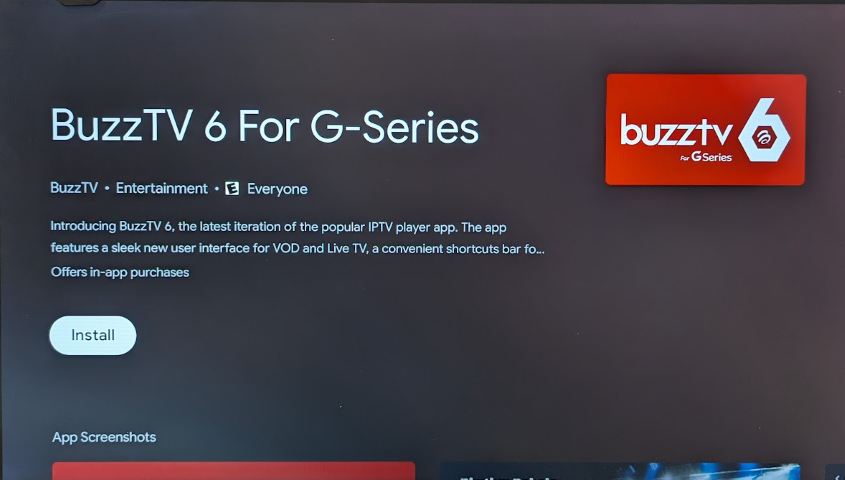
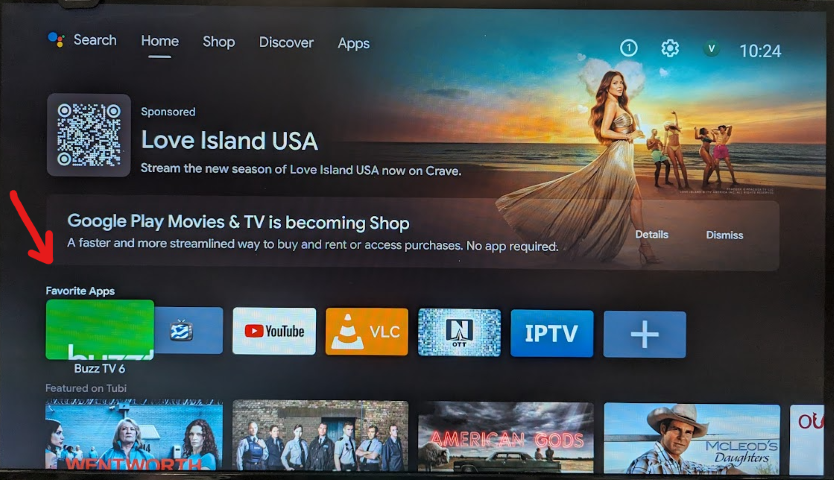
Well, this triggered my curiosity. I dusted off my old MiiBox 3 device which is running AndroidTV 9. And low and behold I can see buzzyv6 it also in the playstore (red logo however, which is strange, I expected the typical Green one). I decide to go ahead and install it, even thought in the description is states it will only work on G-Series boxes. Well, it installed. Figured it would not launch or give some warning, but I launched it and it launched perfectly, and I did play one of the 4K channels on the preinstalled demo server and it worked fine. I don't think this was the intention of Buzz. I am pretty sure this was ONLY supposed to get filtered and show up for G-Series boxes. So far the only downside I saw was that the logo after install, seems to be cropped (see attached images below). But it launches and seems to work fine. Obviously google is not filtering it ONLY on G-Series boxes. @allaboutbuzz should now be aware of this, so if there is any action needed to be taken, they will do it. Not sure if Google permits it (I know their T&C are pretty restrictive), but maybe Buzz would also need to add some sort of check in the app to ensure it is running on a G-Series box. Or at least on a BuzzTV branded box.
-
You could always put your request in here to add option for "user defined playlist refresh interval". https://buzztvhelp.com/topic/14151-buzztv6-application-wishlist-for-new-features-and-enhancements/
-
CC is not working as it should on the Classic AI. I tried a few channels that I know work perfectly with BuzzTV 5. It shows a few tracks available, but no matter what you choose, nothing displays. I will run a few tests and document them and send to Buzz probably tomorrow. For EPG, I don't have any issues with my 2 services that I typically use. So that may be service specific. If EPG continues not to work with your service, the details of the service should be provided to Buzz. If it is not reported, it won't get fixed 🙂
-
Is this for LIVETV or for VOD (Movie/TV Series) ? Opensubtitles option is for VOD (Movie/TV Series), not for LiveTV. Your experience above (with tracks being shown as available but not showing anything when selected), is the same as mine (as I mentioned in my post).
-
When you say you want to setup closed caption. You want to enable/display embedded CC ? LiveTV or VOD/TV Series ? If so, the option is there in the player just like in BuzzTV 5, you can just press the Green button when you are playing LiveTV or VOD/TV Series to see the Subtitle tracks available. Also available in the context menu when you press DPAD down to go the options. However I just tried it on a few LiveTV streams and movies I know have CC, but even though I see tracks showing up in "options - green button" and I select them, they do not display anything. And in some streams, even though there is only 1 sub track available the player seems to things there are 4 or 5 tracks. So seems to be interpreting something odd. Even though regardless of which I select I can't get an CC. So this needs to be fixed in the player. I have not tried the opensubtitles.com option on the Classic AI yet, but I'd assume that is very similar to what you can do with VLC when you play a movie and you don't have subs embedded, you can search opensubtitles.com and download a set of subs to use (sometimes you need to try a few different ones to get one which marching the timestamps of your video source - but it typically works on VLC).
-
Not sure if the reboot will do it. It may have changed however. In the past I've had a few cases in the past when I would modify an online M3U playlist a few times and it would not refresh it no matter how many reboots. Only way was to select "refresh". Not sure if it would have refreshed after a few days, but just reboot at the time was not enough.
-
You don't need to go to main menu to select EPG. When you are watching a channel in full screen, if you press the green button, you will get the full screen, 8 row, and 4x30minutes slots PROGRAM GUIDE (or EPG GRID), and has preview on top right. You can also get to the EPG GRID by long pressing the OK button and selecting EPG grid in the Options) In the EPG GRID you can scroll up or down through the channels you want, and it you press OK on another channel (OK is the button in center of DPAD), it will play that channel in the preview window. If that is the channel you want to watch, you can either press OK again and it will go full screen, showing you the channel info OSD on the bottom for a few second and will disappear in a few second. Other option is to press the back button once from the PROGRAM guide which will do the same (back to full screen, with info OSD on bottom which will eventually disappear). Now if you want to go back into PROGRAM GUIDE you can press the green button from full screen LiveTV and it will give you the PROGRAM GUIDE again. and you can scroll through again and browse other channels or check what it is playing. If you have scrolled through all the channels and you are pages away from the playing channel but decide to stop browsing, you can press the back button once, and it will go back to full screen liveTV. Now, if from full screen LiveTV you press the back button (or OK button), you go to what is called the CHANNEL LIST, which appears on the left. That one shows you 8 channels on the left and what each one is playing. And only the one you have selected shows the next few programs under the previews screen. If you press RIGHT while on a channel you get the program guide for that channel for up to 14 days (-7 days to +7 days) but that range will vary depending on the EPG server of the service you are using. In CHANNEL LIST mode, if you browse up and down through the channel, it DOES do as you "want". One press actually selects the channel and shows up in preview window. And Second press will go to full screen. When on this CHANNEL LIST there are some small navigation "oddness" about it. If you are in the CHANNEL LIST, and you scroll through the channels and you are a few pages away from the live channel in the preview screen, it is not obvious to go back to full screen of the channel playing without switching to channel you selection is on. If you press back, you go back into the categories and then menus, and eventually exit. Small workaround I found for now, is if you are browsing and far from the channel playing, you can always just press right to go into the EPG of the single channel, and then press back, will bring you to full screen. My suggestion would be (in my opinion): PROGRAM GUIDE (EPG GRID) works as expected so no change If in CHANNEL LIST, to go to categories, menus, etc.. it should be accomplished with the left DPAD only (right now back button does the same). From CHANNEL LIST, the "back" button should just bring you back to the Live channel being played in preview screen (right now it takes you back through categories, server/menu list, and then eventually exits) If from Channel list you scroll through and you press DPAD right on some random channel to go into single channel full EPG to see more details, pressing the back button should intuitively bring you back to the CHANNEL list where you left off to continue browsing. Right now when in single channel EPG, if you hit the back button, it goes back to full screen of live channel playing. And if you want to continue scrolling through channel you need to go back into the CHANNEL LIST. EXIT could be accomplished similar to BuzzTV 5, which is a long press of the back button (assuming there are no google restrictions on the back button long press). I know google imposes some restrictions on what buzz can or can't do. Other option is to add an exit option in the various OK long press context popups. I believe point #4 is what you are trying to describe from the start. It is the CHANNEL LIST behavior and NOT the PROGRAM GUIDE/EPG GRID which you are referring to. PS: You keep saying "beta". Are you actually running the BETA versions of the software ? When you go to playstore and search for BuzzTV, does yours actually say beta ? ie: are you running "BuzzTV 6 for G-Series" or "BuzzTV 6 for G-Series (BETA)", legit question. When you go all the way back to the main menu within the app, what version of BuzzTV 6 is it lisiting as running (it's listed at the bottom of the main menu where you see LiveTV, VOD, TV Series, EPG, etc..). It should say "VERSION 1.0.xxx UPDATED: x/yy/zzz"
-
Haven't checked the P6, but my X5 SS is now at 969. Thanks
-
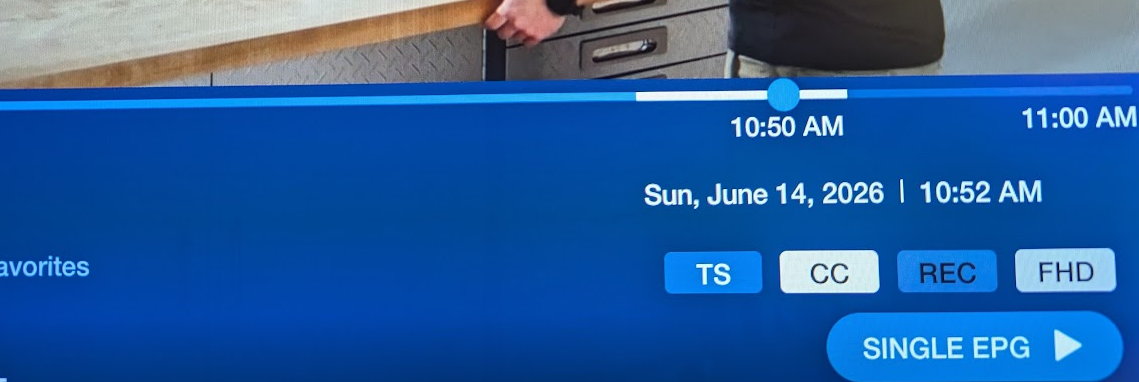
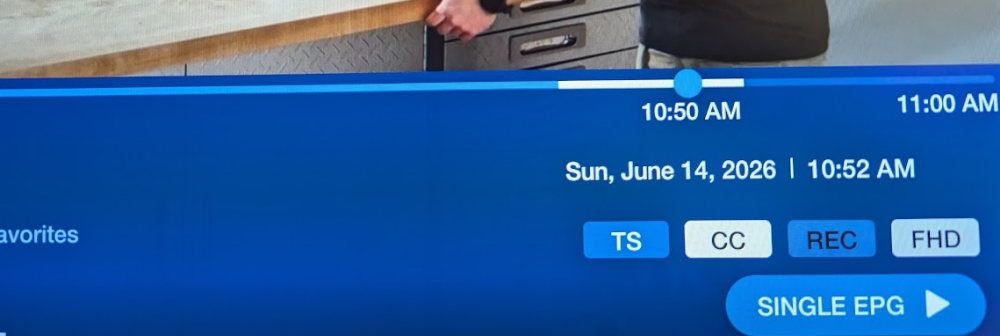
I can't comment on Classic AI since I have not tried TS on it yet. Not a feature I typically care for anyhow. However I do NOT have any rebooting issues with my unit, and there are 2 or 3 days a week that I have it turned on streaming in the background (when I work from home), for at least 10hrs a day. Using primarily 3 servers on it, 2 XC subs, and 1 is a custom M3U which I maintain with some public streams. However I just enabled TS and tested it on my X5 SS, using BuzzTV 5 and it seems to work as expected. Your B5 should work similarly, except that will be quite a bit slower in responding as it is the super basic/entry level device. Being a slower box, and only having USB2 ports (no USB3) it can be challenging. If the bitrate is too high, the USB2 port may not be fast enough to keep up if using USB storage. First of all, it only works if you have "Primary" player selected for LiveTV in Menu->Settings->Configuration. If using "backup" it is not enabled. I also found that it works better if you force the Stream type to "TS" instead of Automatic. If you are using USB for anything (Downloading, recording or TS) then you better be using a very high quality USB device. And don't forget to enable the "FORCE USB TS and set set the TS cache storage location). Also ensure to format the unit as portable storage, or if you have access to a PC, format it using exFAT on your PC, before inserting into your BOX. Also, I don't know what kind of sub you are using, but all my servers are XC type subs. I do not have any MAC based subs, and don't care to use any services that are only MAC based any more. Other that that, it works fine. Attached is a quick snapshot of it in work a few minutes ago. PS: When you also buy the latest device of ANY brand (not only buzz), you are being naive if you believe you will not be faced with a few bugs as it goes into use with a larger number of users. Even when you buy a flagship phone for thousands of dollars, it is often riddled with bugs and already piles of recorded bugs before it hits the shelves. There is always the early adopter advantages/disadvantages issues you need to deal with. If you are not ready to deal with that, then you should always stick with a long time proven older device. There is nothing stopping you from installing any other software on your box that works for you, with all the features you want.
-
Programmable shortcut keys (not color keys) will prompt you for choosing what you want them to be mapped to the first time you try to use them. If you want to remap them later, you can Just hold the button down for about 3 or 4 seconds and once you release it will prompt you again to reassign it to a different app/action. Even the FreeTV button can be mapped to what you want.
-
At least on the P6, BuzzTV 5 was more of a "backup" in the early stages when BuzzTV 6 was still in the early stages. But sure, it would be nice to have it up to date however, On the X5 SS, BuzzTV 5 is the main player ( at least for now 😎 - unless there they surprise us )
-
Will 967 (or newer eventually) be sent to the X5 SS at some point ? I know it Android 13, but it is on BuzzTV 5 🙂 Having some minor audio issues, but before reporting anything, I'd would have liked to try it with 967 which I have on my other boxes, instead of 961 which the X5 SS is still on. Just to make sure it's not because of the version.
-
Tried 3 different server and no issues here. What version of BuzzTV 6 are you running ? (Many ways to check but one way is from the LiveTV screen, press OK to get the channel list. Then go left a few times.. On the leftmost panel, go up to Main menu and press OK. Version number should be listed at the bottom of the Main menu panel). Are you running a VPN ? If so, try changing server (different VPN servers have their ups and downs).
-
On which box ? BuzzTV 6 now runs on more boxes (P6, G Series, Classic AI, and L1 (lite version) ) I don't have this issue on any of my boxes however.
-
Yes. In a lot smaller concentration however. "Some" Windex formulas can contain typically up to 5% alcohol. Not the typical 70% that most wipes contain. But honestly, I have never needed to use anything more than a lightly damp microfiber towel to wipe them down quickly.
-
I'm Greek, so everything just get's wiped down with a rag moist with a little Windex 🙂 Not sure I'd recommend alcohol wipes, since over time the alcohol may affect the metallic blue colored screening on the top of the Classic AI.
-
Too bad the old harmony remotes are no longer 😞 They used to be great for combining all the stuff and the device databases were huge.
-
The fact that the box does NOT process the audio and passes it through, it does not have control of the volume level. So that is unfortunately NOT an option. IF CEC is enabled for Volume control and TV supports it, the big-buttons for volume control on the remote should be able to control the volume on your TV through CEC. Assuming it has variable volume and it is NOT passing control via CEC to your home theater system. This is exactly how some of the firesticks would do it since they have NO internal variable volume control of their own. I suspect it may be a case of too many embedded CEC controls. As a test try unplugging your playbar from the TV and see if the CEC controls can control your TV volume. Does your TV have anything in the menu options to enable/disable CEC volume control ?