Emporium
Members
-
Joined
-
Last visited
Everything posted by Emporium
-
I have been using my buzz boxes for years, and primarily with same server. So once I set up everything the way I like it with all my options and favorites, I did a backup to USB key and I use that to restore quickly if I have to do a box reset for whatever reason, or when I get new boxes, and I can set them up quickly. On the same USB key, I keep a copy of all the apk for all the apps I like to always sideload. so that way it takes less than 5 minutes on a new box, and restore all my server settings, and install all my apps. So if you have a working box setup with all your favorites, just d yourself a favor and take a backup. Takes seconds, and the backup file is super tiny. If you want, you can even email it to yourself and leave it in your mailbox to make sure you don't lose it 🙂
-
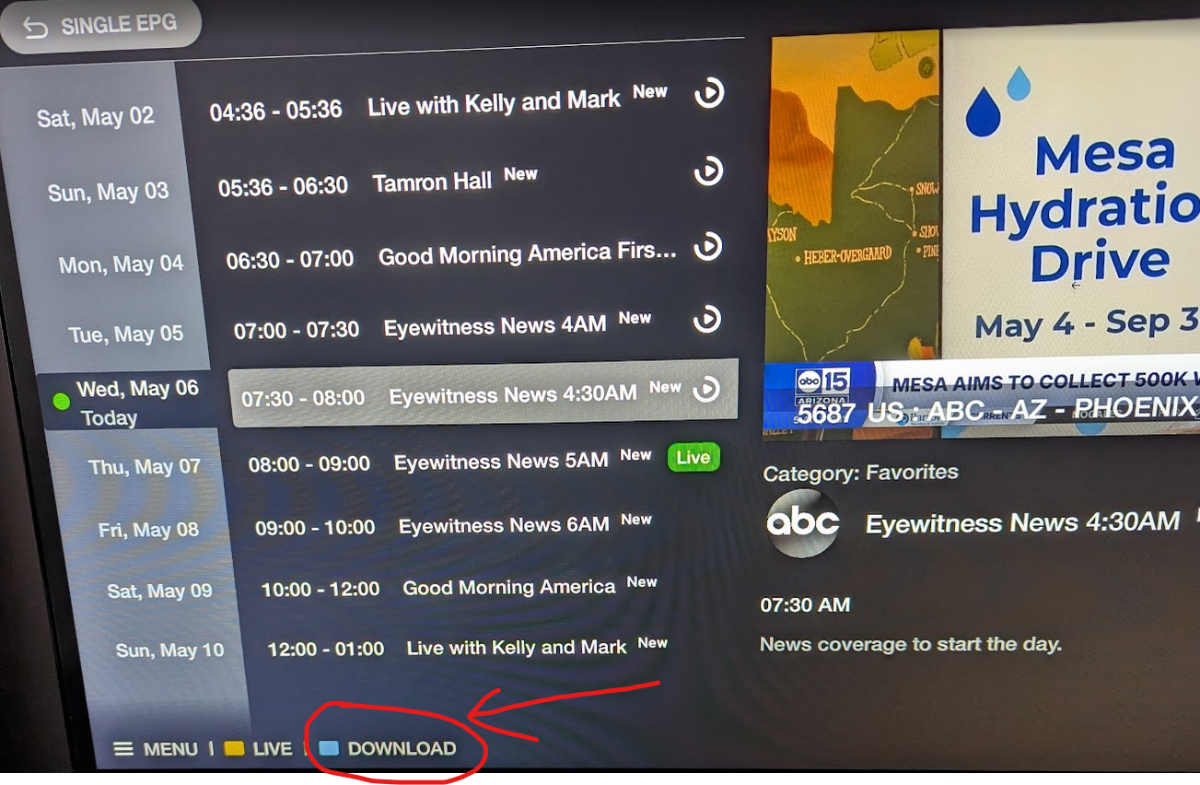
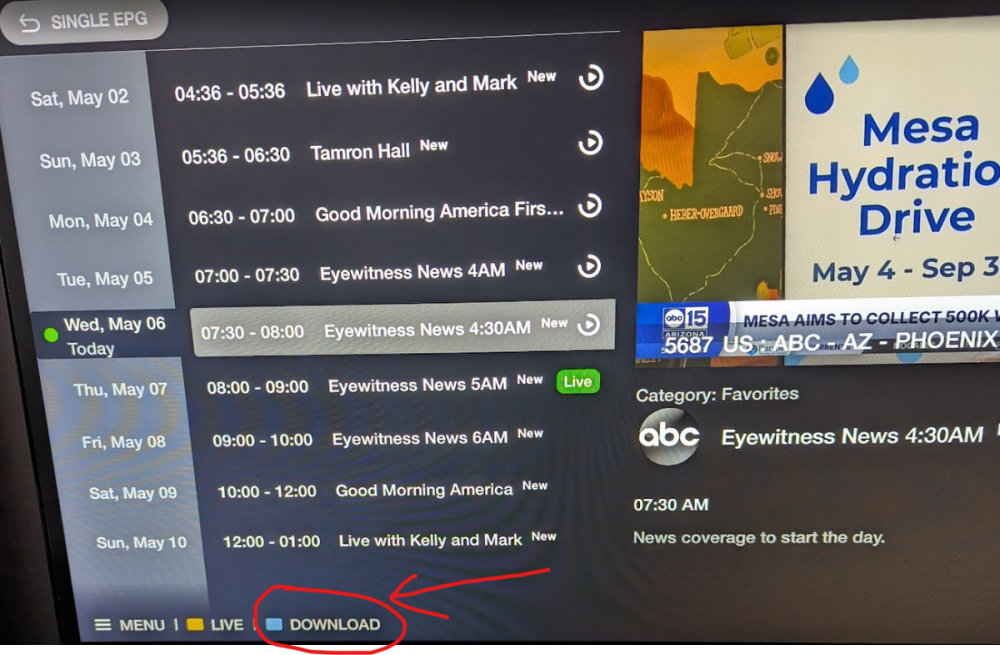
When you are in channel list, and you onto a channel with catchup available and then press Dpad-right to get the single channel EPG to see what programs are available, you can scroll up/down or other day (depending on what server has available) to select something, and then on the bottom color key legend you will see that the "blue" button will trigger a "download" of whatever you have highlighted. Has been there for AGES. And a similar download option exists for VOD/TV Series. With VOD/TV Series it is not a colored button, but actually a selection on screen where you can choose to "play" or "download" a little further to the right.
-
Take a backup of the server info (onto a USB stick), so that way you don't have to manually reenter your server information all the time and redo all your favorites.
-
First of all, the feature to download catchup has been on BuzzTV app for ages now. I use it all the time. First of all, what you are asking is NOT related to buzz really, since you are talking about a 3rd party app. The issue is imPlayer and the way it has implemented it. But just a summary, you will NOT be able to "move" the file, since you probably don't have write permission on that directory, .In order to move you technically copy from a directory (Which only needs read permission from that directory), but you need write permission in destination (which I assume you do if you are copying to a USB stick or something else). But to complete the move, it then deletes the file from that directory, which requires "write" permission which you do not have. OK, I over simplified it, since filesystem is a little different on android/linux than windows (mostly a quick inode update for a move on android), but permissions all still need to be there., and that is the general sequence of events. Since the buzz boxes are not "rooted" you don't have any way to gain write access to that directory.
-
Are you using the Classic (All black) or Classic Anniversary (with Gold stenciling on top) ? If it is the original Classic, I can check again when I get home, but I am pretty sure I used it a few days ago.
-
After reset, did you check if you were still at latest BuzzTV 5 s/w version ? Had a customer yesterday complain about the same issue after a reset. They manually checked for updates, updated to latest BuzzTV 5 again (even though it was updated pre-reset), did a clear EPG and then everything came in properly.
-
Do you have VPN enabled when you try that ? If so, disable VPN first.
-
So you split your 2.4 and 5Ghz bands and have 2 different WiFi SSID (to distinguish between the 2), and tried to connect using the 2.4Ghz band ? If so, then it is a compatibility issue with your router. Don't know what brand router you have, but as nbs mentioned, do what Ryu mentioned to effectively use a different wifi. I've seen many compatibility issues with many Dlink routers and many newer media boxes (Friends do not let friends buy/use dlink routers).
-
I'm assuming his older boxes are on BuzzTV 4, since no X5 was ever delivered with BuzzTV 4. Having said that, very few devices which were initially delivered with 4, were NOT upgraded from 4 to 5.
-
Dropping of WiFi could be just a compatibility with older router. Compatibility issues are common and more pronounced when you try to stream (constant streaming of data). Stuff like tablets and phones will most often not stress any wifi connection unless you try to do constant streaming over long periods. If your router has the option to disable "bandwidth steering", or option to separate the 2.4 and 5Ghz bands, do it. Some routers will combine both on a single SSID but they try to calculate and redirect connections to what "they" think is the best connection. So they may try with 5Ghz, and then realize it is not stable and try to switch back to 2.4Ghz.. But the router will often try to promote 2.4Ghz to 5Ghz when they see it is available again, and it is an never ending loop. Once you split the 2 bands and see a separate SSID for each band, then for streaming, try connecting to the 2.4Ghz band specifically, which is more stable over longer ranges. Other option if you are not too far, is to run an ethernet cable from your router to the box. That is the most stable connection.
-
Not sure on the SS, but won't that be just for BuzzTV s/w updates ? Since this is firmware, it would be from home screen, settings (gear icon on top right), and select "Updates" from there and check for updates from there. You can also see in there what version of firmware you are presently running on the box (assuming it did not already take it automatically - which is should have prompted you are one point).
-
Could be a codec compatibility issue with what your server uses and what is currently supported by BuzzTV 6. Should probably message buzz customer support (cs @ buzztv . com ), with the details of which server you are using and type of sub (MAC/XC/M3U). BTW: What type of Sub is it ? MAC/XC or M3U ?
-
Further up you mentioned it was an M3U server. However On the pic above, it looks like you have selected a MAC server to connect when you got the error. Which one is it ?
-
And CLEAR EPG most importantly to force it to repopulate Menu->settings->configuration->CLEAR EPG
-
Even if you are using XC, if you start to channel surf, the number of connections can go up and the server does not close other connections fast enough, and therefore you can hit your connection limit and server can cancel the recording stream.
-
Sound like server is using a non-supported encoding on that one channel, and unit is probably trying to pass-thru for decoding to downstream device. Try the following: From Home screen, Settings (Gear icon)->Device preferences->Display and Sound->Advance sound settings->Select formats (and select "none: never use surround sound"). And see if that helps.
-
Great.. And that was release in late 2022. Quite a long time ago in this industry. And it does not include it's own IPTV player. You need to install some 3rd party app (which you can do on this one also if you prefer and are impatient).
-
You buy the latest device of any brand or device type and you need to expect that there are early bugs. It i EXACTLY the same with everything, including Cell phones, even the GOOGLE ones, which have some serious dumb issues (and I have owned a few of them). And you mentioned the Fo@#$%$ unit, and I know many who had pre-ordered their latest box, and many months later, they are still using the tivim%@#$% app on the box, since their app is still riddled with bugs compared to their previous version. NEW boxes, new software, always requires some fixes, without any exceptions. Buy a new "generation" véhicule after major redesigns, is unfortunately exactly the same issue nowadays. You can't deal with that, you buy something from previous generation.
-
You've already experienced this with the X5, 2 or 3 years ago. Just because it "works" today, does not mean it will continue to work tomorrow. The Disney app was available on the playstore one day, and the next day it would say it was not even compatible with your device (not even 1080p vs 4k). Disney+ app is a hit an miss. It took them forever to even get something as simple as the google streamer to be properly supported with 4k, and that is an actual google box. I would have said that if these 3rd party apps (netflix, disney, hulu, etc..) are critical for you, then you'd probably be better off with the Buzz G-Series box which is google certified. But with Disney's track record, I have no clue what to even say with any certainty 🙂
-
If you suspect anything odd, then backup your servers on buzztv 5 onto a usb stick (to easily restore servers/favorites and/or setting later), and then reset the box if you'd like. Maybe it was installed along some other 3rd party app you installed. Anything more we say would be just speculation. You have the info now, you can do as you see fit.
-
Or your server has spelled it wrong in the naming... Try "Freinds" instead of "Friends". The poster means nothing.
-
Did you scroll down ? Seems to be quite a few hits and there seems to be more further down.
-
It's not an issue for 90% of the people. And being a USB-C power supply, you are free to just get a good quality longer USBC cable if you need something longer.
-
Anti Virus apps work in strange ways, and maybe that is their way of doing some sorted of protected scanning. I don't bother with AV programs on Android. Other than watching TV, I don't do anything critical with those boxes (no banking or anything else sensitive). Hell I even disable Google Protect since it often gets in the way when I want to sideload certain apps.
-
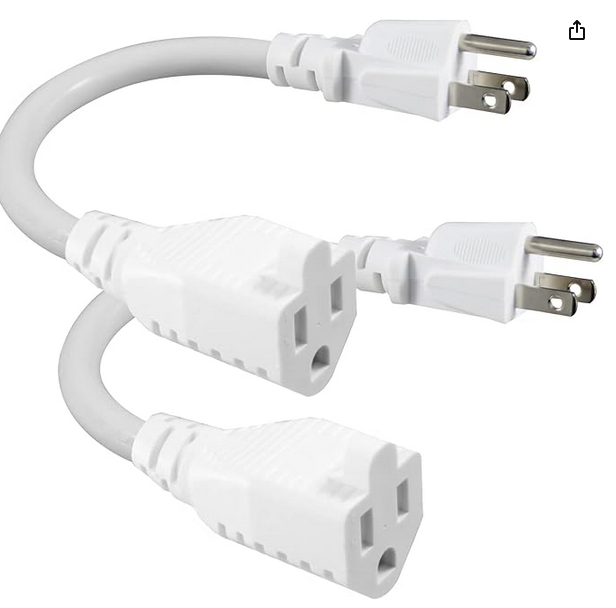
I'd tell you to just look on amazon for a USB-C laptop adapter. But those are also hit and miss. Some work, and some don't. I suspect it is because of the PD negotiation. A power supply will need to default to basic 5V if it can't negotiate. Some do not and will output nothing if they don't negotiate PD. I have at least 10 of them at home and I tested a few and it is about 50-50 chance that it works. Other option is to get little short extension cords (plenty on amazon). They come in handy when trying to get as many block adapters as possible onto a power bar.