Poopa
Members
-
Joined
-
Last visited
-
Excellent, that is a very good answer. Thank you for taking the time to assist.
-
Thank you for taking the time, it means something. My device and remote work flawless as I can see. I cannot check the settings or utilities at this time as it is at my sons home. What I am concerned about is when on the home page and I scroll down to the ALL APS row of icon/buttons for example it goes like this on my PowerStation (app installer/ Aptoide Tv/Buzz TV 5/ Buzztv OTA update/ Buzztv Smart Remote/ and it continues. On my X5-AX it goes from home page 1 row below All apps (appinstaller/ Aptoide TV/ Buzz Tv OTA/ buzztv SMART REMOTE/ Crome) along the same row of buttons/slections on the Anniversary Classic Edition there is no button/switch/radio button for the remote. I do remember seeing the firmware update for the BT-350 during the initial set setup so I know that the firmware did happen and everything seems fine but like I state the is no access from the home page. Is there supposed to be?
-
Thanks for the response. Radio... is what early computers had as the icon buttons for select on/off or drop down windows. I am old and learning this stuff as my years we/i worked with dos. From the home page yes I can select OTA icon and check for updates and from the same line on the main page/home page on my PowerStation and my x5 ax, I can then select an icon button to check for updates and stuff for my remotes. This is where I do not have the icon/button to do anything with the remote on my Anniversary Edition Classic. So I am inquiring if it is supposed to be without to ability to check for updates for the BT-350 remote.
-
Hello, My new unit with the bt350 remote setup and updates went perfectly... Thanks to help from STB`s moderators. I did notice however that unlike my other boxes that there is no radio button icon for the remote on the home screen page (for the updates and such). Is this something I should be worried about?
-
Please disregard my questions in prior post. I did a bunch of reading and actually found hints to get to the area using the category > menu > settings radio button while in/on live tv. Again thank you for your patience!
-
Hello, I am curious about this Buzz 5 APP update-version 956... (V5.0.956). How do I find that on my box? Also how do I do a backup on my X5-AX128 ?
-
Outstanding help! He has a new big screen Tv... so it is his to boot. All the info is really appreciated.
-
Thank You! Emporium for your help and quick response. I am worried as to the BT-350 remote pairing and TV setup as I am not to techy and my PowerStation and X5 AX at home work flawlessly now. I think I will just wait and take the extra time at his house, that way he will familiarize himself with the whole install. Again Thank You.
-
Hello everyone. I have received a new unit that I got for my son. My question is , can I do the newest firmware update to this unit prior to bringing it to his house without doing all the regular setup stuff. It would be nice to give him an already to use unit. Thanks
-
Absolutely Awesome...Thank You it worked like a charm!
-
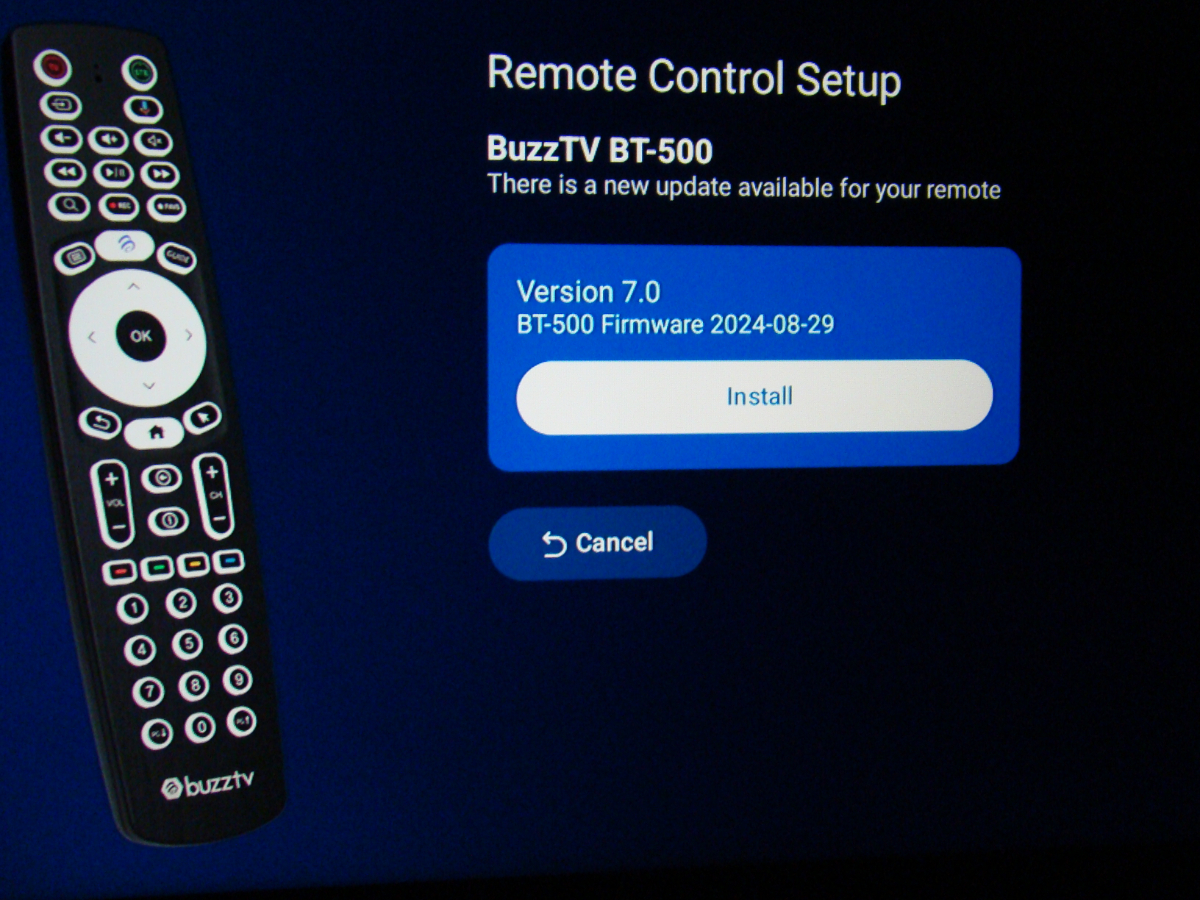
Sorry for the way I have posted this but I am not very techy. Additional info: If I select cancel in the first pic it returns me to the second pic.
-
Previously my Remote Software update radio button from Home page showed as incapable to receive or install updates. I reset and paired the remote again with no change. This has been doing it for awhile and the remote still functions, however just lately it shows no previous firmware/software in the listings (just hyphens) and it has the popup window stating an update is available. 2 radio buttons are visible (install) (cancel) Selecting/clicking on either one has no response and therefore no update. Any suggestions? Thank YouTo Receive the Update, just Press the Home Button on the Remote and wait 60 seconds it should appear I found just press AND HOLD the Home Button on the remote and wait it did appear and installed. Thank You!