

Ryu
Members
-
Joined
-
Last visited
Everything posted by Ryu
-
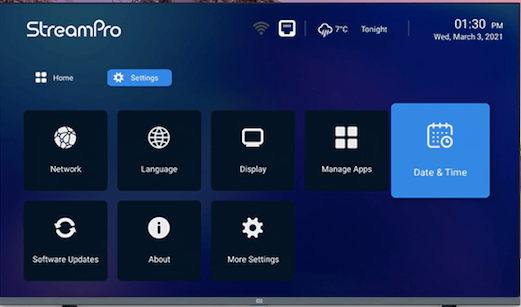
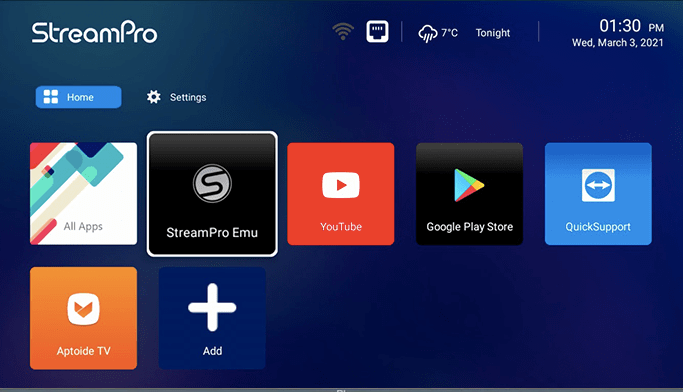
I dont have G2. sorry bud 😞 im sure it must be similar to G1 and built in app is STBemu.
-
G2 has double the storage and OS 9 vs G1 had 7.1.
-
do you even have an idea how to code? or what is code? 😦
-
enjoy your new toy 🙂try to hard reset and you will be fine. it happened to my E2 was just like you after hours and hours I reset my box and tried and was fine after that. 🙂I'm sure storage wise will be difference. also, remote might be bluetooth as well but again I'm just guessing. hoping its coming soon 🙂sale going on for limited time only. check it out and get it as soon as possible 🙂 https://buzztvglobal.comcool beans 🙂have you tried to look in buzz utilities? you might find there also check the version of your box and see if that matches with new software version.try to connect ethernet cable and reboot your box and see if that helps.no issues here as well. try to hard reboot and see if that helps.try buzztv xrs 4500 or 4900 or essentials E2/E2 SE and they are very good devices. that may fix your issue like distorted videos 🙂yes they are aware of it and will fix on Monday.is server up or down? make sure you have internet. check wifi settings if you are connected wireless.turn wifi on/off or off/on and reboot your device as well. others have done this and works for them.Output Resolution: 4K (3840 x 2160) CPU : Amlogic S905X3 64-bit quad-core ARM® Cortex™ A55 GPU : G31™ MP2 RAM: 4GB Storage: 32GB eMMC Operating System: Android OS 9 Pie --------------------------------------------------------- WIFI: 2.4GHz / 5GHz Dual-Band 2X2 WIFI LAN: Ethernet 10/100 BT: 5.0 -------------------------------------------------------- Video decoder : 4K@60fps, VP9, H.265(HEVC) , H.264(AVC, MVC) , Real , MPEG1/2/4 , Video Format : TS , MKV , FLV , MOV , AVI , RM , MP4 Audio Format : MPEG-1 Layer 1,2 , AAC-LC , HE AAC V1 Image decoder : JPG , BMP , GIF , PNG Support Language : Global ---------------------------------------------------------- Length : 10.5cm Width : 10.5cm Thickness: 2cm Color : Black --------------------------------------------------- USB2.0 : 1 USB3.0 : 1 MicroSD: 1 Power Interface : 1 Optical Audio : 1 HDMI 2.0 (CEC) : 1 10/100 LAN : 1 ---------------------------------------------------- Type : 5V 2 Amp Adapter ----------------------------------------------------in other words you have to subscribe to iptv service in order to watch channels on your box. good choice, you bought really good box 🙂make sure remote does not have any key pressed that is keep sending signals and killing your batteries.nbs is not angry person at all only if you knew 🙂 hes always there for everybody to help 🙂



Account
Navigation
Search
Configure browser push notifications
Chrome (Android)
- Tap the lock icon next to the address bar.
- Tap Permissions → Notifications.
- Adjust your preference.
Chrome (Desktop)
- Click the padlock icon in the address bar.
- Select Site settings.
- Find Notifications and adjust your preference.
Safari (iOS 16.4+)
- Ensure the site is installed via Add to Home Screen.
- Open Settings App → Notifications.
- Find your app name and adjust your preference.
Safari (macOS)
- Go to Safari → Preferences.
- Click the Websites tab.
- Select Notifications in the sidebar.
- Find this website and adjust your preference.
Edge (Android)
- Tap the lock icon next to the address bar.
- Tap Permissions.
- Find Notifications and adjust your preference.
Edge (Desktop)
- Click the padlock icon in the address bar.
- Click Permissions for this site.
- Find Notifications and adjust your preference.
Firefox (Android)
- Go to Settings → Site permissions.
- Tap Notifications.
- Find this site in the list and adjust your preference.
Firefox (Desktop)
- Open Firefox Settings.
- Search for Notifications.
- Find this site in the list and adjust your preference.