

Ryu
Members
-
Joined
-
Last visited
Everything posted by Ryu
-
get ARQ-100 remote control. https://buzztvglobal.com/collections/remotes-keyboards/products/buzztv-arq-100-our-revolutionary-remote-control
-
and opening a new thread can easily take a minute or so. maybe minute is quicker (shorter) than seconds 😂
-
seriously I have tried many things with my Buzz 4900 and im just loving it and find no issues. if theres any must be very small which is not a big deal as I have super fast and stable Buzz 4900. not sure what is that much needed but any new features will be cherries and strawberries on top of cake 🙂 thank you 🙂
-
lol 😆 see how long it took you to search and reply back. I told you its easy to open a new thread. 🙂
-
this is our excitement and shows how eagerly we want to see new update as well 🙂 Maestro701 agrees with 🙂
-
I will reopen since it says under moderator under my name 😃 ooppss, its member and I thought it was moderator. my poor eyes 😂
-
yup agreed and Buzz is on top of game and getting us more good stuff but we have to give them time too as its not easy we think. no offense to OP please 🙂
-
lol love that 🤣 alright I love my 4900 gives me no problem but now I need new update as well. im going to open my thread tomorrow you are welcome to hijack as well 🙂
-
lol you can not wait so why not open your own thread for update hahahahah 😂
-
I guess its easier to open a new thread rather than search button 🤣
-
it comes with warranty. before you take hammer you probably wanna contact buzz.
-
server ID# 00:1A:79:...... is the Mac address and it does work. make sure zero is zero not O. try to reset your box and start again.
-
I maybe wrong but it probably controls tv and 4900 only.
-
https://buzztv.com/site/wp-content/uploads/2021/05/BuzzTV-ARQ-100-Remote-Manual-v2.pdf any 2.5 inch ssd/sata hard drive will work.
-
channel zapping depends on server. but box alone is strong enough to response quick. menu button shows menu. built in emulator does up to 5 servers but I needed more than that so for that I side loaded stbemu and got closer to 30 servers. so remote does have last button but it does not go to last for me and its not a big deal for me. yes it does have a record button and does record and recoding depends on server as well but you need external drive to record. its pretty good budget box for those who are used to their old and slow mag 254 boxes. 🙂
-
look for AdGuard apk and download into your android device. it will block all your adds. try to find moded version of this app if you can. do it on your own risk. 🙂
-
yes it works. it has annoying adds but I blocked them. good for indian/southasian entertainment. anyhow, it will work on any android device as long it has OS 5 or up. 🙂
-
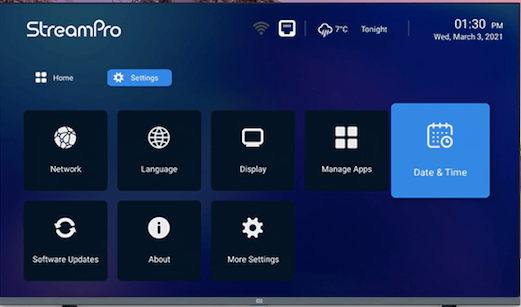
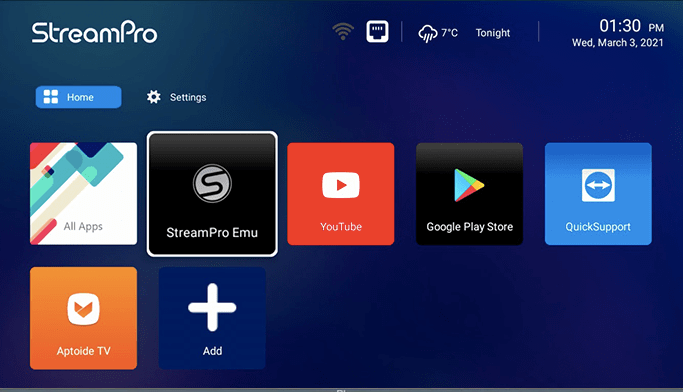
boot time is around 30 seconds. its 2.4GHz + 5GHz + 2X2 WIFI which works great for me.its western digital hard drive. very good brand 🙂I dont think its voice activated. remote it comes with does not have that voice button. I have not seen any update so far but its been working fine for me. I never had mate1 or 3000 but you can not compare because they all iptv boxes and work fine when it comes to iptv. however, what I can do maybe you can not so what I can do works fine for me does not mean that box is better than the other. thats why buzz released so many boxes so everyone can afford one according to their needs. theres high end box 4900 and budget boxes like stream pro, mate1, essentials...etcit comes with AppInstaller, Netflix, youtube, aptoide, chrome browser, team viewer ...etcstreampro emu is built in player which is exactly as mag254.yes you can use bluetooth.
 yes you can record if server or stream allows it. four colored buttons usually work as an option button and display information such as, info, categories, record,...etc. so if you are watching live tv you press info button and you might see in the bottom different colors with different options. if you press one of those colored key you will see related information. I dont think you can hide but you can lock it. I dont get what do you mean use by remote with it? you mean if you can remotely login? if yes you can use teamviewr ..etc


