Ryu
Members
-
Joined
-
Last visited
Everything posted by Ryu
-
Technical Specs ------------------------------------------------- Output Resolution: 4K (3840 x 2160) CPU : AmLogic S95X4 Hexa-core 64bit Cortex-A73 +A53 GPU : Multi-core high-performance GPU RAM: 4GB DDR4 Storage: 64GB / 128GB eMMC Operating System: Android OS 9 Pie -------------------------------------------------------- WIFI: 2.4G / 5.8G Dual-Band Dual-Antenna 2x2 MIMO LAN: Gigabit Ethernet 10/100/1000M BT: 5.0 -------------------------------------------------------- Video decoder : 4K@60fps, VP9, H.265(HEVC) , AVS , H.264(AVC, MVC) , Real , MPEG1/2/4 , VC-1 Video Format : TS , MKV , FLV , MOV , AVI , RM , MP4 Audio Format : MPEG-1 Layer 1,2 , AAC-LC , HE AAC V1/V2 Image decoder : JPG , BMP , GIF , PNG Support Language : Global ——————————————————————— USB2.0 : 1 USB3.0 : 2 USB Type C 1 (data only) MicroSD: 1 Optical Audio: 1 Power Interface : 1 HDMI 2.1 (CEC) : 1 Gigabit LAN : 1 ---------------------------------------------------- Type : 5V 2 Amp Adapter ———————————————————————- Length : 12cm Width : 12cm Thickness: 3cm Color : Black / Copper ---------------------------------------------------
-
also, try to clear cache and app data and see if that helps. becarfull as clear data will delete all saved portals info.
-
make sure box is connected to internet and working
-
now you how to squeeze a lemon 🙂 good job 🙂
-
maybe you dont know how to squeeze lemon 🙂
-
-
pc mouse and keyboard may help 🙂
-
can you post picture and point which hole are you pointing?
-
then follow suggestion posted by nbs at post number 3.
-
just change power options from setting or buzz utilities
-
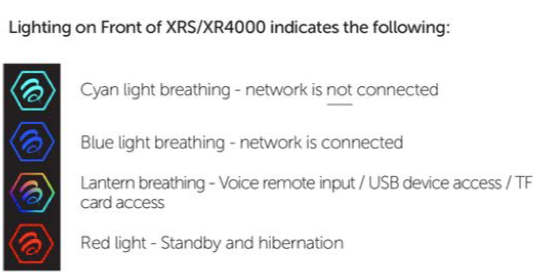
do you see anything similar to this? not sure if this applies to 4500 as well
-
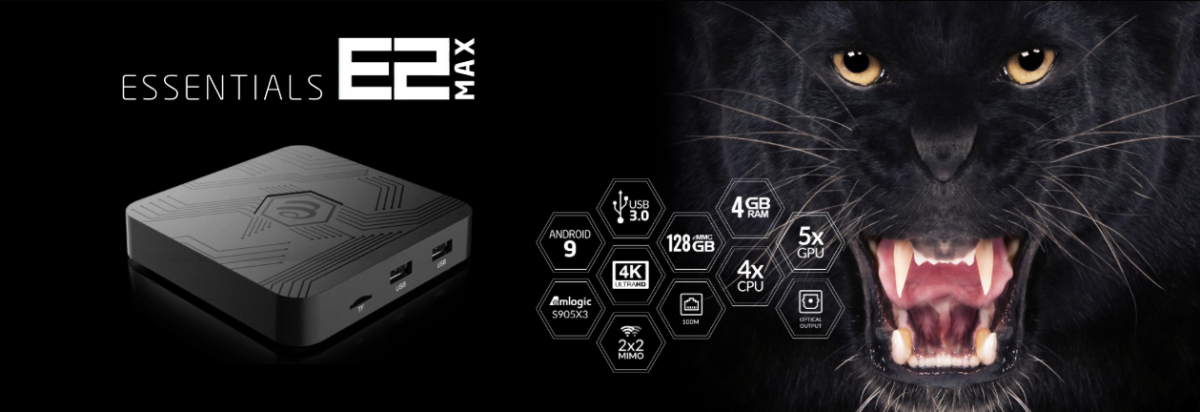
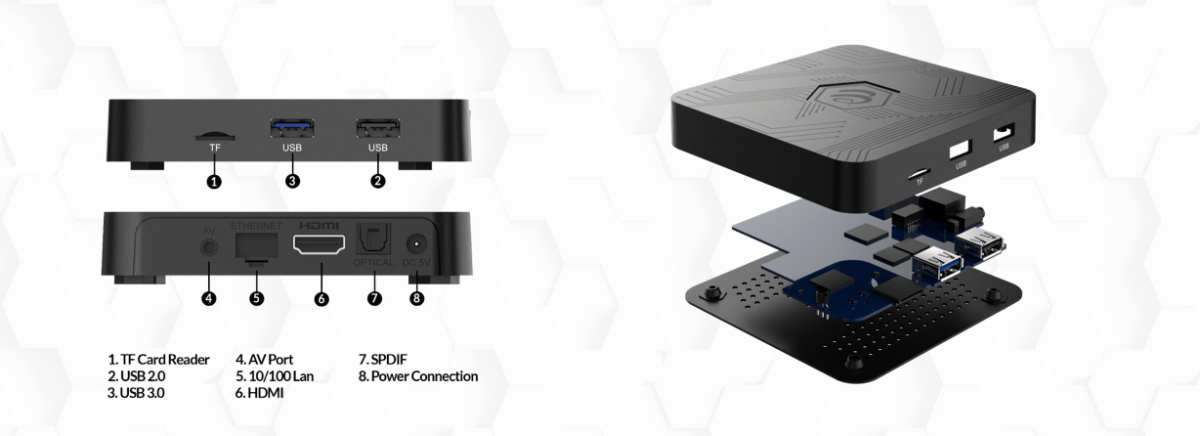
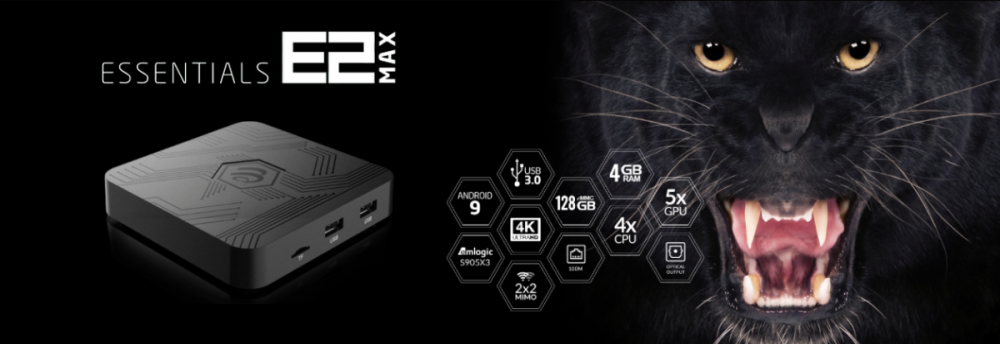
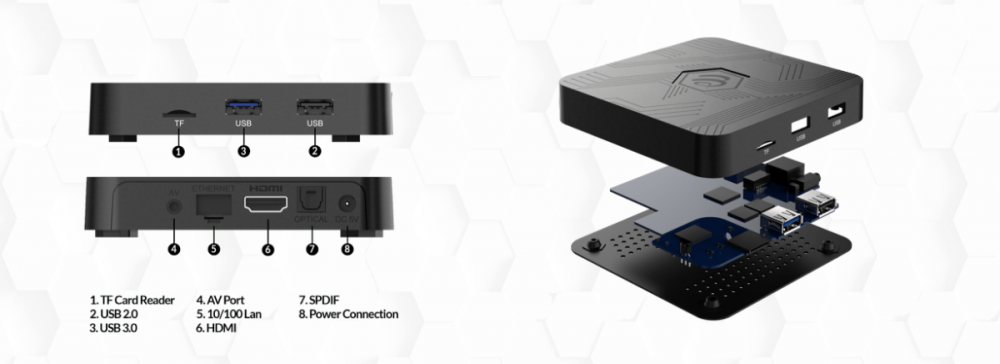
Output Resolution: 4K (3840 x 2160) CPU : Amlogic S905X3 64-bit quad-core ARM® Cortex™ A55 GPU : G31™ MP2 RAM: 4GB Storage: 128GB eMMC Operating System: Android OS 9 Pie ---------------------------------------------------------  WIFI: 2.4GHz / 5GHz Dual-Band 2X2 WIFI LAN: Ethernet 10/100 BT: 5.0 --------------------------------------------------------  Video decoder : 4K@75fps, VP9, H.265(HEVC) , H.264(AVC, MVC) , Real , MPEG1/2/4 , Video Format : TS , MKV , FLV , MOV , AVI , RM , MP4 Audio Format : MPEG-1 Layer 1,2 , AAC-LC , HE AAC V1 Image decoder : JPG , BMP , GIF , PNG Support Language : Global ----------------------------------------------------------  Length : 10.5cm Width : 10.5cm Thickness: 2cm Color : Black ---------------------------------------------------  USB2.0 : 1 USB3.0 : 1 MicroSD: 1 Power Interface : 1 Optical Audio : 1 HDMI 2.1 (CEC) : 1 10/100 LAN : 1 ----------------------------------------------------  Type : 5V 2 Amp Adapter ----------------------------------------------------
-
try one server at a time and see which one is causing you issue. what I mean try one server for few days and if works fine then add second and see which one is causing issue.
-
did you follow the instruction carefully? did you download in to usb/microsd? did you put your box in to recovery mode and and updated from there?
-
do you have latest buzz5 installed? try to switch player (hit the menu button configuration ,media player) and see if that help.
-
are you using Mac based or username/password? if Mac then try username and password and if using username/password then try Mac just to see if that helps. also, try to use different router, like you own router instead providers. have you tried with vpn?
-
E2 with Buzz 5 beta I have multiple servers with XC API and some work with default player and some work with secondary. if im watching server that works with default player and when I switch to server that works with secondary player I have to manually switch player to secondary. if I manually switch player then it switch player to all the servers. not a big deal but not sure if buzz can make it happen like server 1 (default player) server 2 (secondary) or vice versa....etc
-
disconnect power and leave it off for 2 minutes. then try again and see if it comes up. if nothing then try holding reset button until you see recover screen.
-
XC api is one of the way to setup your iptv service with username and password. you dont provide you Mac address to your iptv provider. they will give you url and username and password. 🙂
-
-
soon you will begin to love it. just play with it bud 🙂
-
slow down or can't scroll down? have you tried using arrow buttons to go down? try pc mouse or keyboard if nothing works.
-
it shows extra recording time off.
-
Mac and user/pass server option does let you edit. whatever comes from server that is what you get. that is why buzz gives you so many options so you can use alternate if your provider has those options. but if your provider does not have any other option then theres nothing much can be don bud. 🙂
-
if you use m3u then you can edit m3u on your pc with m3u editor and insert logos and save your list. then transfer that list in to buzz unit or keep in usb drive and go to server settings and use m3u option and select your m3u destination. 🙂