Ryu
Members
-
Joined
-
Last visited
Everything posted by Ryu
-
-
-
try different hdmi port. also, try to change hdmi cable if you can.
-
try to clear hulu app cache and clear data and try again. also, have you power cycled your box and your network as well since you trying to install Hulu app? if not try to reboot your box and network.
-
try to change power option to shut down
-
-
-
this site does not sell service or provide info regarding service. only support and help regarding STBs.
-
I have that too 🙂
-
you better return you device. seriously you sound like you freaking spent millions and now want everything perfect and the way you want it. you got stat of the art device with amazing support from developers and individuals on this forum and you are still moaning. just go ahead return it or just follow what they advise you or stop crying.
-
you really think that you are succeeding by bashing buzz in every thread? I feel like you are hiding your intention with your username. you are pretending that you love buzz but in realty you dont. people who own buzz units are very happy. you can not make everyone happy but the dont cry like you because you trying your best to bash buzz because looks like you can not see buzz succeeding.
-
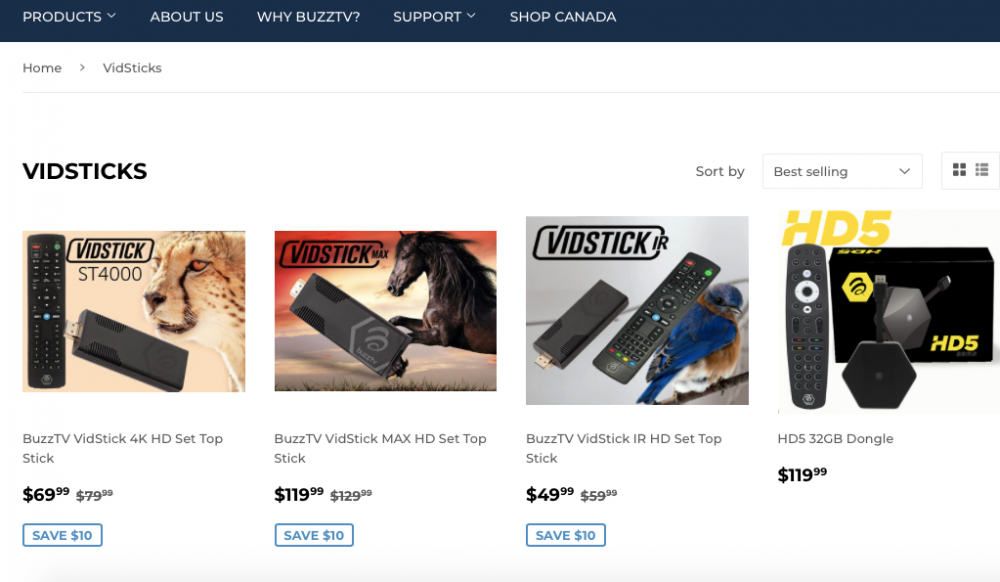
im still seeing it https://buzztvglobal.com/collections/vidsticks
-
looks like bts10 code does not work for BUZZTV VIDSTICK IR HD SET TOP STICK. 🤔
-
-
Hello, noticed two issues with catchup on buzztv xrs 4900 and app version buzz5 beta .760 1. when playing catchup and you hit pause it will pause then after that it won't play if you hit play. only way to play agin is to exit and start again 2. while playing catchup you can not press ok button to bring up or explore other channes/categories. only thing works is guide while playing catchup or if you change channel it does ask you to stop catchup and watch live or change channel. so basically you can not check other categories while watching catchup.
-
thats actually good question. I never thought about it lol. you see me farmer know nothing but here got another added to my post count 😅
-
and guess what this helping me to increase my post count as well so I am not complaining at all. im love it 🤣
-
-
well, whatever they feel its good for public and ready to go they have it available for anybody to download. see it your self 🙂 https://stbtalk.com/index.php?/files/
-
selective? lol I was not selected but just like many people I volunteered to get beta for my E2 and 4900 🙂 not sure why you worried about Mac so much. your Mac is your iptv providers responsibility and it has nothing to do with buzz. its like your tv provider (lets assume you have three boxes) has your Mac/serial address and when you call them and ask them that you have problem with one of your box and they ask you which box. dont you provide hem Mac/serial number? dont you think they have all your info? they won't touch all or random until or unless you tell them which one has an issue because they dont play around. just like that buzz dont play around. hope you understand if not then I can show you a list of Mac and you will find all of your Mac 🤭
-
you were advised here before but opened another thread again but dont want to listen 😂
-
so why you are asking for then? just wait and it will be pushed to your device when it will be ready.
-
lol you are sending your Mac address to Buzz not anybody else. however, your Mac address is not hidden from many people over net 😁 btw, when you first setup your box and while setting up did it download anything over the net?
-
yes or no. backup all info and perform a reset. if problem persist then I would clean remote. but do it on your own risk. 🙂
-