nbs.
Members
-
Joined
-
Last visited
Everything posted by nbs.
-
I am not sure if there is an update available . Might be worth a shot to connect via ethernet The update might fix it??
-
recording while watching is one
-
account info tells you how many connections you have
-
There has not been a firmware update to fix it
-
You'll have to wait for allaboutbuzz to debug your issue
-
Have you tried clearing cache in the buzz5 app?
-
-
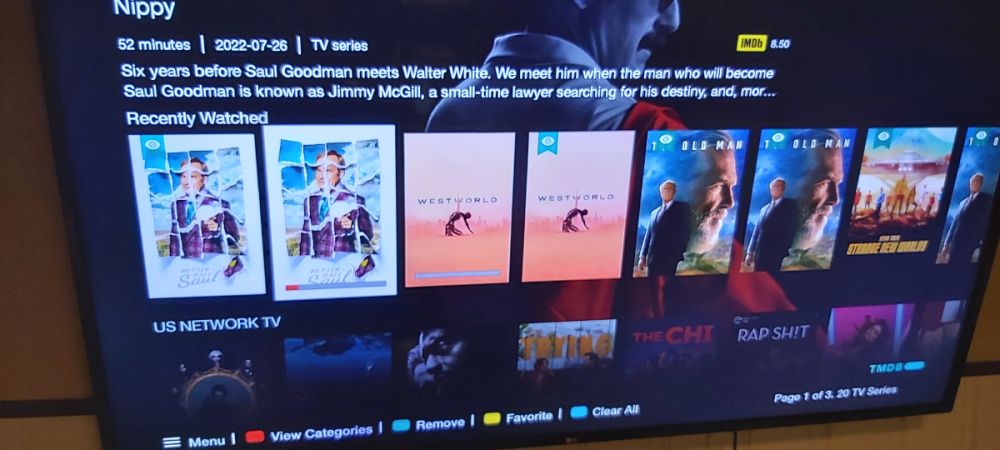
Recently watched on mine shows individual episodes
-
I've been trying to get it to the top but having an issue with the move feature Get there by view categories, organize categories,move I could get it to the top if I hid tv series and favorites but I'm sure you would want those Maybe someone can help with the move function
-
Are you on buzz 5?
-
You can move a category to top of list if you want
-
So you push the wrong button on remote and iptv kicks in and that's an issue?...lol Backup/restore is being worked on Pm allaboutbuzz with your mac addy and you will stop getting beta updates
-
None of the above He is here...lol
-
Pm allaboutbuzz with your mac addy
-
no its not possible
-
You'll have to wait for the dev to discuss audio passthrough
-
No it's not Also stbemu is not a server, it's an app
-
this might help for users running buzz 5 and android 9 https://www.mediafire.com/file/epmf5i0suejl6rj/com_buzz.services.pvr_33_5056428e-2cad-4bbe-9a31-4e13bdb55857.apk/file
-
Don't know what you mean by a clean install but it is an update Yes to all the other questions A small percentage of users have issues and need to reset it to fix it but not many
-
Did you try default to see of sync issue goes away?
-
There are two internal players You can pm allaboutbuzz with your version number and mac addy and add him to update your stick
-
Hit the menu button Buzz version is at bottom
-
Buzz version?
-
What version is the vidstick on? Are you using same video player?
-
In this case you will need to do a hard reset