Skip to content
View in the app

A better way to browse. Learn more.

BuzzTV Help

A full-screen app on your home screen with push notifications, badges and more.

To install this app on iOS and iPadOS
  1. Tap the Share icon in Safari
  2. Scroll the menu and tap Add to Home Screen.
  3. Tap Add in the top-right corner.
To install this app on Android
  1. Tap the 3-dot menu (⋮) in the top-right corner of the browser.
  2. Tap Add to Home screen or Install app.
  3. Confirm by tapping Install.

nbs.

Members
  • Joined

  • Last visited

Everything posted by nbs.

  1. nbs. replied to Benfica's topic in XRS4900
    then everyone else on the beta would have the issue
  2. nbs. replied to Benfica's topic in XRS4900
    i havnt seen anyone else with this issue You might want to try a reset
  3. no,never heard of it happening there is no button on the remote that would take you to powerkey definitions either??
  4. nbs. replied to Mark7's topic in XRS4900
    It should work Let us know Yes epg is from server
  5. Release notes C and p • Added Time shift to USB for Live TV. Can be turned on in PVR Options Menu
  6. What are you recording to?
  7. yes its in the pvr section
  8. I just told you timeshift was for live tv,not recording
  9. timeshift is for live tv so you can pause rewind etc ,the extra recording time is so you dont lose the last minute or two of a recording due to the stream being behind actual time
  10. nbs. replied to Ammar's topic in BuzzTV 5 beta
    You install file from android recovery screen
  11. nbs. replied to Ammar's topic in BuzzTV 5 beta
    You need to email buzz with your info
  12. nbs. replied to Ammar's topic in BuzzTV 5 beta
    So you got to the recovery screen?
  13. No you are going to have to wait for an update
  14. It's fixed
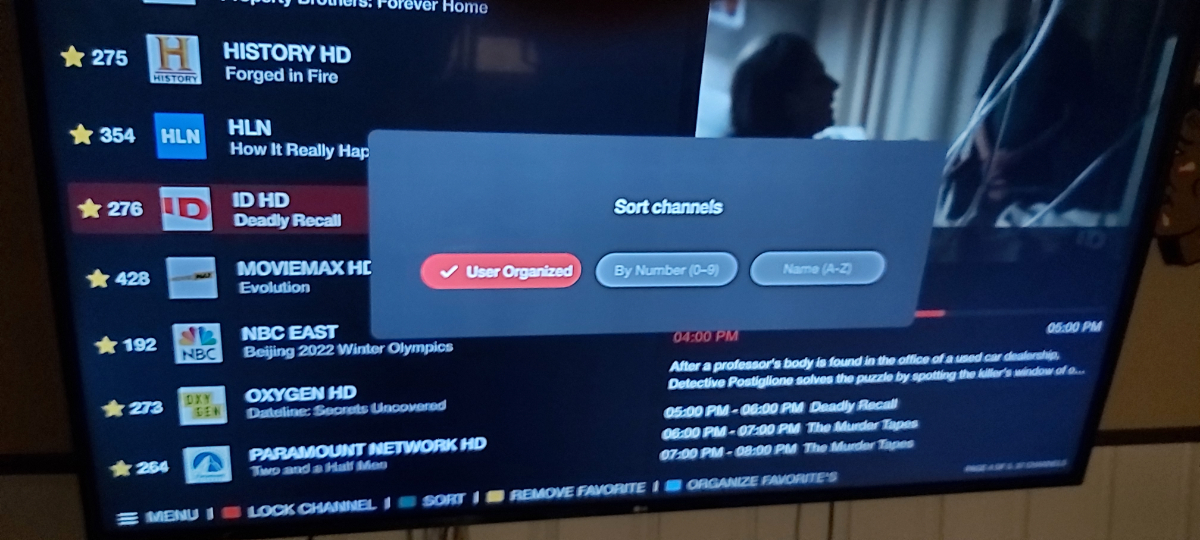
  15. If you hit sort button is user organized box checked?
  16. User organized must be checked for it to stick
  17. It's not a feature outside of favs
  18. I see what you are saying
  19. It must have been fixed It works here
  20. You can only organize favorites in quick guide
  21. nbs. replied to Ammar's topic in BuzzTV 5 beta
    You'll have to do a hard reset
  22. nbs. replied to Gary9's topic in XRS4900
    so they fixed the guide?
  23. you wont get one from buzz

Account

Navigation

Search

Search

Configure browser push notifications

Chrome (Android)
  1. Tap the lock icon next to the address bar.
  2. Tap Permissions → Notifications.
  3. Adjust your preference.
Chrome (Desktop)
  1. Click the padlock icon in the address bar.
  2. Select Site settings.
  3. Find Notifications and adjust your preference.