Emporium
Members
-
Joined
-
Last visited
Everything posted by Emporium
-
In the Aptoide store, it clearly says that this app requires a mouse. And there is a quick popup on the bottom that states that this version is not tested on STB and TV devices. Netflix is pushing their DRM and only support their "certified devices" (like the shield, firetv, appletv, rocku, etc..). The last version of netflix to not require DRM was Netflix 6.26.1 build 15 31696. If you search for it, you can download the APK from sites like apkmirror if you please. Anything from V7 upwards will tell you that your device is not compatible.
-
OK.. So it is confirmed that it is a 12V 3A power supply on the 3900. You may be able to get away with a 2A version if you don't use the internal HDD slot, or if you are using an SSD... but it you have a regular mechanical 2.5" HDD, I am pretty sure you will need the 3A, since the 2A would probably be just shy of having enough power with an HDD present.
-
I have always powered down my boxes to ensure a clean start every time (1 extra minute to boot won't kill me). But it may be worth trying to disable all CEC for a little while (I know you will need to turn the TV and box on separately), just to see if it is the CEC that is causing the issue and stopping it from turning on. I know there was recently a firmware for the 4900 to address ad issue with powering it on. Don't know if there is a similar one for the 4500. Maybe @allaboutbuzz can chime in on this.
-
Have you tried under the HDMI settings section to disable all CEC related options ? Another thing you can try is swapping the HDMI cable with another if you have one. If CEC is enabled it may not see a powered on device on the other end and not want to power up.
-
I completely forgot about that. But maybe that is why they used a 3A power supply, since they probably do the upconverting from 5V to 12V internally (which obviously give you lower current - since power is maintained [assuming 0 loss]). Anyhow, when you get a chance you can check you power supply and let us know.
-
I am assuming you tried replacing with a GOOD set of batteries ? As the batteries get weak on these remotes, they can start to not respond to some features.
-
I have the North American version of the adapter, and it is also 12V 1.5A. Maybe they got a bad batch of European adapters. It can happen. Anyhow, let us know what happens.
-
I just checked my 3000, and it is 2A. But I'm sure it would be fine with a 1.5A also. Even the 3900, I doubt it "needs" 3A. a 2A would probably be sufficient, but having more current (amps) available does not hurt (unlike having too high of a voltage which could smoke the box). Pretty sure it is 5V. Only reason the xrs4900 and U5 use a 12V, is because of the SATA port which "by specs" requires a 12V line.
-
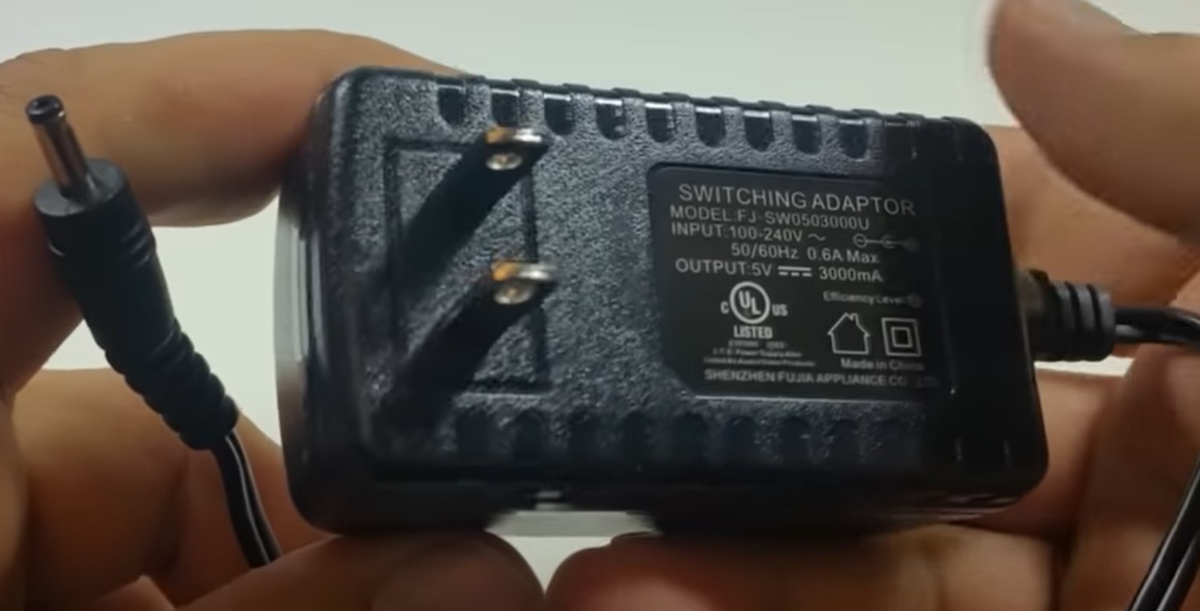
Are you sure ? I thought only the xrs4900 and U5 used 12V adapters, due to the SATA HDD port. According to an old unboxing Video, it says 5V, 3A... https://youtu.be/J-1VYkcPMgE?t=52 And a closeup still shot from the video:
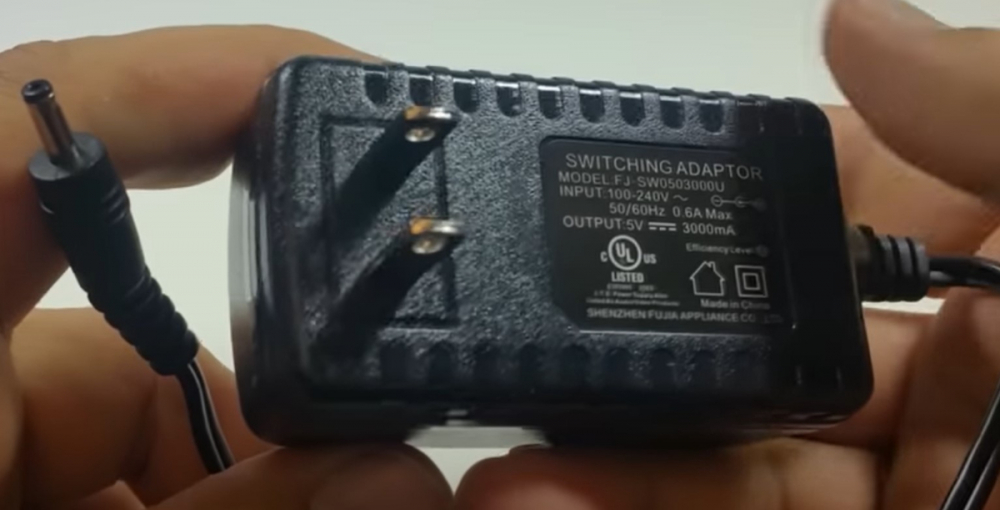
-
Not every user is at the same technical level. Having done tech support in the past, you can't assume anything. Even the simplest of tasks you NEED to repeat with all users, regardless of how much they THINK they know. You spending money to buy a new power supply is just waste of money. You already established that you are using the original U5 power supply (can you check to make sure it says 12V - in case it was accidently packaged with the wrong one). Once tech support finishes having the tests needed run (and they need to test every possibility), they will take care of you. I personally spend a few days with one user a few weeks ago trying all sorts of stuff because his HDD wasn't being recognized in his U5. He had even opened a ticket with buzz. We were convinced that the HDD was defective. HE even orders a USB->SATA adapter cable to be able to test the HDD on his PC. After trying everything, just randomly he mentioned that he never had a problem with his previous Buzz box, so I asked him if he was using the power supply from his old box, and low and behold that was the problem. HE tried to quickly plug in the box, so he did not use the new cables/power supply, just reused the ones from his previous box, and that was the problem. 5V vs 12V 🙂 You say next day resolution with box from china. Sure, when it costs you $10 to build a crappy box, you have zero development staff, because everything is just a knock off of some other android box, and you sell for crazy mark ups, you can easily just throw another box out there, and you don't even care to get the original box back, because shipping would cost you more than the box is worth to you. But you will never even get a single update (OS or app). You can't compare apples and oranges. Yes, it may require some patience. But you will not be left with a broken box, if that is the case. They honor their warranty, and then some.
-
And you said in an earlier post, that you only have a single connection. When you have a scheduled recording, is your box on, and already on another channel ? IF so, it will not be able to establish a second stream in order to record. If not, is it turned off, or in suspend. If in suspend, did you properly exit BuzzTV app before putting it into suspend ? With single stream account, it is a little tricky. If there is another active connection/stream, the second stream (to be recorded) will not be able to be established and hence the recording will fail. I don't know your current situation, but just putting it out there.
-
Same here. I don't have a 4000, but with the 4500 when I went through the same process, I did not have to re-enter any server info. It was all maintained through the upgrade.
-
FYI: BuzzTV 5 is no longer in BETA. The 2015 method for updates would initially download a beta, yes. But now it will eventually download and install updates to a recent version which is no longer beta.
-
When you unplug the power, the RED LED goes off ? Do you by any chance have a spare HDMI cable, which you can swap ? I know it sounds strange, but if CEC is on, a defective HDMI cable may force the box to go into standby mode. Are you using the actual Power supply that came with your U5, or a power supply from another BuzzTV box you had ? Unlike all other BuzzTV boxes, the U5 and the xrs4900 use a 12V power supply, but all other buzztv boxes use only a 5V power supply. If you try to use the 5V power supply with a U5, it may work (except for the 1TB HDD/SSD), but it may not be 100% stable.
-
And you are sure that your service provider has 7 day EPG ? Just curious, have you tried with another app (stbemu, smarters, etc..), just as a test to see if you get 7 day with the other app ?
-
I have 2x 4900 boxes and I don't have this issue on either one or the other (on 2 different servers). Populates daily. I haven't checked my 4500 in a while however. Have you tried clearing the BuzzTV5 cache, just in case ? As a reference, what version of BuzzTV are you running on the 4500 and 4900 ?
-
From the HOME screen, do you have a Settings icon on the TOP ?
-
UHF channels ? Are you using the BuzzTV app with some IPTV server provider, or are you using some 3rd party app with some OTA tuner like an HD Homerunner ? Just curious on why the mention of UHF channels specifically. If you are using the BuzzTV App through IPTV server, have you tried changing Media player ? What version of BuzzTV are you running on both devices ? Check the Updates screen and let us know what version you are running on both devices.
-
I just replicated something similar on my E2. If I try going through selecting the channel directly from the Adult category, it will ask for the PIN (I ignore it and don't enter a PIN). Then if I go to ALL CHANNELS, and scroll all the way to the adult channels, and select one, it does not ask for a PIN. It plays normally. I tried going to a few different ones and no issue playing them. Tried going back to the Adult category, and if I select a channel there, it asks me for a PIN again. And the odd part, is typically adult category channels (when using PIN), do NOT show up in your "last channel list". But when you select them through the "all channels" category, all the adult channels you change to are in the "last channel" list, and can be selected (with no PIN requirement). However, unlike Redbaron's case, if I enter the channel number directly, it will ask me for a PIN. I'll check my X5 shortly. Time to change a few channels to get rid of the channels from my last channel history 🙂
-
The only one that is User configurable is the FAVORITES category. They rest are defined by your service provider.
-
If CEC is turned on, on the TV and the box, the box will go off as soon as you turn off the TV 🙂 But CEC needs to be on on both the TV and the X5.
-
In that case, do a search for "B07GX5PBG8" on amazon canada and you will find what you are looking for 🙂
-
if the 3900 is anything like my 3000, it does use a smaller barrel connector than the 4000 series or new "X"5 series. However as far as I know, all Buzz boxes will work fine with 5V, 2A power supplies (center positive). Only exceptions are the xrs4900 and the U5, which require a 12V power supply due to the onboard SATA HDD socket. Oh ya, and a few of the boxes (like the E5) which use USB connections (which are 5V in essence) for power. I don't have a 3900 so can't confirm barrel, but if someone can confirm if it is the same as the xpl3000, then you will find that "Artronix" is selling some power supplies on amazon canada that are compatible with "Buzztv Xpl1000 Xpl2000 Xpl3000" and some MyGica boxes. Modest price of $15, which is reasonable I guess. It's an option.
-
I know that in some cases, if you do a factory reset on some boxes, it will download and install BuzzTV 5. It was in beta back in the days, but it is no longer beta. If you do download beta, that is not a problem, because within minutes of powering back up, it will find the latest buzztv 5 version and download and install that, and you will be at the latest (non-beta) version. But like nbs said. allaboutbuzz is the best person to sort this out for you.
-
Have you tried changing the media player ? Menu->settings->configuration and you should have video player right on top for live TV. Should have Primary and Backup. Choose the opposite of what you have selected now.