Skip to content
View in the app

A better way to browse. Learn more.

BuzzTV Help

A full-screen app on your home screen with push notifications, badges and more.

To install this app on iOS and iPadOS
  1. Tap the Share icon in Safari
  2. Scroll the menu and tap Add to Home Screen.
  3. Tap Add in the top-right corner.
To install this app on Android
  1. Tap the 3-dot menu (⋮) in the top-right corner of the browser.
  2. Tap Add to Home screen or Install app.
  3. Confirm by tapping Install.

dishuser

Members
  • Joined

  • Last visited

Everything posted by dishuser

  1. who cares? it was for Speaky and I posted a direct link as well
  2. dishuser replied to TonyC's topic in XRS4900
    your server info is saved in data not cache
  3. I never even had to make any changes all pic settings remained the same
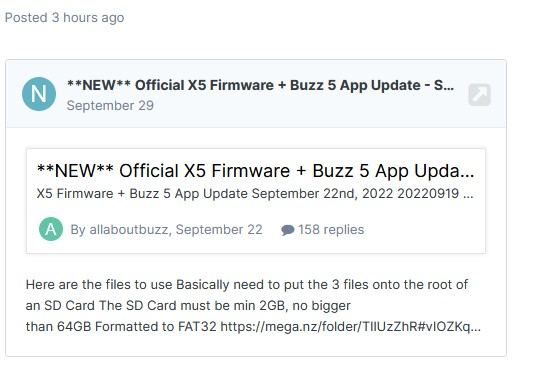
  4. https://stbtalk.com/index.php?/topic/4446-new-official-x5-firmware-buzz-5-app-update-september-22nd-2022/page/4/#comment-16422
  5. click on the link with the N in front of it
  6. they can also select uninstall updates but it does the same
  7. download analiti and run a test when that happens you can get it from aptoide
  8. you can use an app while recording but other than that it has to stay on the channel you're recording
  9. by the way I can record from one server and watch another...even record from other server as well
  10. then it's a good thing you couldn't connect a second time the service would most likely have banned you
  11. what is the d/l speed at the box?
  12. you wasted your money buying 2 accounts that only have 1 connection each you should have got xc or m3u also you can't connect to 2 servers at same time
  13. my energizer rechargeable last almost a year per charge I don't use back light cause I know where all the buttons are...lol that's what kills batteries
  14. dishuser replied to stephen hartley's topic in XRS4900
    as long as it's 2.5"
  15. wifi or ethernet?
  16. what version is your current update?
  17. try clearing cache cause mine loads fine
  18. that was just released yesterday date is shown in menu or in update screen 😉

Account

Navigation

Search

Search

Configure browser push notifications

Chrome (Android)
  1. Tap the lock icon next to the address bar.
  2. Tap Permissions → Notifications.
  3. Adjust your preference.
Chrome (Desktop)
  1. Click the padlock icon in the address bar.
  2. Select Site settings.
  3. Find Notifications and adjust your preference.