

ppat86
Members
-
Joined
-
Last visited
-
I have deleted and then reinstalled the server. For now, it is behaving all right but will observe it for the next few days. Thanks for your suggestions.
-
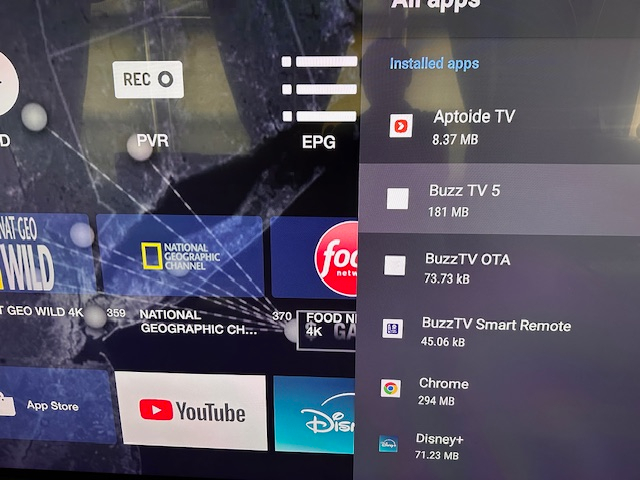
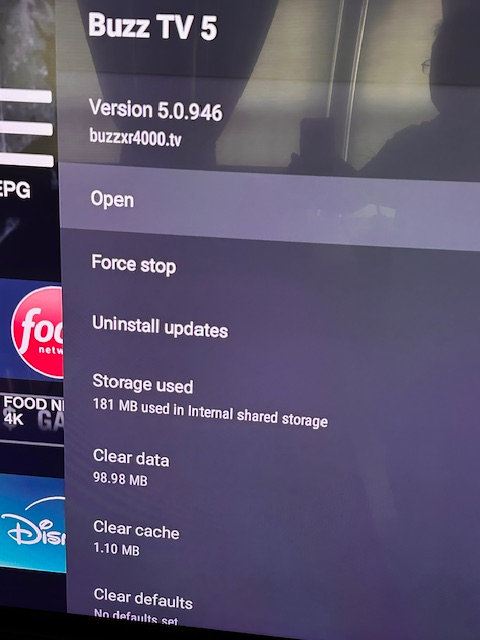
My model is X5 64AI. The box shows that I have the latest update which was installed on September 23, 2024. Firmware - V20240918 I haven't installed any new 3rd-party apps besides the the ones that came with the box. Question - Is there one place I can go to clear the cache on my box? I am clearing the cache going into each app. However, the cache size is relatively small in all apps including the Buzz TV app < 100 MB.
.JPG.09d8acda075e1d9808b357cb02bcf2d3.JPG)
-
I did clear cache but that did not help.
-
My BuzzTV box has become extremely slow in loading up VOD programs and TV channels when I switch from VOD to Live TV. I have to restart the device or choose the Refresh option which takes a few minutes. This happens at least once or twice a day and only on Buzz TV box. The other boxes have no such problem. The internet speed to the box is 150Mb+. Any suggestions to minimize the delay?
-
Can someone explain why Real Time Streaming should be disabled? It was enabled by default in my player. I am assuming that real-time streaming minimizes the lag, which is important when watching live events, especially sports. It can be frustrating sometimes when the online notifications on the PCs and mobile devices come in 20-30 seconds before you see the action on the box.
-
-
-
-
-
My player currently is Mac. I tried to switch by using the same URL that I use for Mac with m3u and xc api (Menu > Settings > Server Settings) and both modes were unable to connect to my service portal. Any other suggestions? BTW, just got the "Unknown Steam" error again with Live TV and had to restart the box.
-
For the last several weeks, my Buzz TV5 64 AI box displays "Unknown Stream Error" while playing Live TV at random and when I switch on the TV for the first time virtually every day. I cannot get any feed until I restart the Box. Additionally, there are also some VOD movies that don't play and display the same "unknown stream error" message but my other non-Buzz boxes have no such problems playing the same VOD movies. I have verified that my internet connection to the box is quite good when this issue happens. I have the latest firmware installed (see pic). Any suggestions on how I can fix this problem?

-
After the April 3 update, when I switch off the TV, my box turns off at some random time (blue light turns to red) and I am unable to turn it back on with the remote. The only solution is for me to manually take out and put the power cord back into the box which reboots the device. This happens once or twice a day. Prior to the upgrade, my box would always stay on (blue light on). I have set the Remote Power Key action to "Put device to sleep" instead of "Power off device" but that has not worked. Any suggestions on how I can address this problem?
-
The box displayed the "No internet" message again today, The Hotspot trick did work though and the box reconnected to the internet needing me to unplug and then reconnect the power cable to the box. @Ryu: Thanks for your suggestion. I am hopeful though that there will be a permanent solution for this problem in a future upgrade since it is apparently not unique to my box.
-
Is the Hot Spot button the white button between the Menu and Guide Buttons on the BT-400 remote?
-
I am using Shutdown. It was that switch from Suspend that seemed to have fixed the problem for me last month until last week when the problem resurfaced.

