nbs.
Members
-
Joined
-
Last visited
Everything posted by nbs.
-
see what happens when the update comes soon Do you know of any iptv box that comes with a manual? I own or have owned a dozen different brands and i have yet to see one There are extensive guides and youtube videos available
-
Are you trying to take it apart or install a drive?
-
Press the green button while watching
-
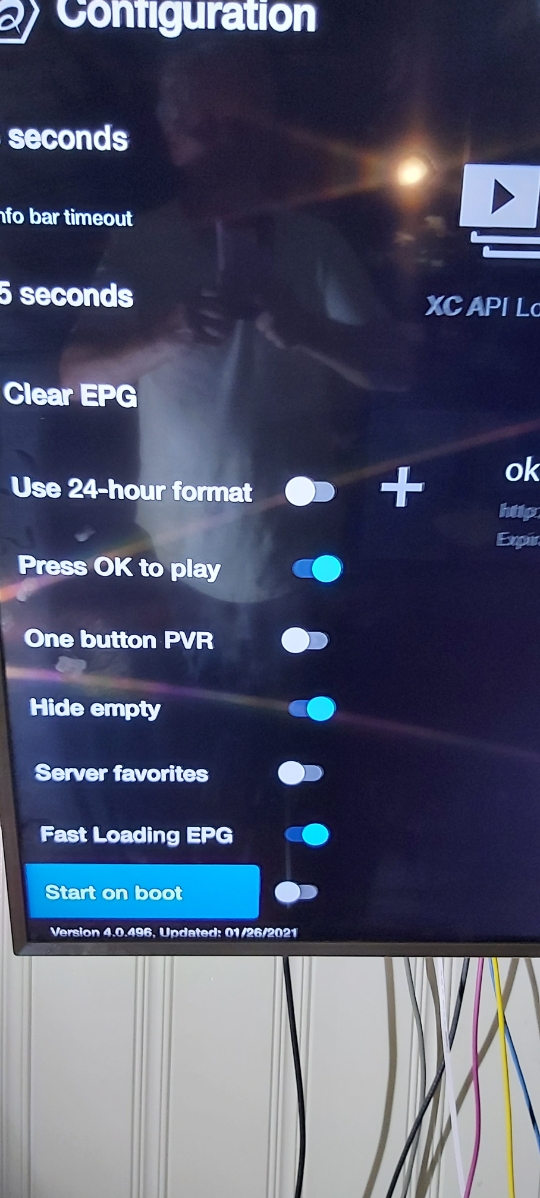
what is buzz version on the updated box my box has 4.0.489 11/11/21 on it Looks like update is halted
-
Have you messaged allaboutbuzz?
-
Are the users having issues with their service?
-
I am not even sure an update was sent. Buzz usually post here when an update is released. Allaboutbuzz will have to supply info
-
Is this update when setting up a box or a box that has already been running live tv? Are their boxes working?
-
Someone might be feeding you a line. I have used a service with https
-
what are the audio options when you hit green button for audio while pvr is playing?
-
You do when it involves the software
-
Just tried the back button then resume No issues
-
It means to pm allaboutbuzz as he is the dev
-
Pm allaboutbuzz with all your infoWhy would you press pause and stop? I hit pause then resume(same button) and the stream works fine after it continues I tested this on 3 servers with no issuesPm sentIt's in the next updateThe next update will be buzz 5Guy on top?...lolI have it on all my buzz 4 and 5 units Haven't checked the buzz 2Menu configuration scroll to bottom