nbs.
Members
-
Joined
-
Last visited
Everything posted by nbs.
-
-
Hit the menu button account info and it will tell you how many streams you are allowed Not all xc servers allow multiple streams unless you pay more
-
Glad you shared your knowledge...lol "On the other hand, what is the Buzz app for? That's just another app and I don't think it has much to do with firmware. "
-
On top of dishusers post no one ever said the buzz app had anything to do with firmware
-
Radio? Firmware updates are sent ota and you can check from home page Buzz software is done from the menu button
-
Firmware is done by Google Buzz does the buzz6 app that will be on the Google playstore The manufacturer has nothing to dowith firmware
-
Having it boot up every day is the best imo.
-
Did you try 0000?
-
Can you post a pic of your screen?
-
Email buzz with all your info so they can look into it
-
Have you tried a different hdmi?
-
No issues here
-
Reset your buzz
-
Did you remove the drive?
-
Post your firmware and software versions
-
There are infinity apps in aptoid market.Not sure its the one you want
-
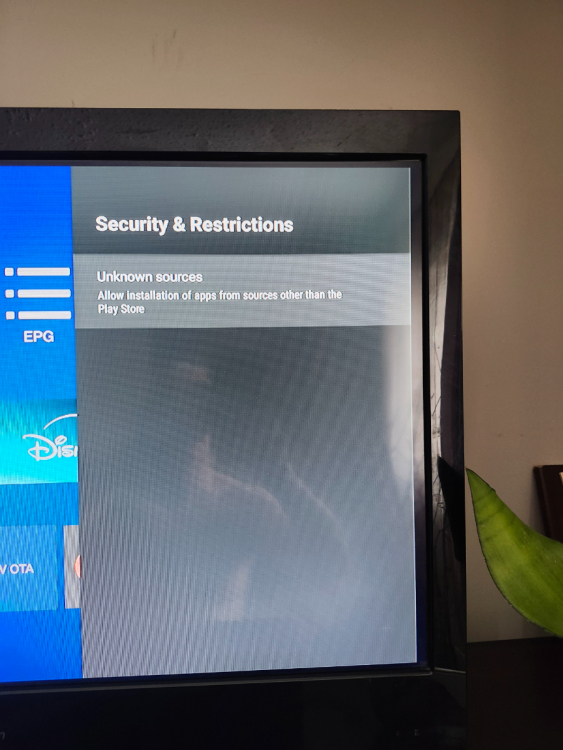
Have you allowed installation of apps from unknown sources
-
Should be posted here
-
Same procedure as this one
-
He is right about the info On all other models it shows info from any show you select
-
I have no issues either on 3 services
-
Have you done a pin reset?
-
I would wait for the fix Should be soon
-
Then you should start your own thread and if you already have one going stick to it
-
Thanks Buzz are aware of the bug Just hit the buzz logo on remote for now