

Emporium
Members
-
Joined
-
Last visited
Everything posted by Emporium
-
OK.. So the 3 of us have V20220106, and BuzzTV 5 (5.0.766) on our xrs4900 boxes. So it is strange how Ajs007 is showing something more recent (installed 20220506, and 20220718 being offered as update).
-
Hmm.. Very strange.. Here is one of my 4900 boxes.. My firmware is still at V20220106, but I do have the latest BuzzTV 5 (5.0.766). For BuzzTV, the latest is 5.0.766 (at least as of yesterday). But have no clue on the later firmware versions (20220506 and 20220718 ) that you show as having and attempting to update to. I think we'll have to wait for @allaboutbuzzto comment on this one.
-
Agreed that the BuZZTV version is older, but the Firmware version is newer (20220718 vs your 20220506). So odds are that it will update you to 20220718 firmware with older version 5.0.748 of BuzzTV5 and then after reboot there will be an OTA update to bring you up to back to 5.0.765 or 766. Are you by any chance short of internal storage space ?
-
As I mentioned also in one of my previous posts After a few tests, I seriously am doubting that the TV power off and the X5 powering off are related to CEC. They are most probably related to the HDMI termination (ie: detecting a device connected or not). If this behaviour can be overcome/bypassed in software, I have no clue, but I guess only time will tell.
-
I know in the past (Pre-BuzzTV5), if the stream was interrupted (buffering, glitches or otherwise), the recording would stop. Just wondering if it is possible that the stream is being interrupted (even for a split second). Are you connected WiFi, or Wired ? Does your service have occasional buffering or micro-glitches ? I can't comment on how BuzzTV 5 handles interrupted streams, since I don't do too much recording. Most of what I want to watch is typically available on the TVSeries section of my IPTV service, the very next day (sometimes even the same day).
-
What model of box, would help 🙂 I noticed earlier that my E2 is at 766.
-
Wow.. That's a HUGE list of additions and fixes. You've been a busy person 🙂 Thanks. Will give it a run and post feedback. PS: Which boxes will this be available on ? E2, 4000, 4500, 4900, X5, U5 ? or All 🙂
-
It is NOT up to buzz to correct poor coding on the Microsoft app. Why can other apps do it right ? Microsoft has NO clue how to code for Android. This was probably some coop students summer project, and was released with all the bugs it includes and I'd be surprised if they ever even release an update (maybe next summer when a new coop continues the project). Has nothing to do with Buzz. It is Microsoft who needs to understand the various flavours of Android (phones, tablets, tv boxes, and even Native AndroidTV boxes), with various input options (touch, remotes, mouse/keyboard, pens, etc..), and code for all varieties. IPTV Smarters is an example of one app that started life without taking that into account. Was geared for touch only and half the options were not accessible by basic remote initially. Now, many revisions later, it has come a long way. Not my favorite UI, but it now at least works as expected regardless if you have it on your phone, tablet or TV box. Glad your issue is "resolved", but this was NOT a buzz issue.
-
Well I just did 2 tests. Scheduled 2 recordings yesterday (one for yesterday and one for this morning). Then I turned off my monitor, which in turn switched the X5 off (red light). And with monitor off, I can't turn the box power on with the remote (as we confirmed previously). The first recording, was supposed to start 5 minutes later, so I stuck around to see what would happen. It was uneventful and the box remained with RED LED, past the start time. So I had very little hope for it. Well this afternoon, I decided to power up my box and check if my 2 recording were there. SUPRISINGLY enough 🎉, they are both there. The box did not seem to power on (at least I did not see the Blue light), but the recording were done. Right now, I have scheduled 2 more recordings, and I have scheduled them on 2 different channels, both starting at the same time, but 2 different durations. Tomorrow I will check to see if they actually worked. If they work, then this is pretty good news. Tomorrow I'll do another test, but this time, I'll swap and use a USB key that has an LED on it when it is powered and used. At least I'll be able to see the unit power up (even if X5 LED remains red).
-
If you are using an optical cable, I am assuming you are NOT using an eARC HDMI port from your TV. And you have been talking about Atmos all this time, but with optical, that is not an option as far as I know. Straight from the Sonos Arc page in the FAQ section: But, as you said, it is case closed, so one more thread we can close. If the 4900 works for you, then great.
-
That;s not pairing. That's just an IR learning function. You basically put it in learning mode, select the key you want to program and point your existing remote to it (IR to IR) and it will learn the code to be able to play it back. When I first did the learning on mine, I swapped the VOL+ and VOL- buttons during the learning feature, since I naturally thoguht VOL- would be on the left, and VOL+ on the right. But you can honestly program them to ANY key you want. I programmed the "source" key to be my TVs SLEEP button 🙂 I never use the source key, since the STB is all I have on the TV, and the sleep button is handy since it is in my bedroom, and it turns TV off after a preset amount of time.
-
There is no pairing with an IR200... It is an IR remote, not BT. Just point and use (assuming the U5 has an IR receiver). Unless you are referring to an the BT200.
-
It's on the last page of the 4900 user manual (because we all read them) 🙂 https://buzztv.com/site/wp-content/uploads/2021/03/BuzzTV-XRS4900-Manual.pdf
-
To do a hard reset, you need to unplug the unit, press the reset button gently until you hear it click, and as you are pressing and holding the reset button, you need to plug the power. Here is a small video I found which shows you what you need to do. It is for a newer model, but the process is the same. https://www.youtube.com/watch?v=9l1x3KJl_jE
-
Just curious, is it just the Bluetooth not working, or the IR also ? Have you tried using a keyboard/mouse to go to menus and unpair the BT100 bluetooth from the unit ? Try also cycling the Bluetooth. For the IR, you can use your cell phone camera, and point the front of the remote towards it, and press a button to see if the IR is working. Most cell phone cameras do not filter IR light sp you should see it light up 🙂
-
You can either email them at the address below, or use the link right below it.. cs@buzztv.com https://buzztv.com/site/main-contact/
-
On the 4900, I found that the BT200 is a great remote, but a little bit power hungry if you have the backlight on. I was changing batteries quite often when I had backlight on all the time. I have since turned it off, and batteries last for ages. Even recently (about 2 weeks ago), my batteries were really low (didn't know it at the time), and I was in the dark, so turned on the backlight to check something, and I was stuck.. 🙂 Pressing any button after that would trigger the backlight, but then it would flash off, since batteries were too low, and could not even change volume. Worst part, is that because batteries were low, I could not even disable the backlight (you press and hold the blue button, and backlight comes on, but since there is not enough juice, about a second later the remote turns off before toggling the backlight to off - catch 22). Swapped out batteries, disabled the backlight, and as a test I put back the original batteries, and they are still working 2 weeks later. So if you don't NEED the backlight on, turn it off. I rarely need it any more, since I am so used to the layout.
-
Right now, say I turn on the X5 and start watching TV. Then as I am watching, I decide to turn off the monitor, the X5 goes into suspend mode. No matter what you do with the remote you cannot turn on the X5. The only way to turn it back on, is to turn on the monitor. This may be TV/Monitor dependant (depending what the TV does internally to the HDMI port when you turn it off). However same exercise can be done, if you are watching TV and then just unplug the HDMI cable, the player will go into suspend mode. If the player goes into suspend because you turned the monitor/tv off, OR unplugged the HDMI cable, you can not turn the x5 back on (at least not the one I have and the June firmware). I have not tried it yet, to see if I set a scheduled recording, and put the unit into standby (by turning the monitor off), if it will succeed to turn itself back on to actually record [considering you can't turn it on with the remote under this condition]. I will run more tests during the day. And I will test the same on the HD5. I know my 4900 and 4500 do not behave that way (at least not that I recall, but I will retest them also).
-
@cyrowth quickly checking my setup, I realized that my monitors support DDC/CI instead of HDMI-CEC. It is a little different protocol, which allows you to control your instance over the cable. What option are available is dependent on the model. So the testing I did seems was not impacted by HDMI-CEC since my monitor does not have HDMI-CEC (my mistake) Having said that, I did try to disable the DDC/CI on my monitor (since there is an option). But it made no difference. When I turn off the monitor, the X5 would suspend. However, since I am running a few tests on some boxes (X5 and HD5), I connected an el-cheapo 3-1 HDMI switch to avoid plugging and unplugging. Well, with the switch connected, I can turn off the monitor and the X5 stays on. I suspect that what I am experiencing during my tests has nothing to do with CEC or even DDC/CI. It is probably just matter of detection of termination. When the monitor is turned off, it is probably disabling the termination resistors and as such it not detected as being connected. This triggers the X5 to go into standby. Now, is there a way around that, I have no clue at what level this detection is done (s/w and/or h/w). Only Buzz would be able to confirm if this is a behavior that can be controlled by software. I rarely turn of my monitor manually, so it does not affect me much. When I power off my X5, the monitor itself goes into a "suspend" mode (so I don't manually power it off). So when the X5 needs to wake up to record, it has no issue, since the monitor will just switch to active. I can see however how this may not be the same for every situation.
-
In some cases, there is a second audio channel. When watching channel full screen, if you press left to get the screen with the Close Captions/Audio/aspect ratio options , do you have anything under Audio, other than Disabled and your primary audio track (stereo or whatever) ? If you do, you can select it. If you don't, then they are permanently on. Maybe contact your provider and let them know that the channel is running/being encoded with the DV audio track instead of the regular one. I know on one of my services there was one channel that would do that often. Wasn't a huge issue, since it was a local channel and I would just select another local channel from the neighbouring city and typically had same programming, but after I notified them, they corrected shortly after. Can't expect the operators to check every one of the 1000s of channels they are steaming on a daily basis.
-
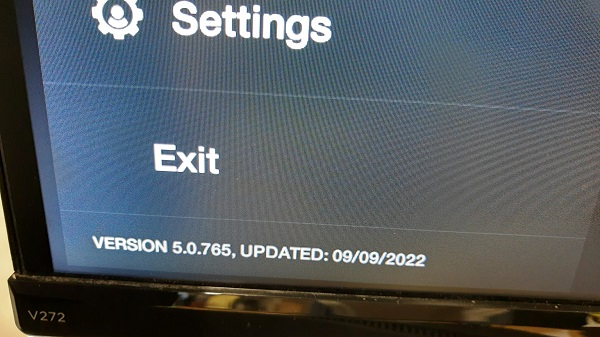
No we haven't narrowed that down , but considering there have been literally 100s of updates since the release you are running, no one will be spending time to try to debug something unless you at least have the latest version (which are the moment is 5.0.765, updated yesterday). But I installed the xbox app also, and I can tell you that the app is NOT properly designed my Microsloth to work with a TV remote (I know of many apps like this). They give very little love to any non-windows devices. I can scroll around the various selectable option using the dpad, but hitting OK does nothing. BUT.... If I hit the mouse cursor button on the remote, then put the mouse cursor onto the option I want to select and press the OK button (which when in mouse cursor mode - acts like a left mouse click), it works. Buzz cannot fix the issues of poor developers who do not consider the various platforms. I also tested it, but using a regular USB mouse from a PC and had no issues with the mouse to select and left click what I needed. The app is designed for use on Android phones, and Tablets, which would have standard touch input in most cases, so they probably did not even consider a TV remote as input. Considering that, I would be very cautious in pursing the use of these half-@ssed apps. Also, not sure what type of gaming experience you are expecting. Trying to run games on a $150 device designed primarily for video streaming, that were designed to run on a $500 game console with dedicated gaming graphics hardware. GPU power is not even remotely comparable. And don't forget the general purpose CPU on these boxes, vs the very purpose specific ones used on gaming consoles. Keep your expectations in check. 2 days ago, I asked if you can use a regular PC mouse to see if that works any better in the app for you. Did you try it ?
-
When you say "self powered" do you mean they get their power from the USB connection, or that they have their own external power supply ? Also, when you say it is dismissive, is it because it does not recognize your partitions, or the drive as a whole ? Have you tried going into settings, and and then under storage, and seeing if it sees the drive itself (even thought it may not recognize the partition) ? It may not recognize the formatting on the drive. I'm assuming you formatted the drive on a windows machine ? The fact that it is 6TB, it was initialized as GPT, and not MBR ? And assuming NTFS filesystem if you have 1 large 6TB volume ? Considering the xrs4000 is an older device (running Android 9 if I recall - could be wrong), not sure what built in support it has for GPT vs MBR disks. And also the FAT32/exFAT/NTFS support. And for NTFS, it depends on which version, since it has evolved quite a bit. I rarely use any large disks (anything more than 2TB) on my devices, since all my media is streamed from my NAS with one large 96TB volume. I don't have a 4000, but I do have a 4500 (which is pretty close). And the largest single disk I have are a few 4TB La Cie externally power USB drives, so I can run a few tests later this weekend. Over the years there were many limitations in windows and many linux.android kernels, in regards to max disk sizes they supported, max partition sizes they supported (ie: 2TB classis limit), and even partition types/version they supported. So obviously if the drives are good, you are surely running into one of these limitations.
-
From the LiveTV screen (when watching TV), press the MENU button on the remote (will open side menu), and there is a version number at the bottom of it. That is what we need.
-
What version of BuzzTV are you running (in LiveTV, hit the menu button and should be at the bottom). With WiFi, for me it used to take 30 to 45 seconds before searching and connecting again. With Ethernet it was 5 to 10 seconds at most. This can vary depending on WiFi access points, and DHCP server from router. However at one point I decided that I was better of setting it to shutdown instead, so that way I knew that every time I powered on, it was a clean boot. The extra minute or 2 would not make a difference anyhow.
-
Can you just connect a mouse to the unit temporarily to see if you can use that 🙂


