sea157
Members
-
Joined
-
Last visited
Everything posted by sea157
-
When I click on my update icon nothing happens. Same with the firmware icon, I click on it and nothing happens. Same thing happens when I click on the clear data in the BuzzTV OTA screen, I hit OK to clear data and when I check the new data amount it still shows the same amount of data as it had before I cleared it.
-
Where do I go to find my f/w and s/w?
-
Guys for many month now I show I have a firmware update available on both of my U5's , But whenever I click on the up nothing happens! I have waited for as long as 2 hours and never received the update. What am I doing wrong? Any help appreciated!!!
-
After I hit download I had the box on for over an hour before I turned it off.
-
Mine show's I have 1 firmware update available but when I hit update it does nothing. Do I need to do anything special to download the update?
-
What do you have your sleep function set to? I have mine set to NEVER.
-
Did you feel the button click when you are holding it in? If you did it correct you should come to an Android screen not a BuzzTV screen.
-
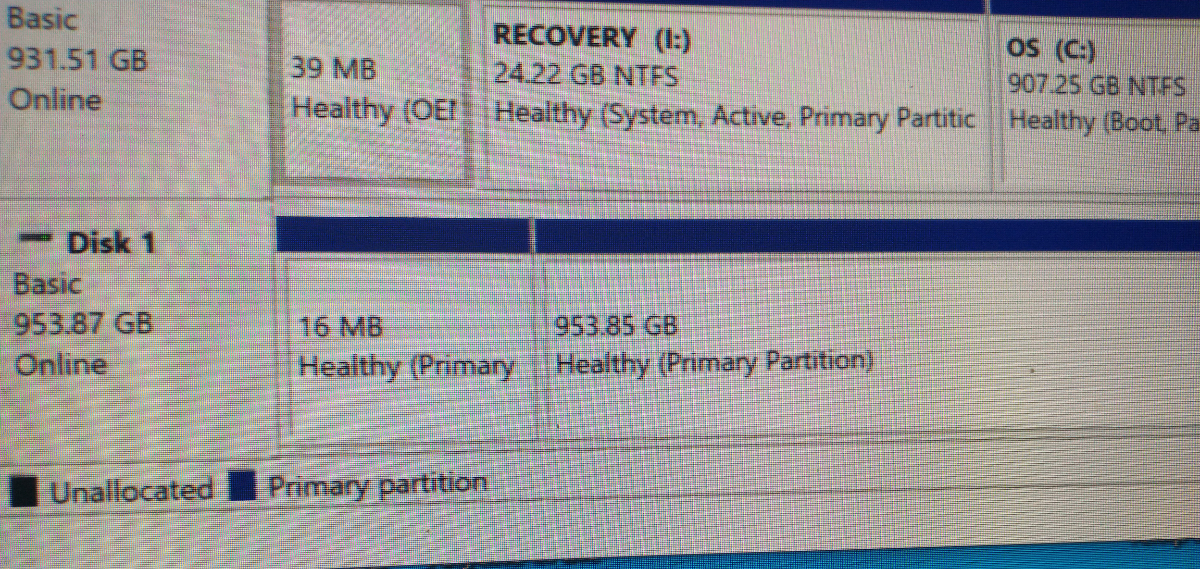
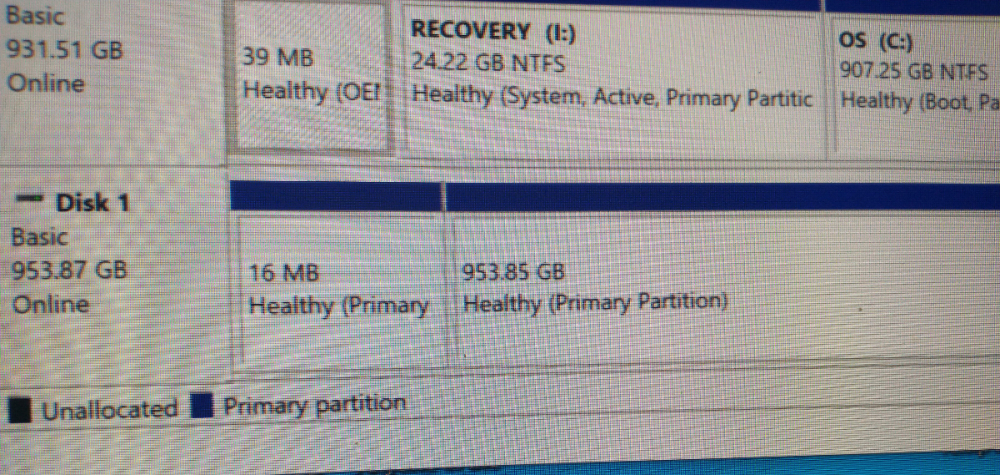
Sounds good buddy, I will just hit cancel when the box askes if I want the box to format it. I did as you told me (Right click the 953GB Partition, and then select delete Volume, If you can, right click and delete volume on the small 16MB partition. Then right click the empty space, and create new volume and follow the prompts to be able to create partition and format it. If exFAT is an option format it as exFAT ideally.) And now the drive is showing up in File Explorer so I think I have both of my new SSD back!!! Thanks again Emporium !
-
OK Emporium I will give it a try, I HOPE it works I would love to have these SSD's back. If it does bring them back and my U5's recognizes the drive when it askes if I want to format them in the U5 should I click yes or click cancel? THANKS FOR ALL YOUR HELP Emporium!!!
-
Emporium, Yes when I go into diskmgmt.msc it is showing up as Disk 1, but when I go into File Explorer it is NOT showing up. And my U5 is not seeing it. If I could go into File Explorer to see it I could try to reformate it to see if that would help. Any other suggestions on what I can do to get these working again?
-
Guys I have a big problem, I have (2) U5’s so I purchased (2) Samsung 1TB SSD to use as storage for any recording I want. I formatted them exfat on my computer and installed them in my U5 boxes. Both the U5’s recognized the SSD, and I set them up as removable storage, I recorder 2 programs to each of them. I played all 4 recordings and everything worked great. Later on I checked on them and discover it was saying Samsung USB drive is safely ejected, Samsung USB drive not connected! (I NEVER EJECTED THEM) When I remove the drives, reboot my U5 and try to install them again the U5 doesn’t see them. And the thing that troubles me even more, when I try to see them on my computer they never show up, like they don’t even exist. What the heck went wrong??? Any help would be greatly appreciated ( I have a lot of money invested in the SSD’s) !!!!
-
Try unplugging the box from electric for about 30 seconds, the plug it back in and let it reboot. This always seems to help me when I have problems like that.
-
And did it turn itself off after the recording was recorded?
-
Wow, I need to check this out, I haven't used this in a while, maybe with one of the updates something changed. The ones I have are (2) of the U5's
-
I would like to also see a way to have this happen. I would like to see if your box is turned off then wakes up to record a program once the program is recorder the box turns off again. Example: If I have a program scheduled to record late at night, after I turned my box off for the night, it wakes up to record the program but after the program is recorder the box stays on for the rest of the night, or until I manually turn it off the next day. .
-
I would like to see being able to have all you favorite channels from all your different IPTV providers in one favorite folder, like you can on the Tivimate program, instead of having to switch providers.
-
Do you have a volt meter to check your batteries? More then once I had new batteries that were very low in voltage.
-
-
Quick question. Why would you want to do that?
-
That what I like about it the most, my U5 (both of them) work perfect for anything TV related, Live TV, PPV, Movies, Series anything TV related. But also a lot of the depends on your IPTV provider.
-
I love both of my U5 boxes. I bought one as soon as they came out and liked it so much I bought another one about 6 month latter for my garage. As far as I am concerned they are the VERY BEST IPTV boxes on the market bar none!
-
-
-
-
No since I didn't have any information in the folders before I did my reset I lost all of that. I just have to reload everything and renter all my favorite channels. I will try to make another back of the XRS4500 and make sure the information is in the folders this time then see if the XRS4500 Max recognizes the backup of the XRS4500 then.