allaboutbuzz
Moderators
-
Joined
-
Last visited
Everything posted by allaboutbuzz
-
I edited my post, I got the version # wrong Will add the date on a future update as you suggested
-
If he keeps rebooting it will keep resetting time Is another thing the dev guys said
-
From our dev guys After a reboot device would download new ota after 1hr then it would become available to user once downloaded is done
-
Ok, did you try a reboot?
-
V1.0.101 Buzz App was sent on Friday To resolve the VPN Issues I mentioned.
-
We have to fix one configuration issue as well. So you might run into issues These fixes should be sent today or Monday And we use Debian Linux OS.
-
Few notes for Open VPN based on feedback we got - We have to show the text box when typing in username and password - We have to support more characters, as one tester used expressvpn and could not type in the 25 characters Will fix this up on our next update, just wanted to mention it in case anyone noticed.
-
Yes we automatically need it to reboot, it was built into our scripts Its only for users like yourself that were stuck on older updates. And good to hear that you're now running the latest update
-
Changing stream format would change the type of stream the server sends so yes HLS may be freezing but TS isn't And auto by default uses HLS first, but if a server doesn't have HLS it will automatically use the next available format In your first post you said that freezing happened on different TV brands, which doesn't make sense. As a TV brand has nothing to do with channels freezing
-
A new OTA update was just sent today Anyone stuck on older updates, will get a second update to follow within a few hours after the first one It should bring you up to the latest version of Buzz 6 App etc. Try it and let me know your feedback Thanks
-
Stream format has nothing to do with the brand of TV you're using
-
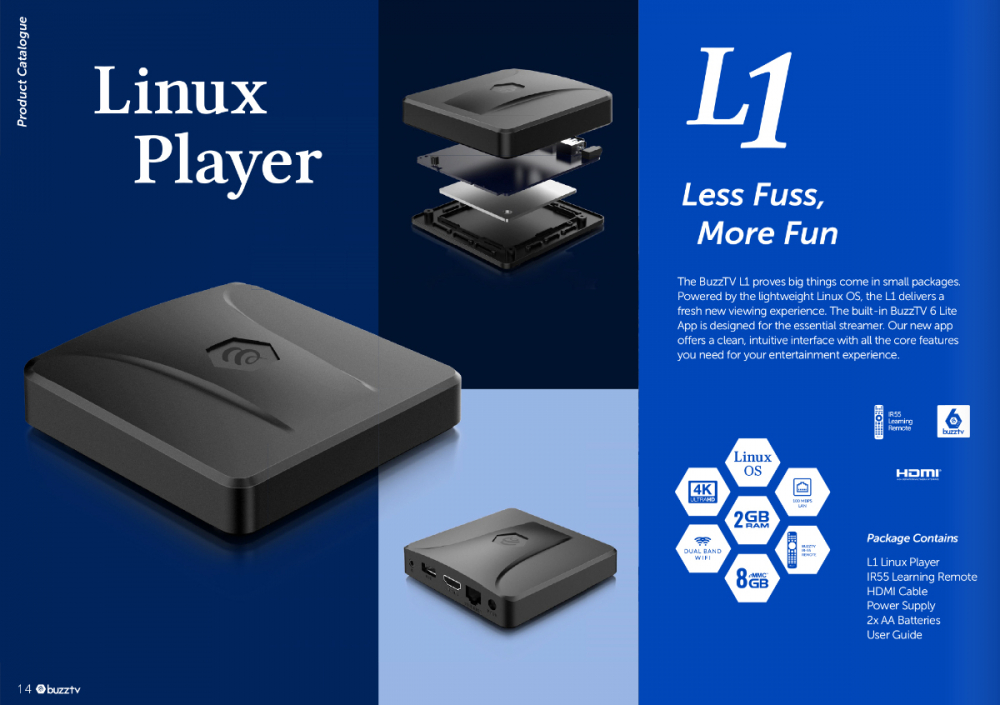
Updated the Image with a newer one Thanks
-
For those stuck on older updates We will have to add a fix to our next update, so the update that follows that one fixes this issue and gets you up to date.
-
What does your system information say?
-
Great You can grab the VPN configuration from USB. Its the easiest way
-
NEW BUZZ Firmware Version 20250118000000 New Buzz 6 APP UPDATE V1.0.98 Jan 18th, 2025 Firmware Changes: - Updated Player - Added HDMI Hot Plug Support - Fixed Power off in Standby on some TVs - Added Background OTA Support Buzz 6 V1.0.98 Changes: - Added YouTube Icon to the Home Screen (Its a placeholder for now, it will work on a future update) - Added Open VPN Support to Settings - Bug Fixes Leave Feedback below Thanks
-
As per your PM All is good now. Must have just been a server issue
-
Wasn't sent to P6 yet. I listed the models mentioned that the update was sent for.
-
V5.0.946 New Buzz 5 App Update Jan 13th, 2025 Update has been sent to all models on Android 9 and 11 - Android 9 must be running V937 to receive this update - Android 11 must be running V938 and V940 to receive this update. - Update has been sent to All X5 SS on Android 13 Changes: - Fixed a bug with Ok to Play Feature in Configuration - Added New Catch-up API to XC Login Servers - Fixed 4K VOD on some servers - Updated Primary Player to newer version - Added an ON/OFF Feature for TMDB on VOD/Series in the Configuration Menu - Fixed a bug with Search showing the wrong channel #s - Fixed a bug with Search opening the wrong channels when using Group Numbering - Fixed Crashes + Bugs - Fixed a bug with 5.1 and MP2 Audio not working on Live TV - Fixed a bug with hidden servers appearing after Backup/Restore - Fixed a bug with hidden urls appearing in error messages - Fixed a bug with Seasons missing on TV Series - Fixed a bug with Server Messages not appearing. - Fixed a Crash when playing Catch-Up - Fixed a bug with Seasons missing when TMDB Turned off - Fixed a bug with restoring servers that were hidden - Fixed some error messages on playback with primary player. Please leave feedback below Thanks
-
Download option only works/appears for Catch-up if the server supports it Otherwise just click the catch-up program you want to watch to play it Keep in mind most servers only offer 1-3 days worth of playback.
-
Its 3 RCA to 3.5MM Adapter But its not going to work the way you want it, as you cannot use HDMI at the same time
-
Ok I think other users reported this issue where after a multi day recording worked the first time It won't work again afterwards We will fix this on our next update.
-
Where does it say not connected? And you mean account info shows 0 connections?
-
How are you trying to record exactly? As MAC Servers only have one connection, so you can basically only record what you're watching.
-
NEW BUZZ Firmware Version 20241219115226 New Buzz 6 APP UPDATE V1.0.87 Dec 19th, 2024 Firmware Changes: - Updated Linux Kernel - Updated Uboot - Updated Hardware + CPU Decoders - Fixed Factory Reset not working properly. - Updated to latest Linux SDK Buzz 6 V1.0.87 Changes: - Improved EPG Loading on Channel LIst - Updated Wifi Settings