Anglishplz
Members
-
Joined
-
Last visited
Everything posted by Anglishplz
-
Im guessing this is some kind of info consumers aren't supposed to know about...?
-
Anybody know why on my x5 when I play HDR videos it's not showing up on my TV as hdr? Only says uhd is on my TV. My og vid stick shows uhd & hdr when playing hdr content. I've tried changing the the hdr setting from always hdr to adaptive hdr and nothing changes.
-
Messaged allaboutbuzz with no reply, I'm getting really fed up with this Bluetooth issue. Who do I have to contact to send this x5 back?
-
Now my remote is randomly unpairing itself and defaults to IR mode. I did unpair before trying to pair it again. Battery shows 95% before it unpairs itself
-
I had the same trouble when I set it up for the first time but couldnt remember how i got it to pair. mine must be a lemon. I HAVE to hold it for at least 30 second's Mine will not pair through the add remote/accessory
-
I got it, I had to hold home + enter for at least 30 seconds and not 4 seconds as the manual states.
-
Just updated and lost bt function on my bt400 remote, says "connecting" at the smart remote app. I tried factory resetting the remote and it won't pair using the add bt device. I held the info button for 4 sec until the ""pair your Bluetooth remote" screen poped up and did the home+enter and it just says "status: scanning" The remote is set in front of the box about 1ft away when doing all this. I can't use my x5 now
-
Im giving up on this vidstick, getting a nvidia shield instead. Losing the firestick remote functionality was the last straw.
-
My amazon fire stick remote "ok" center circle button no longer works!! Please fix this, I cannot stand the buzz TV remote as I can't change the TV volume with it.
-
When is the Bluetooth pairing going to get fixed? I still cannot pair a ps4 controller since the last FW update, with the beta FW it still won't work. It gets to the Bluetooth pairing request page with the options to pair or cancel and I can't select either one until it times out.
-
I'm having trouble getting videos to play on YouTube after coming out of sleep/standby. All thumbnails loads fine. I have to restart the vidstick every time to fix it. Hasn't. Been a problem until I updated to this new firmware.
-
Just an update My router was the problem, the last firmware broke the dlna feature on wireless devices. New firmware fixed it!
-
Still haven't heard anything...
-
Thanks, I sent a pm their way.
-
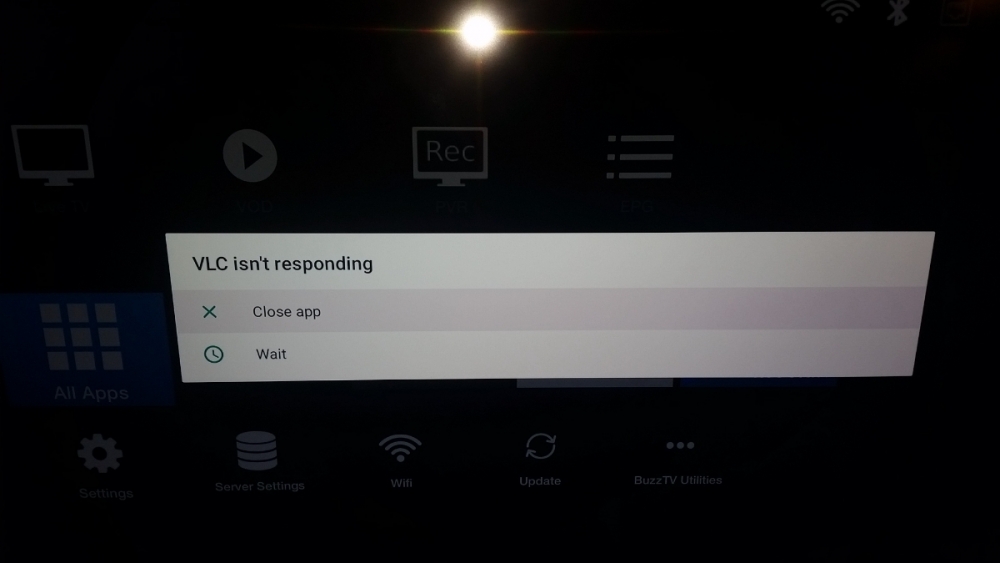
Any app that plays DLNA content does this after locking up 3-5 mins.
-
I just tried vlc, same thing. Every file shows up but nothing will play.
-
Movian 5.0.546 Vimu 8.95 I have never liked vlc, I hate the layout and so cumbersome to use
-
Anybody have any issues trying to access DLNA home servers? I'm trying to use the apps movian and vimu and neither will play anything, the files show up but when I click on music or video files it just locks up the app I'm on. My old firestick has no issues playing files neither does my pc, ps3,ps4. Any ideas?
-
Thank you! Switching player fixed it.
-
Other player?
-
It says audio is disabled with a check mark by it, I can't uncheck it.
-
When recording with pvr I get no sound/audio on playback? I've tried resetting the device back to its default state thinking it may be an incorrect setting but still nothing. It doesn't matter if I'm recording to the internal storage or using a USB flash drive or USB hdd. What else could it be?
-
I did email them with that email addy a few days ago. Still haven't heard anything back and buzz global won't help either
-
I did email them using that email address provided a few days ago, I still haven't heard back
-
I'm having the same problem with BT remotes, even tried the amazon 4k remote and it just auto scrolls all over or locks up. I also discovered that I can't pair any game controllers to it either. This...thing seems like a sketchy cash grab and I HIGHLY doubt the specs are what they say they are as my firestick 4k will eat this st4000 performance wise.