

Everything posted by BigBision
-
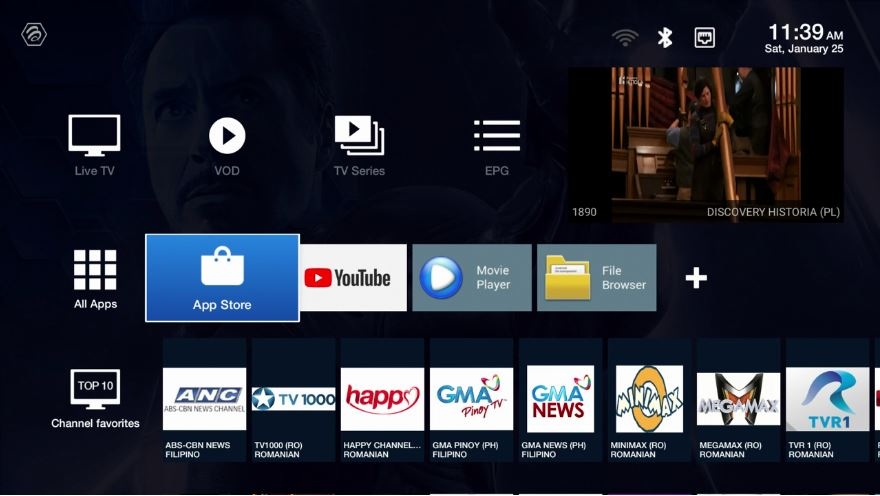
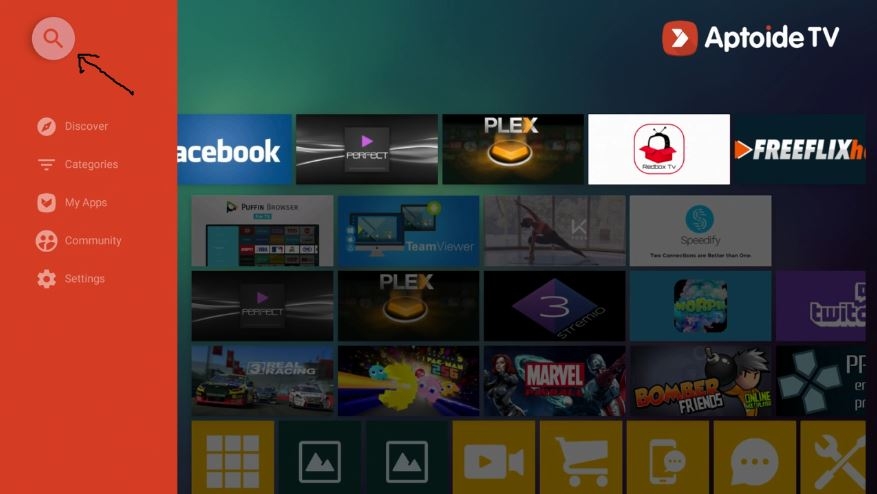
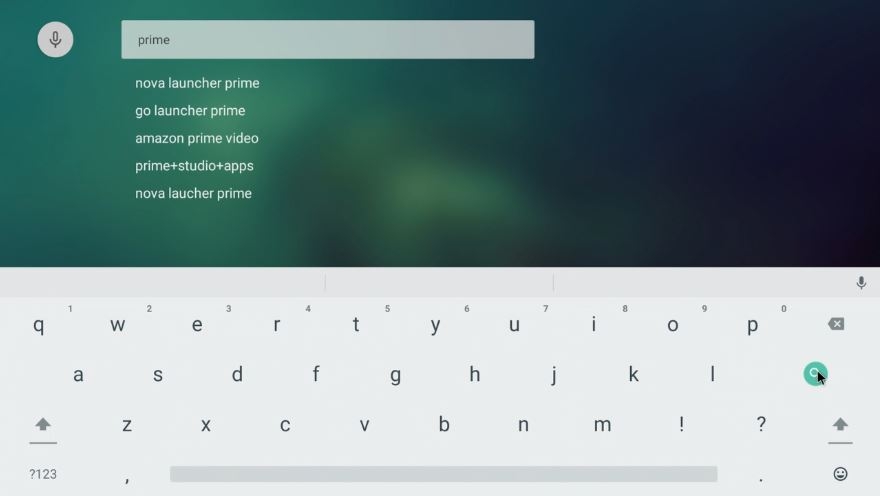
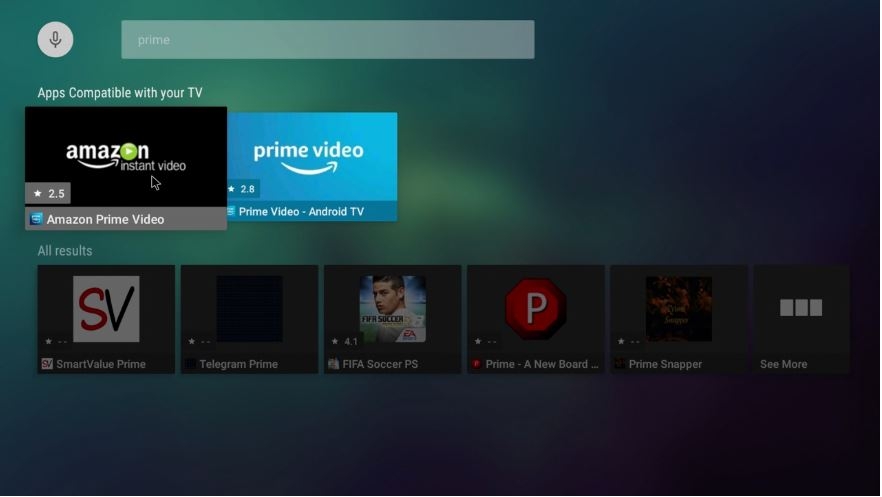
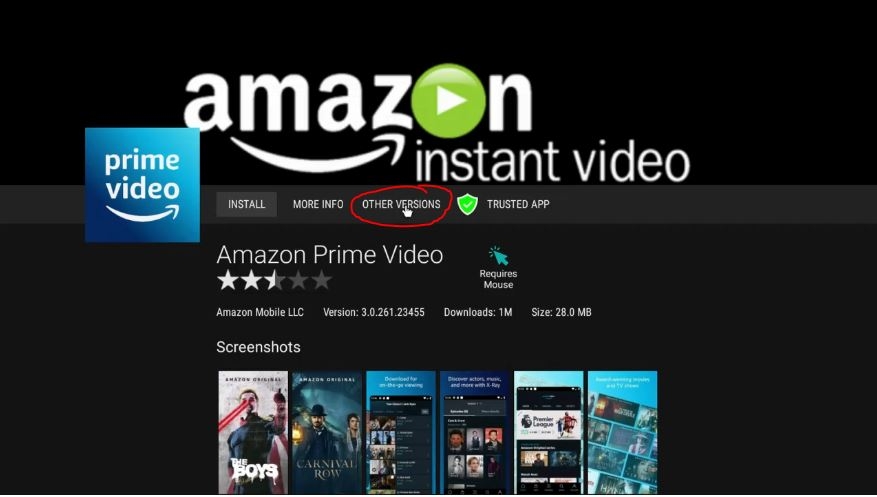
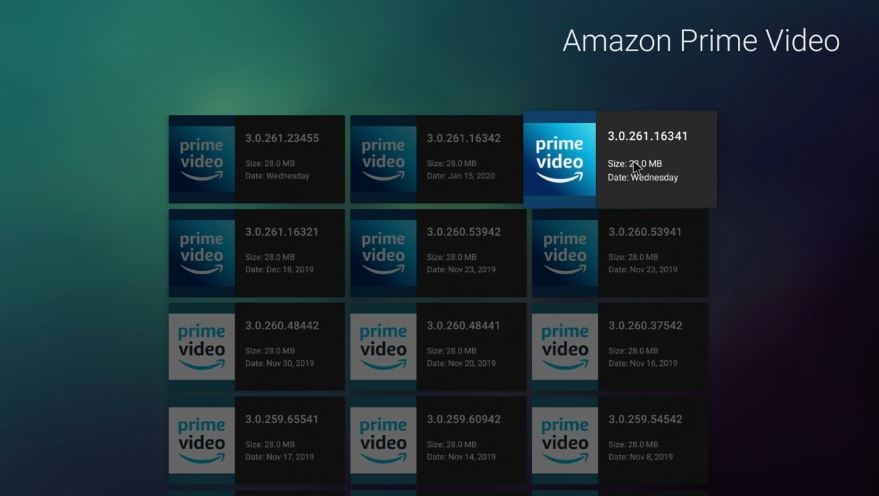
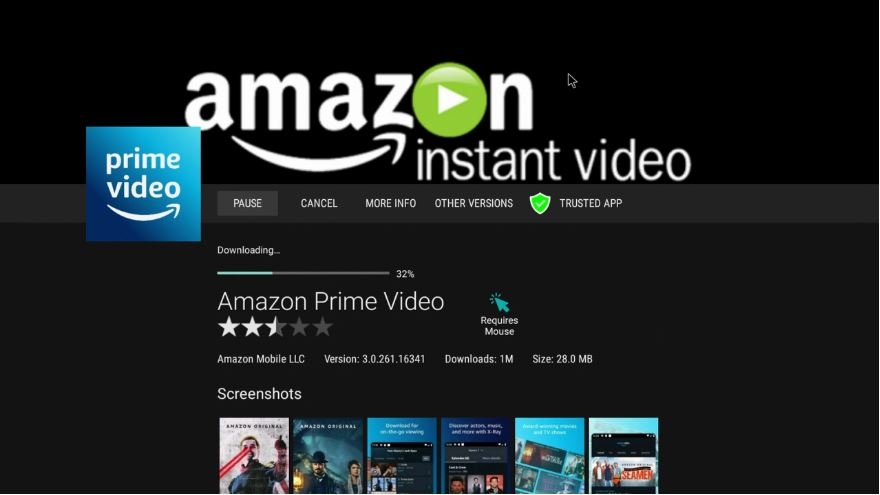
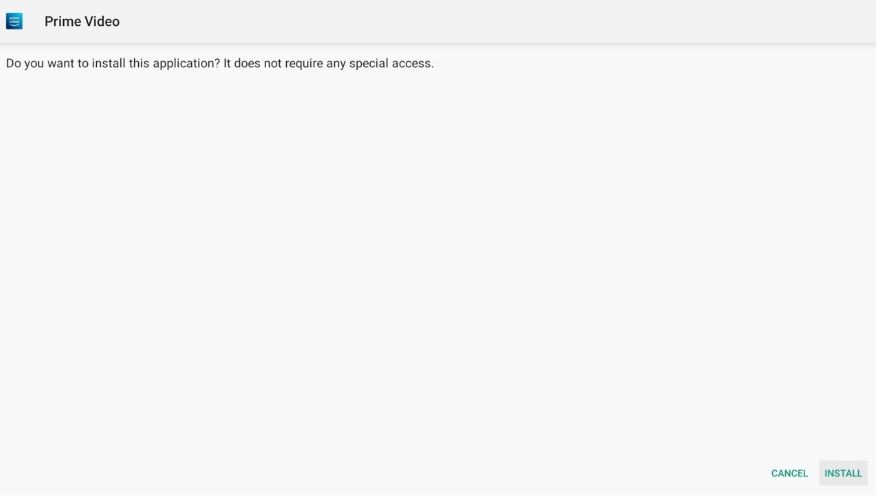
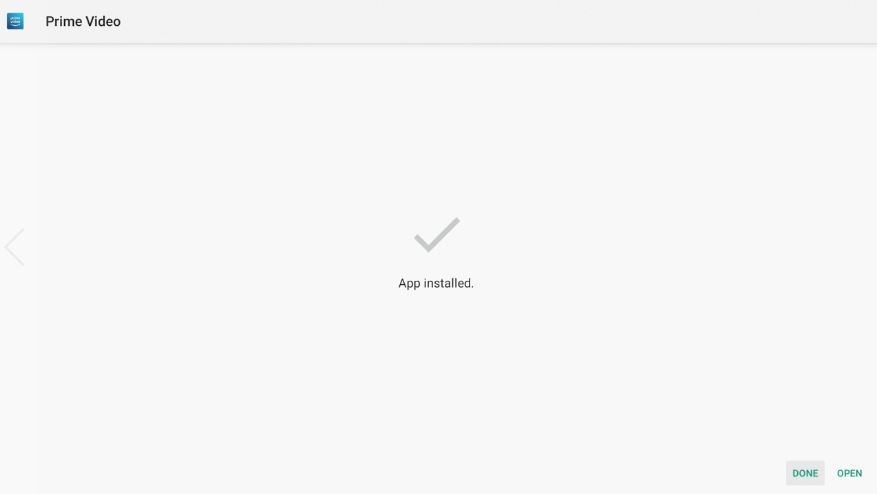
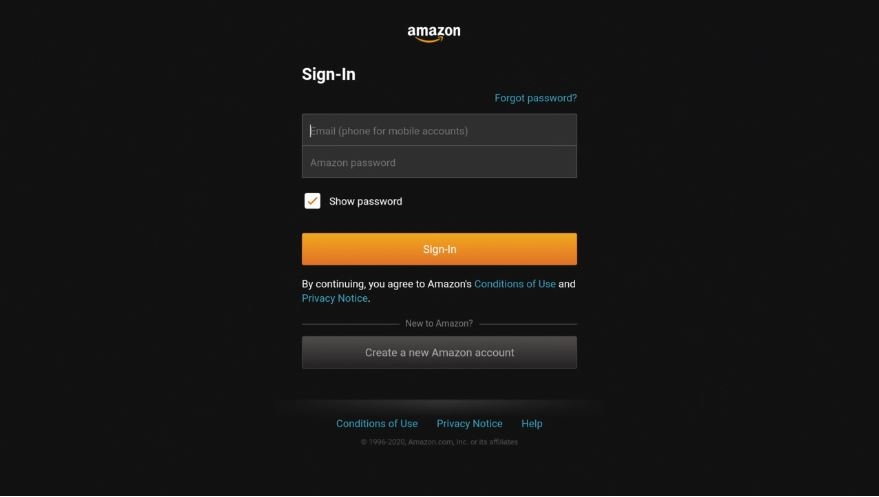
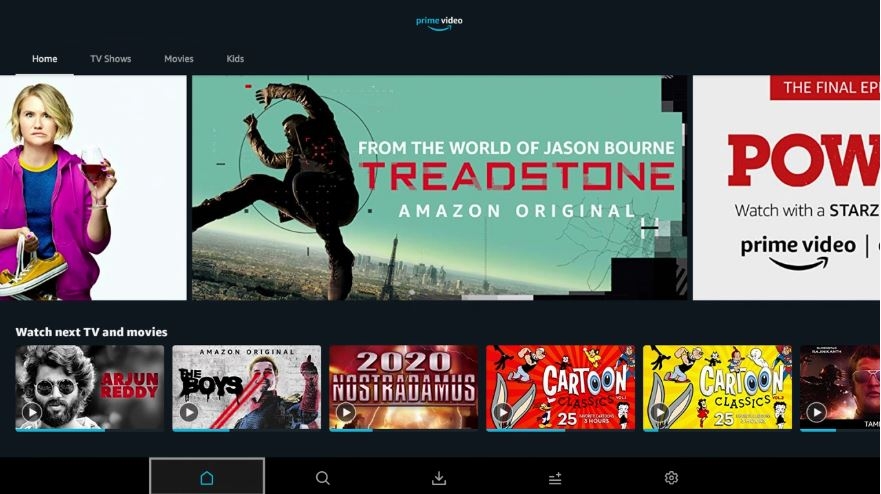
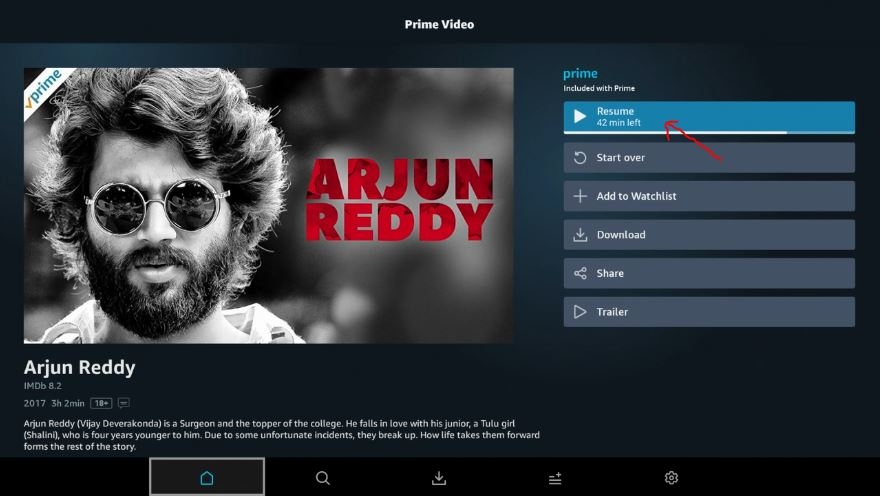
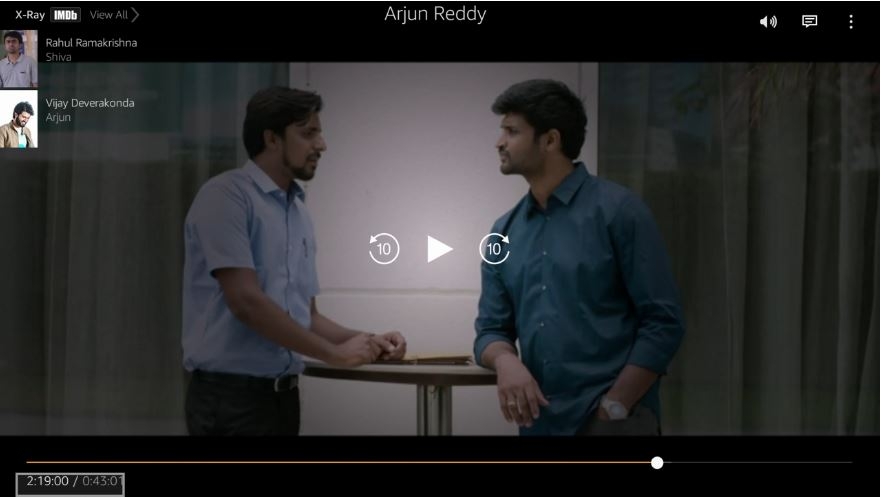
that do not sound like buzztv app or box issue, if you are still experiencing that problems then contact your sellers.can you please try these steps, 1. from main screen select settings 2. scroll down and select apps 3. select buzztv app 4. Scroll down and click on Clear Data 5. Scroll up and select Open buzztv app re-enter your URL and let it load and try again see if you still have sound issue. If you do contact your Live TV content provider support.XPL 3000 + XPL3100 + XPL3900 + XPL3000 Basic New Update: Feb 20th, 2020 Version 2.0 (347) Changes: - Fixed some memory bug issues - Fixed an issue with TV Series on Streaming Lines - Fixed some Xtream Editor M3U Bugs - Added M3U EPG Supportyou are correct on both places you will lose your URL, so you need to write it down.that is cause your provider fixed its issue.power cycle and try again now, it should go through.you can not add your own video players and use for buzztv 4 app. if you load VOD then press menu you are able to change players too only for VOD. same goes for LiveTV once you change players you are able to keep it and using it. if you are still having issue with your app closing down contact your Live Provider to make sure they support buzztv.To fix this issue, follow these steps, 1. Go to Settings 2. More settings 3. Apps 4. Select Chrome Browser 5. Clear data 6. Press back till you are on main screen 7. Select Live / Press Menu key on your Keyboard 8. Select Update 9. Accept update it should take less then 30 seconds If update still not working then follow last steps. 1. From Main Screen Select Settings 2. Select More.. 3. Scroll to Reset 4. Follow the prompts, (( Warning : all your data will be lost )) 5. Once your box is totally factory reset then select Live and Press Menu and select Update. it should be working. Keep us updated here.follow these steps to fix your issue, when bringing up VOD, press menu and select Secondary Player. update us.can you pm me one or two serial numbers that dose not authorize?can you check your disk space first, by going to apps then file manager make sure your space has atleast 15% empty space. if not then please reply we could give you some other steps to empty space.Process these steps i am pretty sure you will have no issues. 1. From Main Screen select App Store 2. Select Search 3. Type Prime and click on Search 4. Select the First one which has a black background. 5. Then Select Other Versions 6. Select Version 3.0.261.16341 7. Select Install 8. Once Download is done, you will get a white screen and you need to select Install. 9. Once it is installed Click on Open 10. Then Enter your UserID and Password for Your Amazon Prime Account. and click on Sign-in button. 11. Scroll to your video and click on it, like i am doing. 12. I have selected Arjun Reddy 13. and I have selected to Play or Resume if you watched a part of it. And that is it Enjoy.
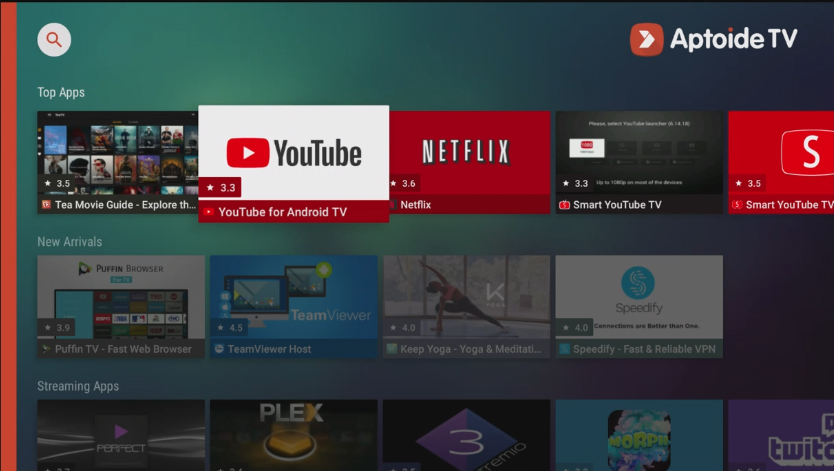
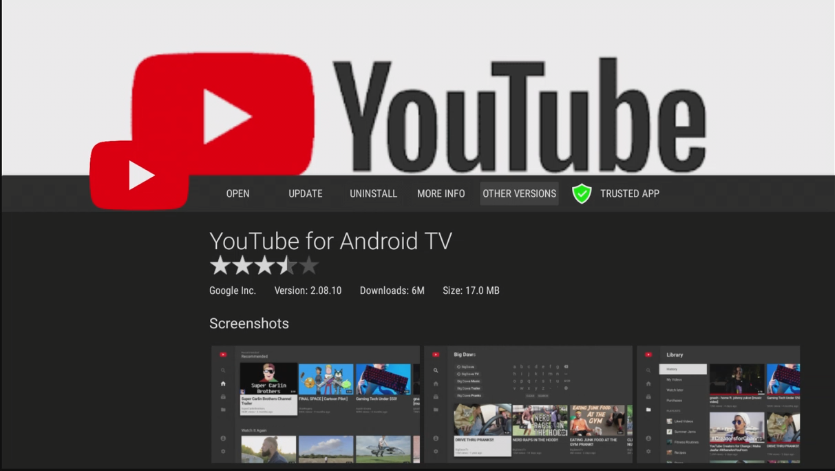
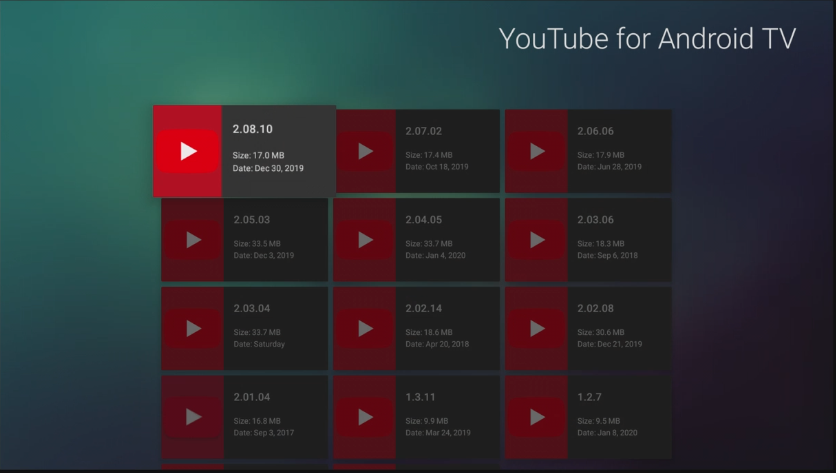
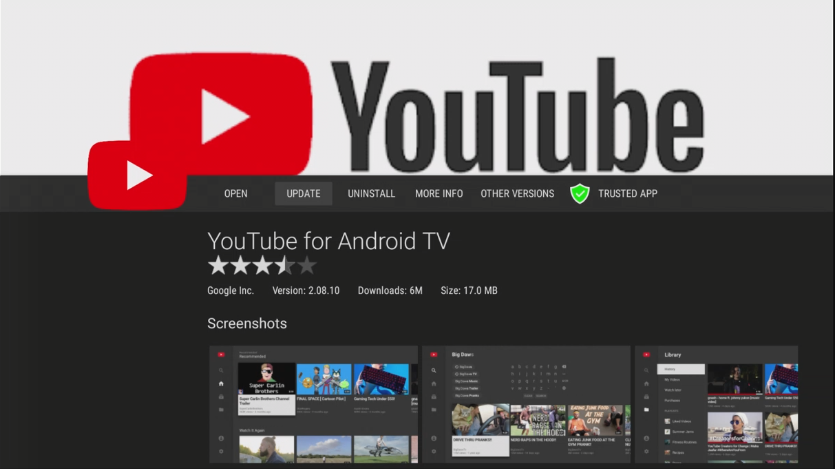
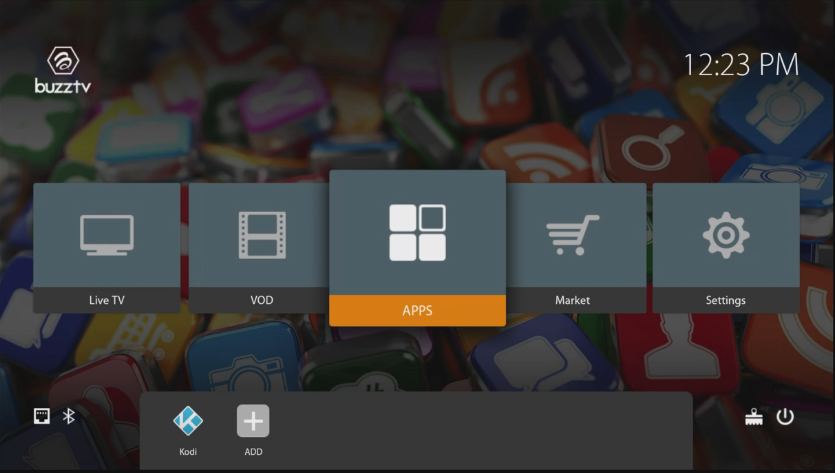
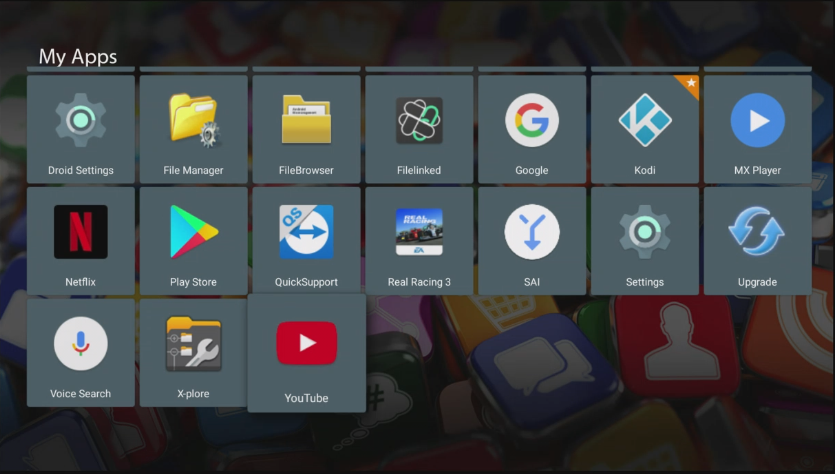
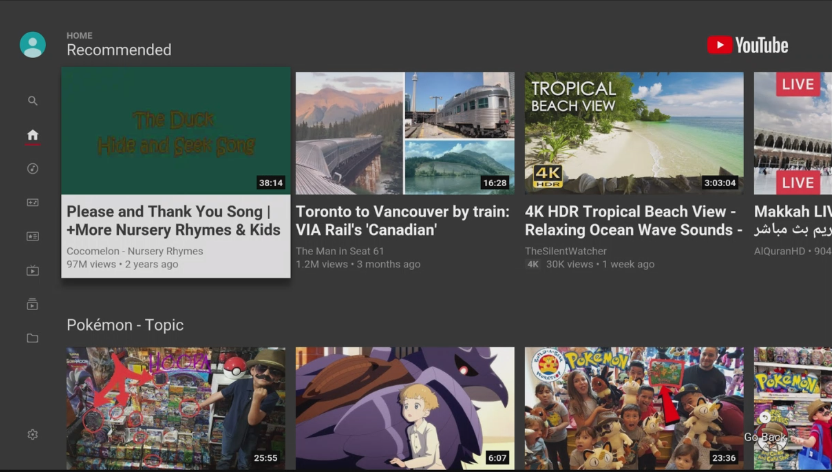
 which remote you have this fake brand? or you have Original buzztv IR remote?its IR remote, which is ok, but not all buttons may work on XR/XRS4000 good for 3000 or before that.veuillez visiter notre site Web http://buzztv.com pour plus d'informations sur ce modèle ou les modèles plus récents.you really should not be cleaning cache, but if that requires it should be maybe every blue moon.sounds good, please update me if this method works out. 👍can you factory reset it and then process your updates then setup with different apps.here is how you fix YouTube app,Follow these steps to fix your YouTube issues on buzztv XPL3000 1. From main screen Select Market 2. When Market opens Select YouTube TV App and Click on it. 3. When YouTube App installer opens Scroll to the Right and Select Other Versions. 4. From new Open Page Select Latest Version showing 5. Click On Update 6. Once Updated Press Home button Then Select Apps 7. Scroll Down and Find YouTube App And open it. Enjoy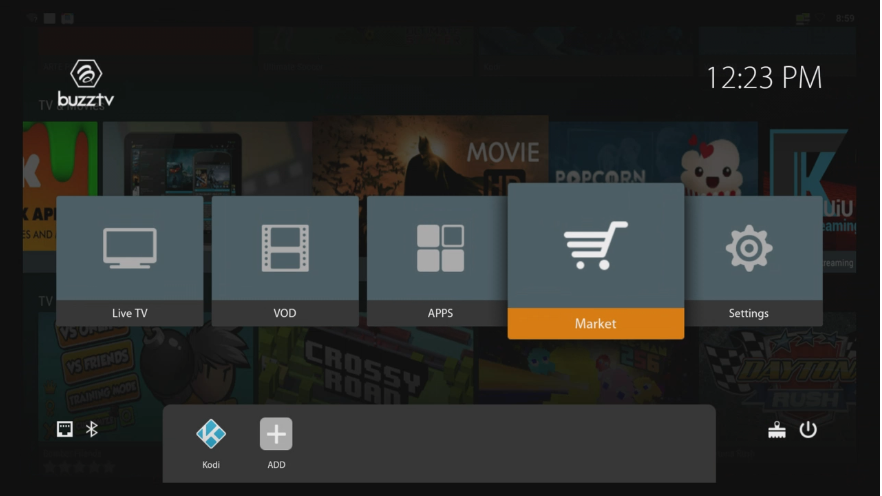
 press menu and select Exit, then click on live.can you try to see if still buffering with YouTube app? if not then try any DNS changes or VPN?The XPL3900, is on our 3000 models, The unit did not just come out, it has been out for over a year now. Our website is still under creation, but if you check on this forums it is here, and we usually answer rand support the box, the website is mainly for newer units that are coming out.



