Sony
Members
-
Joined
-
Last visited
Everything posted by Sony
-
Boss Sound Receiver level is 65 (If this is with DVD Player) it is damm loud. but with this Box, is like 15. like TV is running on Very low volume. TV Volume is zero as sound cable is connected with the Receiver. I also tried to remove the optical cable and only HDMI cable is connected with TV. Sound is still too low. Even TV Volume (Samsung) I need to increase it up to 35 but not enough sound. So the Sound on Welcome Screen Logo is off by default ?
-
Since i bought this, i noticed sound is very less when i watch the channel via using this box. I connected this box with my TV connected with HDMI Cable but it does not produce 5.1 Channel sound. I even tried to connect with Optical Cable (Box has this provision) with Boss Sound Receiver but still sound is very less . I have to increase the full volume of my remote , even sound is only like coming from mono speakers. As well, when Buzz TV application starts and logo appears, no sound come at all. My other old Buzz TV Box produce sound when logo appears.
-
-
I am having similar issue. I posted new message. Please help.
-
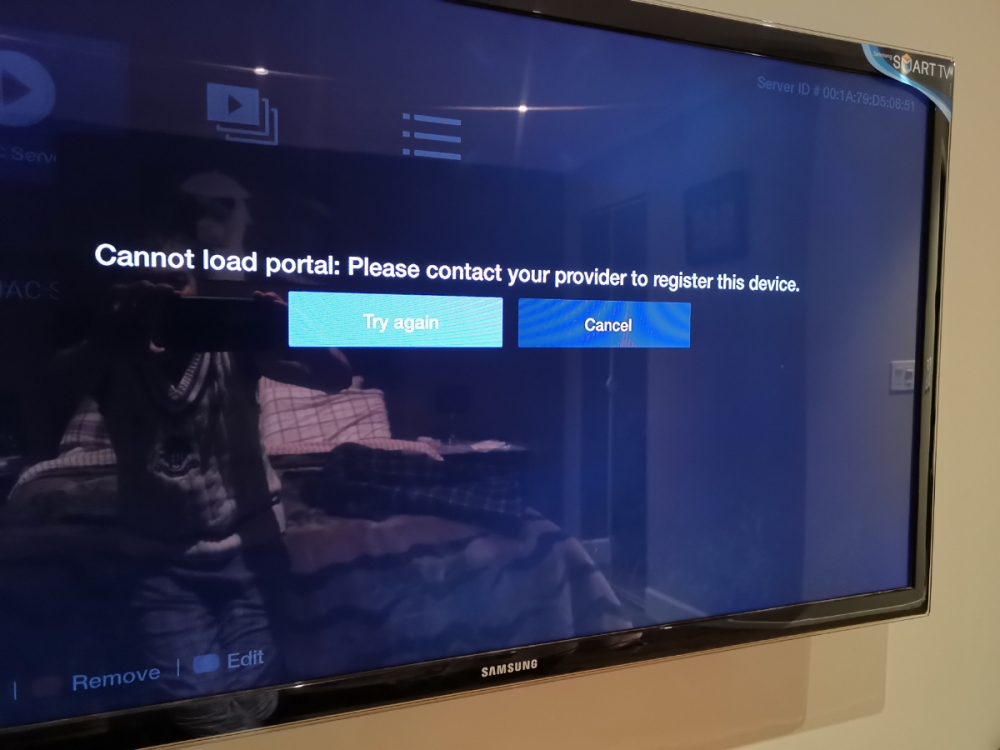
Hi, I was using this box fine for last 6 months but i had a sound issue with some channels. I reset the device through buzz settings and once reset was done, i entered same mac address from the ISP but it is not working any more. It is giving a message that cannot load the portal. Please contact your provider to register this device. I contacted and they checked they have this address already. i don't know how to fix this.