dishuser
Members
-
Joined
-
Last visited
Everything posted by dishuser
-
https://stbtalk.com/index.php?/forum/25-news-and-announcements/
-
-
it's faster to let it go to home screen
-
-
I put in my sd card and formatted as removable storage then turned ts on and selected that drive
-
the youtube link I posted contains that video
-
my point is other models function like the x5 more than one model uses buzztv 5
-
from the buzztv products site Note: Hardware only, BuzzTV does not sell or give advice on streaming services the link I gave you earlier explains almost everything with videos there's even videos on this site and they apply to almost every model
-
went into settings and selected restart from device preferences showed home screen for a couple of seconds and then it went to live tv
-
youtube and ethernet 20220721_185501.mp4
-
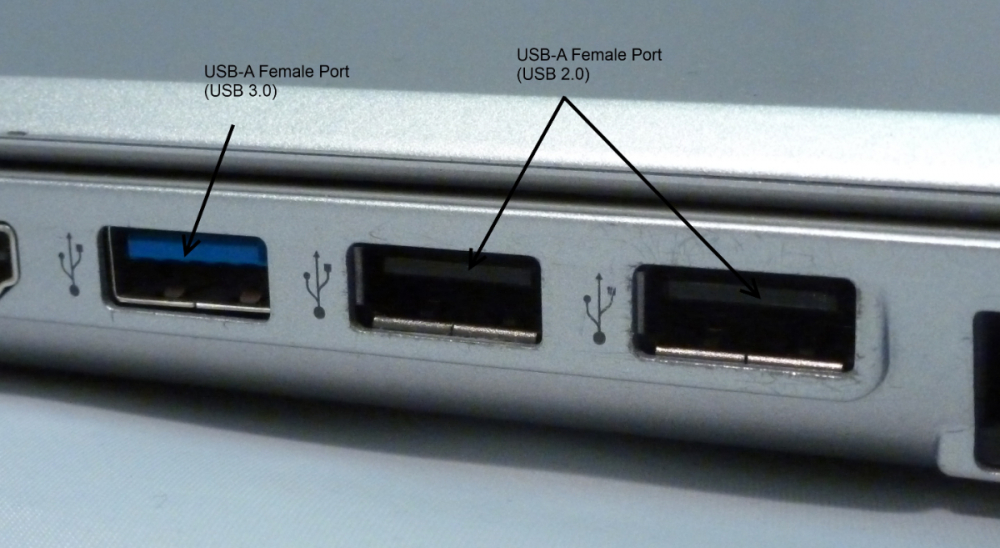
I've no issues using ethernet for youtube watched it for about an hour yesterday as for colours for usb it's common knowledge and no need to ask since google will give you that info if you don't know from google by simply typing in usb ports in search
-
https://www.youtube.com/c/BuzzTVGlobal/videos iptv is the same for all models
-
I have 2 arq-100's plus a gravitti keyboard I finally put numbers on them...lol
-
let me guess you forgot to plug in the usb adapter
-
I used it last year on my vidstick
-
turned it on but it goes to home screen on start up V20220624 5.0.727
-
mine works using ethernet running older firmware than OP though
-
if I reboot my modem/router it will change to Toronto I have CIK
-
I'm in Niagara but my location is Montreal without a VPN...lol
-
you must be entering info wrong or in wrong section of server setup
-
click on his username and then click on message tab
-
you already have a thread about this it should be easy to find since it has same title...lol
-
-
-
me too and it showed the last 20 I viewed and I could select any one of them and they played