Polaybuzz
Members
-
Joined
-
Last visited
Everything posted by Polaybuzz
-
Thanks to all involved, I like this new update 🤗
-
If the back switch doesn't go to low impedance because it's broken inside then you won't be able to get to the menu to perform the hard reset... I don't know, maybe you do it another way.🥺
-
Could it be an intermittent broken reset switch or just bad technique used?
-
Ne perds pas ton temps, on dirait que tu essaies seulement d'avoir le dernier mot. Si tu es si bon et intelligent décroche. C'est quand même toi qui est venu ici en disant que le problème venait de la Buzz alors que tout le monde disait le contraire...
-
The best thing is to find a better provider. They are low quality and overpriced.
-
I can reproduce it and for me selecting "None: Never use surround sound" does fix it.
-
What would be better by using the server settings?
-
Are you using your box through a receiver? It looks related to eARC settings in your tv or receiver. Try playing with these.
-
I have this happened before. The fix was in the settings in advanced audio, turn on or off surround sound.
-
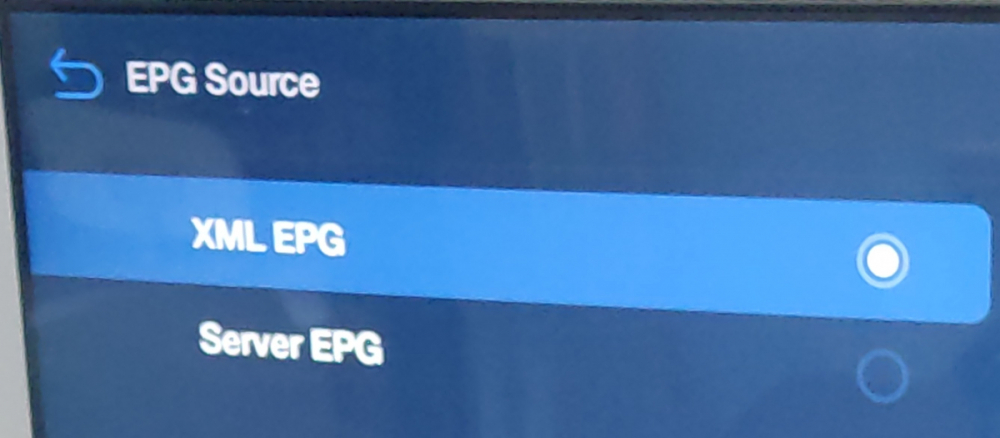
Does anyone know what these new options means on new V919 Buzz TV 5 software? EPG Source: XML EPG vs Server EPG What's the best settings? I am using XC login.
-
Really? Because there is an option to unlock bootloader in the developer menu...
-
Can we root by unlocking the bootloader on the Classic? I just want to install some apk's.
-
Thanks a lot ! Got it now.
-
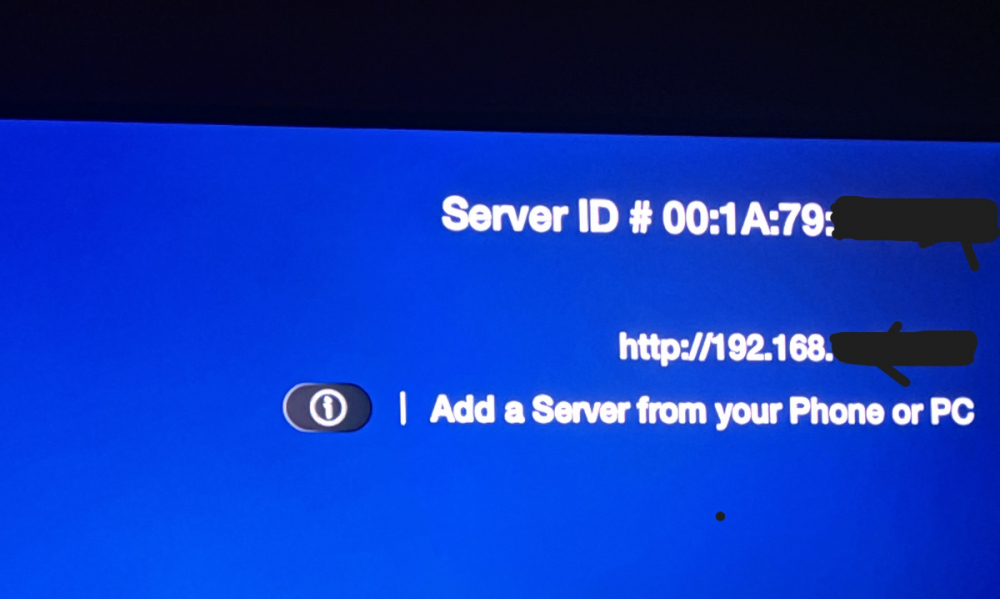
Yes! It says server ID in the server settings of buzztv 5.
-
-
Can we change the "server ID" from the BuzzTv 5 app?
-
No. That's why I'm puzzled...
-
Thanks, but I am only using 1 server or provider right now. How do I "custom package" then?
-
On my Classic I see my data getting bigger and bigger. Is it normal? It started in the low 100 Mb but now at almost 2 Gb. I know I could clear data but then would lose all settings.
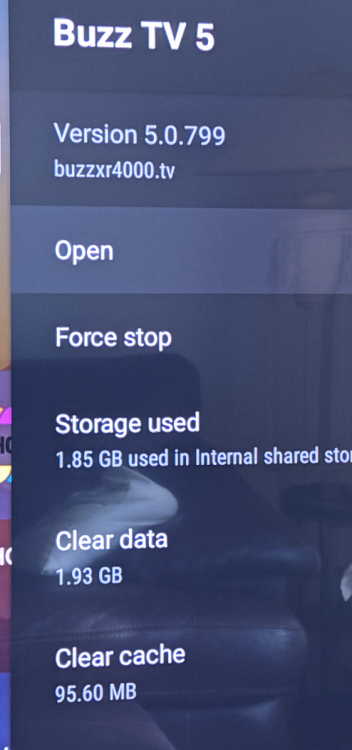
-
I found out how to replicate the bug im am having. When i'm surfing channels, the system uses up my 2 connections. If I stay on the channel for about 2 minutes it goes back to 1 connection. It is then after this moment that I can start recording and move to another channels. If I don't, then the stb stops the recording.
-
Straight of the EPG. Not with "one button record"
-
Yes I have 2 connections and before I started the recording, I checked to see I had only one active. After I started the recording it becomes 2 active connections but the recording stops almost right away.
-
I wonder what would cause this problem then? Could it be a provider issue?
-
I have just noticed that after I took the last update, when I start a recording and go to home or change channel, the recording stops. It has never done this before. Anybody else seeing this?
-
Thanks, great update, the catch up are working! However I am forced to use HLS protocol to be able to view catch up with my provider. Is it normal?