Pat
Members
-
Joined
-
Last visited
-
Have the Powerstation 6, got the X5 out of the drawer to check out an app. Gave the notice of an update so opted to update. Came back later to a reboot button, it started the reboot and looked like it was starting ok then I left the room. Came back 5 minutes later and it was stalled. Waited a while longer and no change. Unplugged and plugged back in and the same startup Buzz icon. The next time it is totally bricked. No lights or activity. Any ideas?????
-
I’m still stuck with the V20220624 firmware. Is there a timeframe for an update. Still a lot of issues!
-
I’m still stuck with the V20220624 firmware. Is there a timeframe for an update. Still a lot of issues!
-
I was really impressed with the hardware when it was announced. Spent $200 but it looks the units with 0624 firmware must have a piece of unique hardware so it can accept the published updates. I afraid we are stuck with a bastard, alone and unique!
-
My X5 has the 20220624 firmware. It looks as if this version is a bastard version. The versions updated have release numbers that appear to be both pre and post my version. Wil my version ever be normalized?
-
My X5 has the 20220624 firmware. It looks as if this version is a bastard version. The versions updated have release numbers that appear to be both pre and post my version. Wil my version ever be normalized?
-
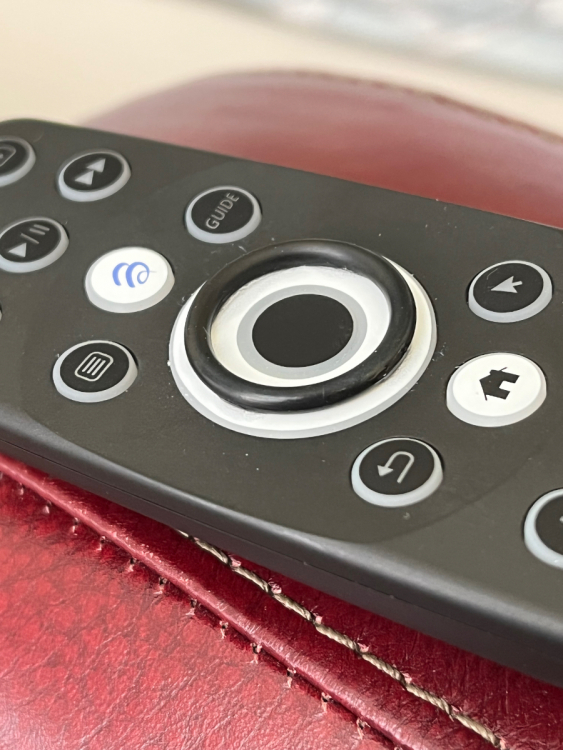
Glued a rubber O ring on the remote. Much easier to use!
-
Yes, I read the instructions and tried many times. Even tried variations! Nothing.
-
-
Pat joined the community
-
I read the instruction on linking the remote to my Vizio M55-C2. I used the Smart Remote app it made it seem it was running through different codes to find my TV. Nothing. I did it several times and waiting a long time. I also tried the procedure listed on the remote instruction pdf. Held down Enter key with back arrows and got the solid red light. Tried advancing through codes by pressing + Channel button every 3 seconds . Nothing. Help!