
Shoma
Beta Group
-
Joined
-
Last visited
Everything posted by Shoma
-
Highlight the server you want to remove and press the Red button on the remote.
-
Yes, There is a one specifically made for Buzz:TV, Samsung TV and LG https://www.amazon.ca/gp/r.html?C=2JG4V7T7UJ2XJ&K=2UPSW6I5KF2DR&M=urn:rtn:msg:201912120509025bfc938cd78f4c27b29e62045d90p0na&R=2WD4VU6OPTC7D&T=C&U=https%3A%2F%2Fwww.amazon.ca%2Fdp%2FB07YD37Z4B%2Fref%3Dpe_3034960_236394800_TE_dp_1&H=QYHJRWG0ZJJOYBS39QA6QHWT1AGA&ref_=pe_3034960_236394800_TE_dp_1 I apologize if I was not clear in my previous post.
-
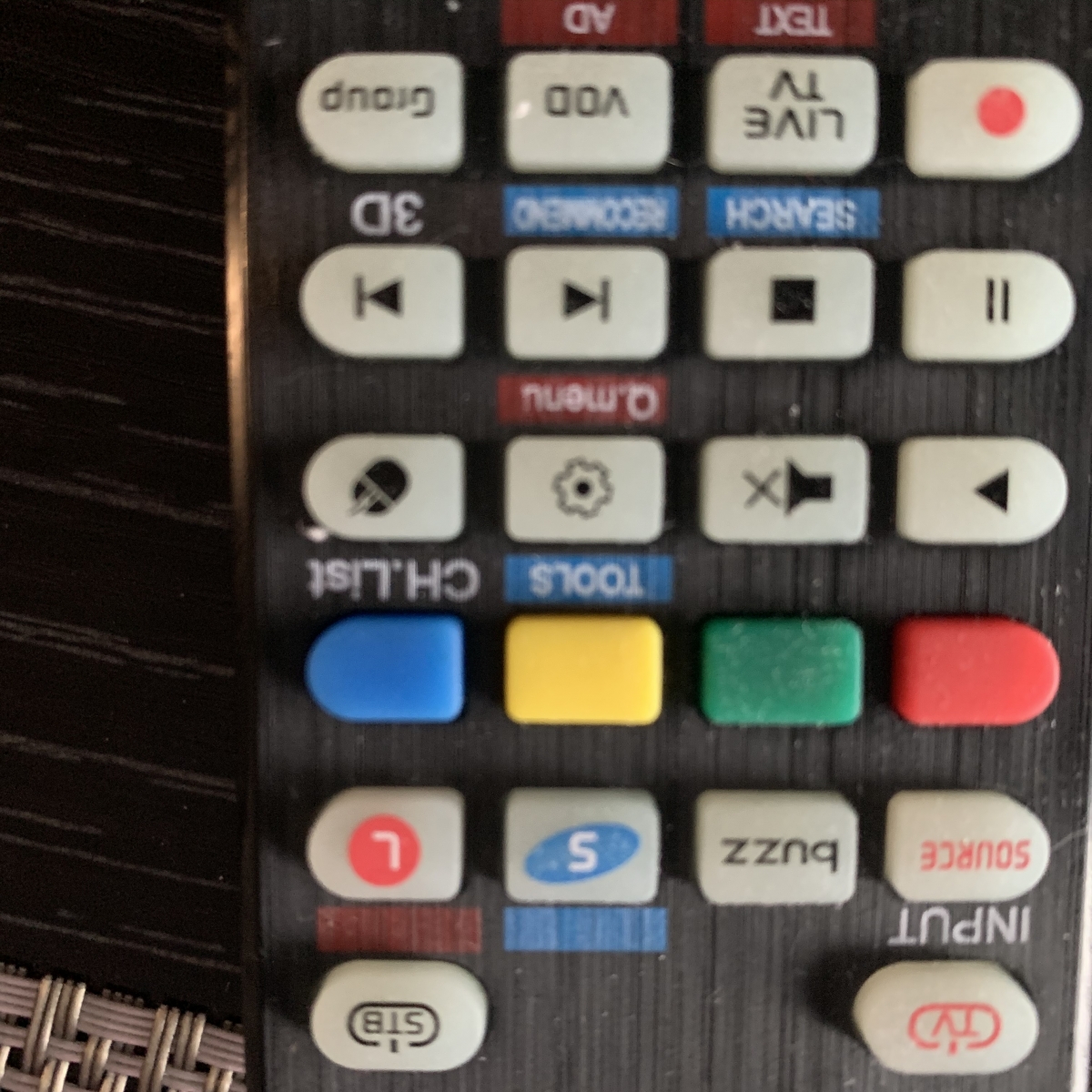
I’m not sure I understand your question. The Artronix remote working fine and it has all functionality as the original BuzzTV remote. It responds much, much faster and I don’t need to click 2-3 times to get response. I’m using both remotes since I still prefer the BuzzTV original remote’s design. Just to clarify, most problems with the original remote are with arrow keys and OK button; need 2-3 tries to respond. Note: I changed the battery just to make sure that is not the issue.
-
Ooops, turn you screen 180 😏
-
No, it is the same as on the BuzzTV remote

-
-
Artronix Universal Replacement Remote Control for All BuzzTV, Samsung TV, LG TV LCD LED HDTV 3D Smart TVs on Amazon Canada for $15+shipping
-
Same problem here. I bought an Artronix remote for BuzzTV and is working much better. Thank you Nelutz for bringing up this problem. Until now, I thought I just got a bad remote.
-
Have you tried the secondary player?
-
Same here. And it happens on different players on the same channel. So it must be the server.
-
Today's update resolved the problems. Nice work!!
-
Sertings/Network & Internet/IP Settings (at the botrom of the screen)/then pick static and follow the prompt.
-
Sertings/Network & Internet/IP Settings (at the botrom of the screen)/then pick static and follow the prompt. cloudflare DNS is 1.1.1.1 and 1.0.0.1 i believe.
-
Yes, they pushed beta and it is working better. Still have issue with VPN and ethernet though.
-
Hardwiring is not possible if you need to use VPN.
-
Hardwiring is not possible if you need to use VPN.
-
I emailed support on 23rd of November and have not received a reply yet.
-
Mine is setup via VPN app. I cannot find the option under Settings.
-
Same happening to me. At first I thought it was my VPN, IPVanish. Then I used VYprVPN and the same happened. WiFi is fine but Ethernet is disconnecting.
-
Is it possible to downgrade to v2? I have too many issues with BuzzTV 4 that I don’t have on BuzzTV 3000 with BuzzTV 2. The most annoying is this: I start the app and it opens the first channel, then when I change the channel, it won’t open it, just spinning. I tried the same provider on BuzzTV 3000 and works fine.
-
My bad. You are correct. I just tried it. It wasn’t 10 minutes but definitely the line was locked. I switched to a different player, don’t want to risk being locked by the provider.
-
I got the same error. To connect again, I need to go to Edit line and Save (works without changing anything).