
Skip to content
View in the app

A better way to browse. Learn more.

BuzzTV Help

A full-screen app on your home screen with push notifications, badges and more.

To install this app on iOS and iPadOS
  1. Tap the Share icon in Safari
  2. Scroll the menu and tap Add to Home Screen.
  3. Tap Add in the top-right corner.
To install this app on Android
  1. Tap the 3-dot menu (⋮) in the top-right corner of the browser.
  2. Tap Add to Home screen or Install app.
  3. Confirm by tapping Install.

Fooladi

Members
  • Joined

  • Last visited

Everything posted by Fooladi

  1. this is bad news
  2. that is not true mac
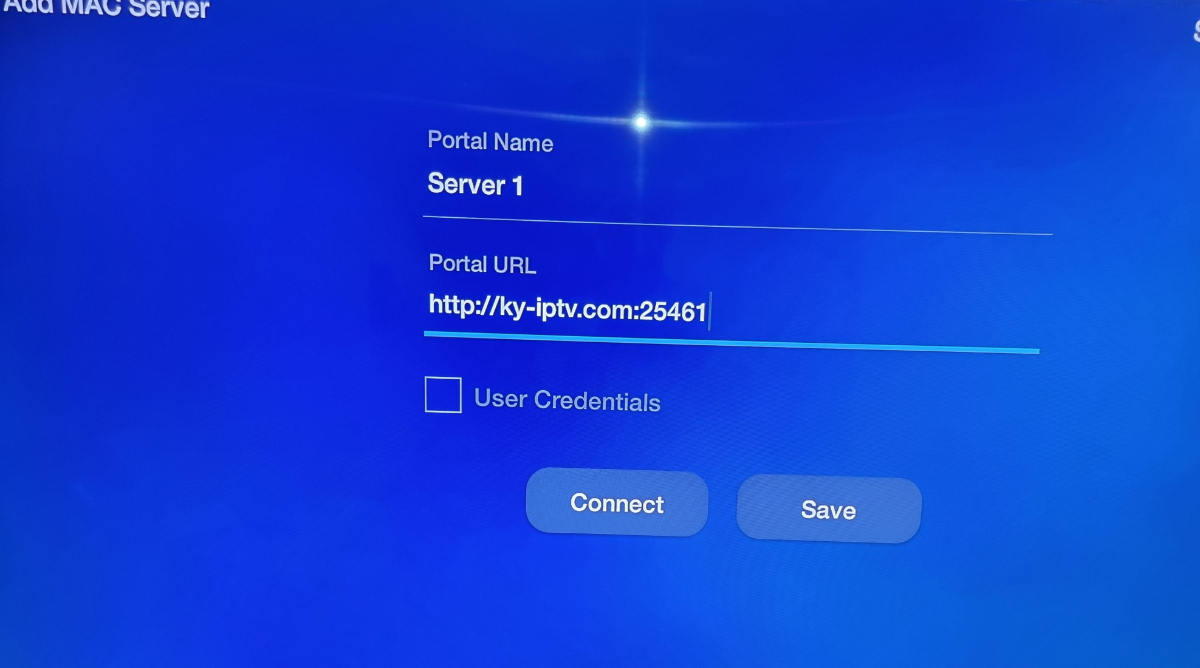
  3. thanks for your reply i know it is under my rt corner my question is something different i have this information http://ky-iptv.com:25461 mac :00:1a:79:43:c7:4a pls look at imag i attached i can not find the place to add this mac add who i can give it
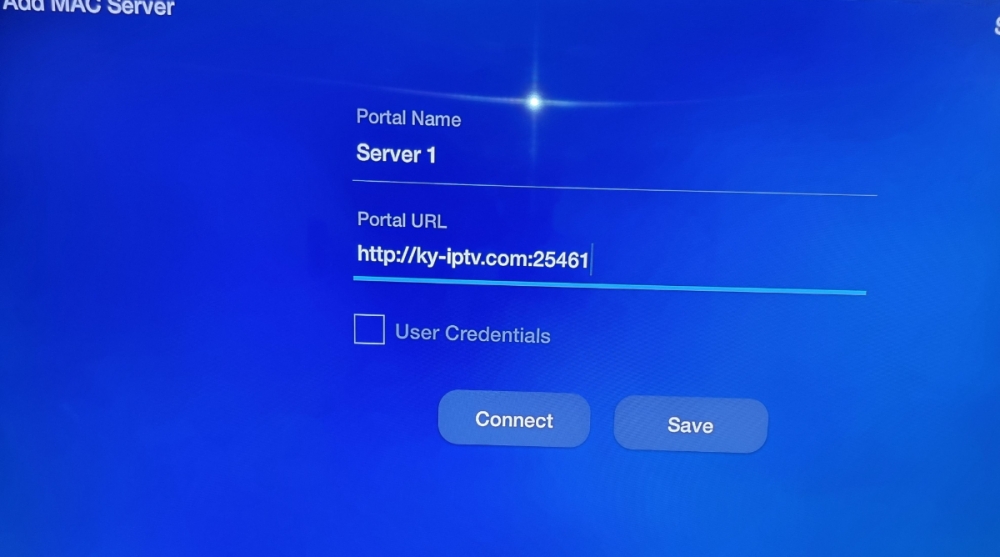
  4. pls look at https://iptvonline24.ca/how-to-setup-iptv-on-buzztv/ Step 2: Add Mac address i am looking for this menu can you get this>>> buzz-tv.webp
  5. You mean there is different portion of enter mac address and portal ? Who many line we can add I mean who many server
  6. Can you send me picture of it
  7. I hope someone can help me I need to add few server iptv STB emulator to the buzztv 4900 I would not able to add any find who to add manually mac adress and server as I see in other forum. You can add up to 10 portal server
  8. Fooladi replied to rssgmatt's topic in XRS4900
    Hi would you be so kind give us details of ott send me tutorial
Account

Navigation

Search

Search

Configure browser push notifications

Chrome (Android)
  1. Tap the lock icon next to the address bar.
  2. Tap Permissions → Notifications.
  3. Adjust your preference.
Chrome (Desktop)
  1. Click the padlock icon in the address bar.
  2. Select Site settings.
  3. Find Notifications and adjust your preference.