Skip to content
View in the app

A better way to browse. Learn more.

BuzzTV Help

A full-screen app on your home screen with push notifications, badges and more.

To install this app on iOS and iPadOS
  1. Tap the Share icon in Safari
  2. Scroll the menu and tap Add to Home Screen.
  3. Tap Add in the top-right corner.
To install this app on Android
  1. Tap the 3-dot menu (⋮) in the top-right corner of the browser.
  2. Tap Add to Home screen or Install app.
  3. Confirm by tapping Install.

dishuser

Members
  • Joined

  • Last visited

Everything posted by dishuser

  1. that's because you have buzztv 4
  2. just checked with my xrs4500 and I powered down/up and remote stays paired
  3. considering the next update is probably buzztv 5 I would think it will be supported
  4. dishuser replied to rssgmatt's topic in XRS4900
    trust me I'm not being sarcastic
  5. dishuser replied to rssgmatt's topic in XRS4900
    why do you keep hijacking this thread? you haven't mentioned m3u once let me guess...short bus dropped you off at wrong location
  6. dishuser replied to rssgmatt's topic in XRS4900
    get a life
  7. contact seller they can easily change mac in their panel
  8. dishuser replied to rssgmatt's topic in XRS4900
    I'm stupid but you believe what wasn't said by buzz okay...lol
  9. you have to give the mac address of buzz to your service provider I've only added a couple but I'm sure you can do at least 10
  10. dishuser replied to rssgmatt's topic in XRS4900
    you can't see those settings before you buy it you should have asked before buying maybe they're there for future upgrade and why do you keep hijacking this thread?
  11. press server button and select add mac enter url
  12. you can add that in server settings (mac)
  13. dishuser replied to rssgmatt's topic in XRS4900
    I have same settings but I use auto not manual have a good one
  14. dishuser replied to rssgmatt's topic in XRS4900
    you're too busy bitching to even do a search on this site good luck with your next purchase
  15. dishuser replied to rssgmatt's topic in XRS4900
    you found it on the internet so it must be true but nothing you posted is from buzztv
  16. until next update box has to be on
  17. dishuser replied to TMN's topic in XRS4900
    you click on username and select message https://stbtalk.com/index.php?/profile/200-allaboutbuzz/ but as nbs. asked did you try a reset?
  18. the user can't test recording as they have a 4500
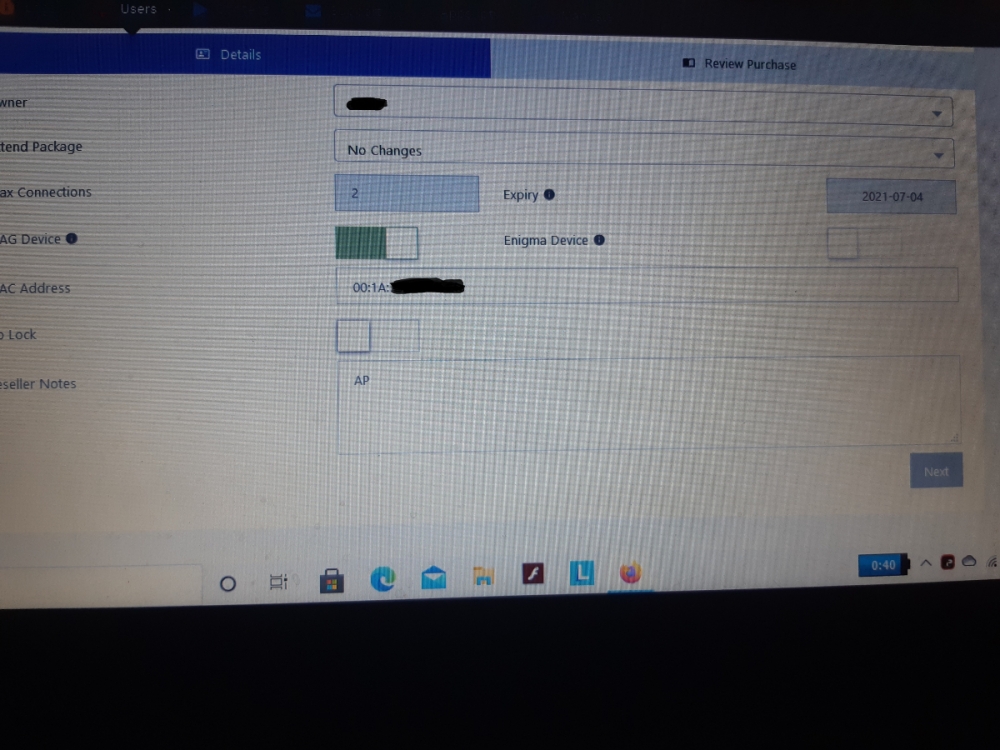
  19. I have a mac server that allows 2 connections
  20. buzztv utilities
  21. dishuser replied to rssgmatt's topic in XRS4900
    bye then
  22. try a different home screen theme
  23. dishuser replied to Reech's topic in XRS4900
    there are 2 players in the buzz app default and secondary in live tv menu/settings/configuration
  24. dishuser replied to Reech's topic in XRS4900
    surprised you haven't started a 5th thread for same topic...lol
  25. dishuser replied to Reech's topic in XRS4900
    and this makes #4

Account

Navigation

Search

Search

Configure browser push notifications

Chrome (Android)
  1. Tap the lock icon next to the address bar.
  2. Tap Permissions → Notifications.
  3. Adjust your preference.
Chrome (Desktop)
  1. Click the padlock icon in the address bar.
  2. Select Site settings.
  3. Find Notifications and adjust your preference.