Android
Members
-
Joined
-
Last visited
Everything posted by Android
-
Mate 1 boomerang 🪃 box just has red light on front of box. Tried different remotes to power on, no Dice. I even tried other new power supply Is there a way to fix this unit?
-
Hi everyone, I am used to using Buzztv 4500XRS and that box comes preinstalled with teamviewer quick support. That version of teamviewer allows full remote control. The new X5 doesn't come with teamviewer preinstalled and once I install it from Aptoide I can only view a screen remotely and not control the box like I could on the XRS4500. Is there a way to fix this so I can have full control??
-
I can get to recovery screen only by pushing reset button inside A/V port. Otherwise just stuck at Buzztv logo.
-
I have a Buzztv XR4500 that would only give a red light on the front of the unit. I opened the box up and did a pin short on the main chip and the box then powered up and I was able to use it. I noticed that the box seemed quite sluggish so I attempted a hard reset by pushing the reset button in the A/V port to get to the recovery menu. I then attempted to do a factory data reset on the box... It just stayed there forever... The box now powers up but just stays at the Buzztv logo. Is there any way to fix this? Is there any file I can attempt to load onto the box from external SD card to make this thing work again?? Yes I know I should not have attempted to do a factory data wipe/reset from the recovery menu but I have done this many times and it has worked. Any help is greatly appreciated!
-
Audio goes to "Disabled" on some channels and wont let you change it. Trust me it is not the server or service provider as I do the excact same thing on a different box but same model box and it works....
-
I have tested 2 Brand new Buzztv4500 XRS boxes running on the same server.... Same settings etc.... Box #1: most channels work, Some Portuguese channels the picture works but no sound. Box #2: Box works perfectly, Channels and sound on the same Portuguese channels work with no issue.... Anyone else have problems with no sound on some channels on the Buzztv4500 XRS boxes??
-
How to fix crazy remote on buzztv 4500 xrs? It scrolls like crazy....?
-
Nope
-
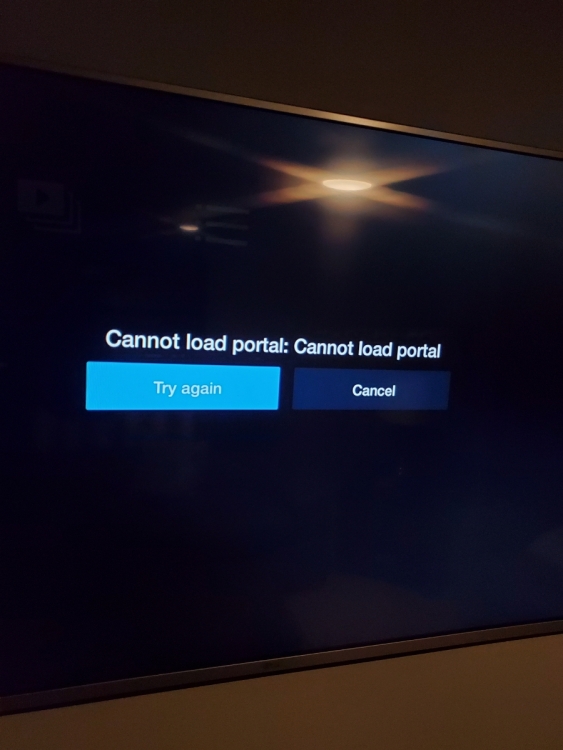
Here is what I get.
-
Netflix doesn't seem to be working right on my buzztv 4500 xrs. Am I doing something wrong?
-
Yes, I notice this as well. There is a few other bugs as well like not seeing a new app installed until you reboot the box. Hopefully they fix these bugs fast!