brewerX5
Members
-
Joined
-
Last visited
Everything posted by brewerX5
-
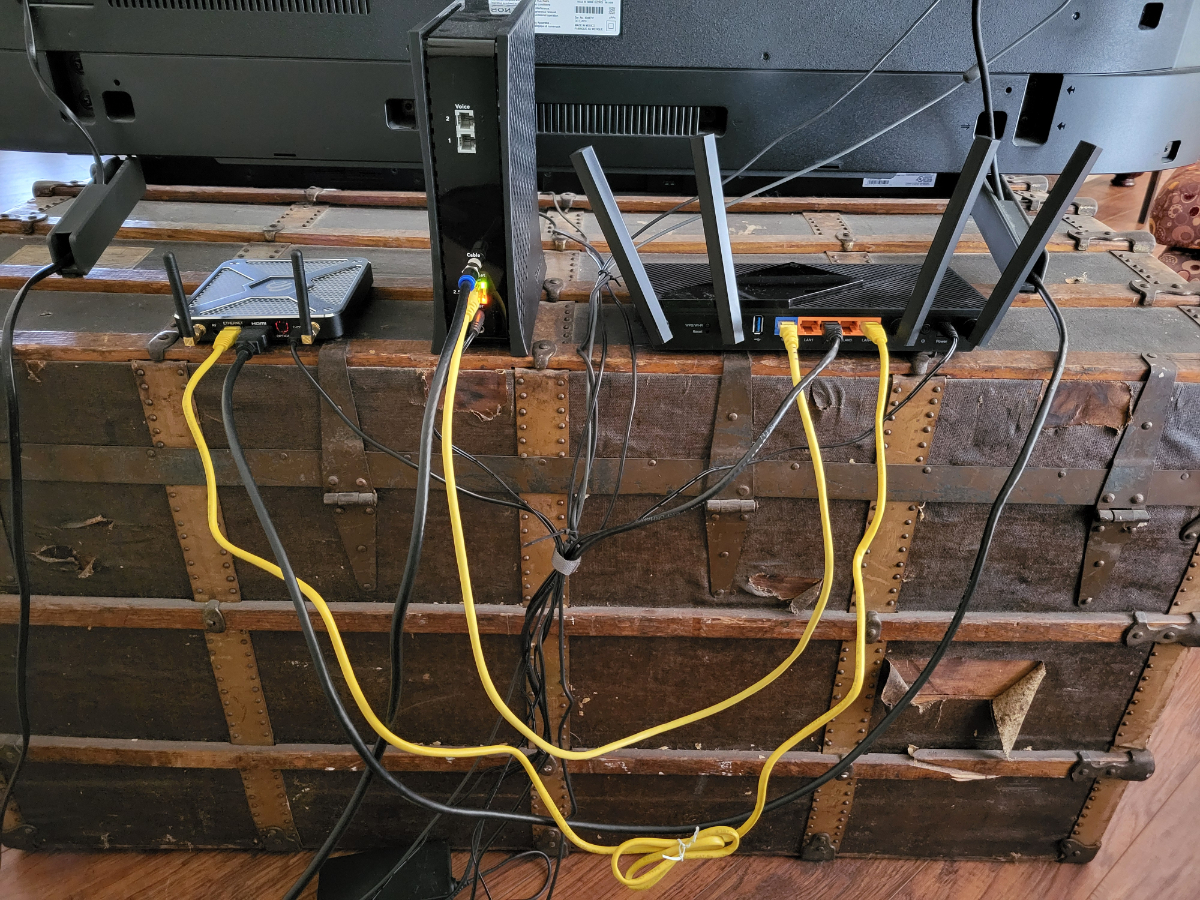
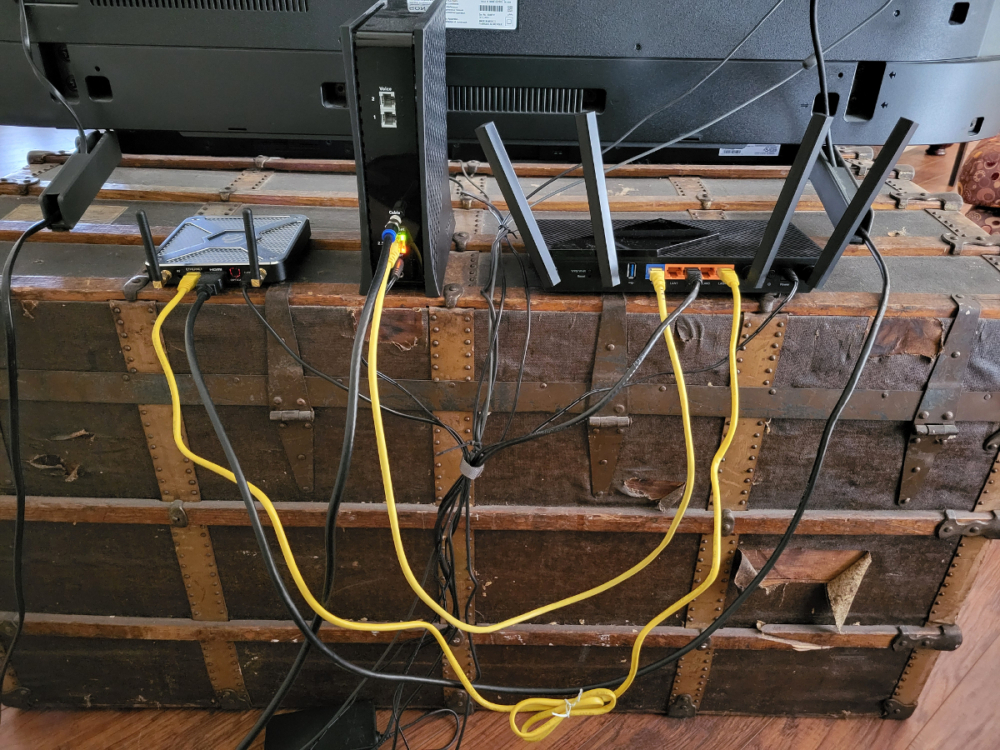
I changed the VPN location. That fixed part 2 of the problem. Thank you. Part 1 of the problem. Ethernet connection is not working (but the WiFi is) - "Ethernet not connected" is still an issue. Below is the picture of the setup (not tidied up yet). Coax to Modem, Modem Ethernet to Router WAN, Router LAN4 to Buzz5.
-
OK. I will try a different country. But all I did was unplug one set up and set up the other. This took about 1 hour. Not sure that VPN lock would coincide with my changes. Maybe I'm that unlucky.
-
OK. I will. However, are there settings in Buzz 5 that might solve the problem.
-
Problems: Ethernet connection is not working (but the WiFi is) - "Ethernet not connected" When VPN is on, the error message is "Cannot load portal: Failed to connect to line.protv.cc/###.###.###.# (port 80) from /###.##.#.### (port xxxxx). However, when VPN is off, the system works in WiFi mode. These problems started after moving some hardware. Everything work well (ethernet, VPN) before the change. Was Working Setup: WiFi Modem and Router (2 separate units) were connected to a MoCA box and Desktop Computer. BuzzTV5 box and TV were connected by Ethernet through MoCA box. What Changed: Eliminated the MoCA boxes. Moved the Modem and Router to be connected to the TV/BuzzTV5 box. Desktop is now on WiFi Any help on diagnosing this is appreciated.
-
Thanks. The 0000 code works great!
-
Emporium thank you so much for your response. I'm new to MoCA and your diagram (especially WAN and LAN labels) made it understandable. My original diagram was also incorrect (I did have an ethernet between MoCA and BuzzTV and HDMI to the TV). The system is working now. THANK YOU!
-
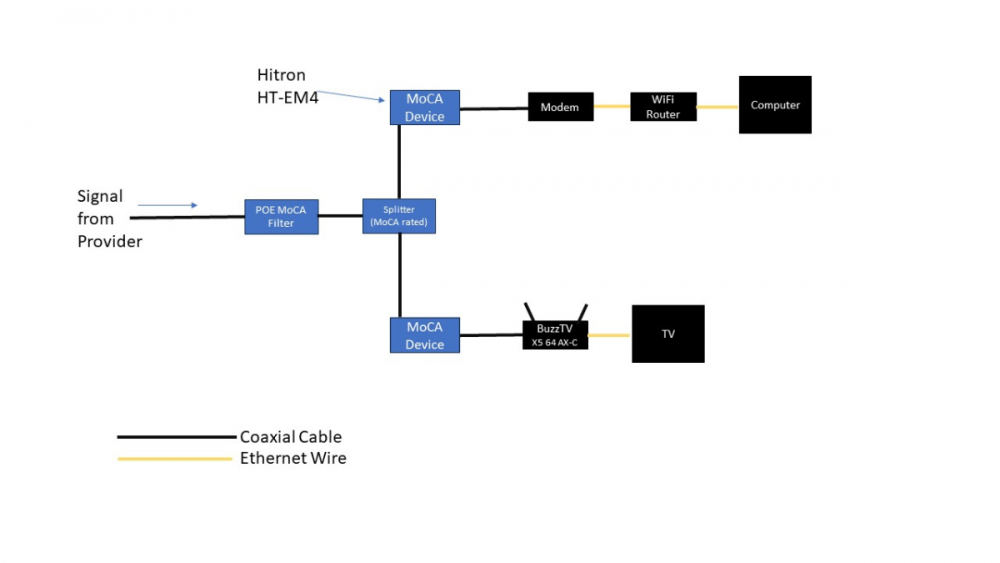
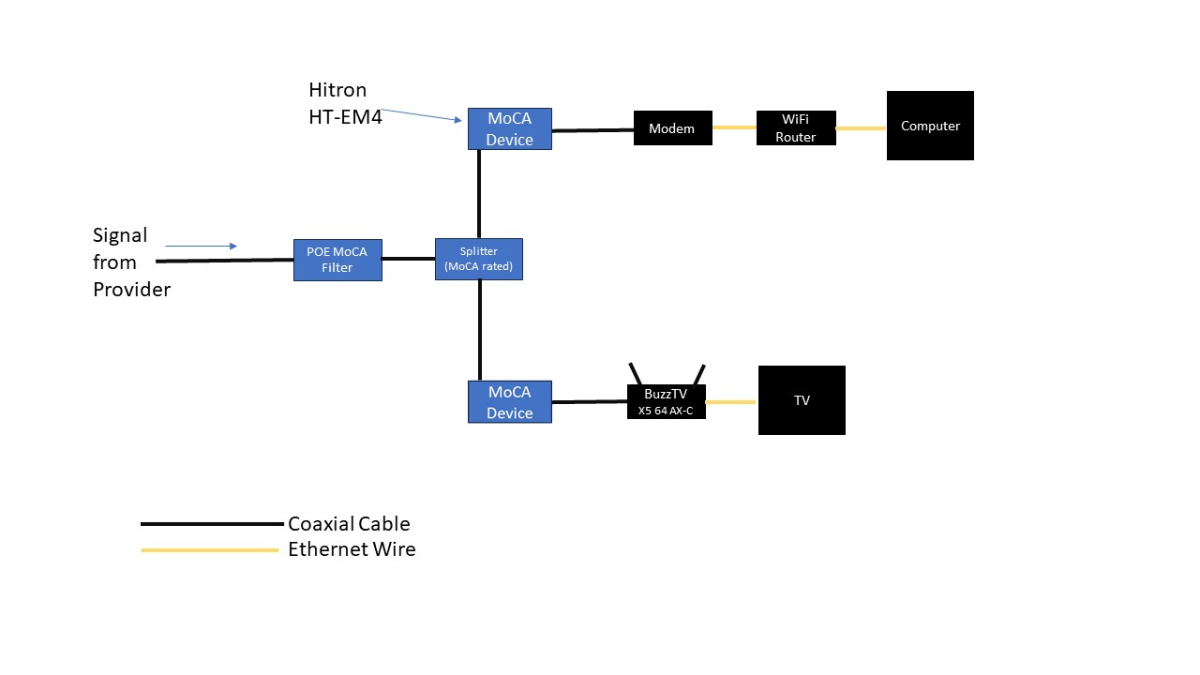
I bought and am trying to set up a BuzzTV X5 64 AX-C with an Ethernet connection. When I am trying to set up the connection via Setup/Network & Internet menu. The Ethernet screen shows "Not Connected". I have also installed a MoCA network as shown in the attached file. The MoCA device (Hitron HT-EM4) does show that the ethernet is connected to the X5. The X5 is currently connected to and working on the WiFi network without issue. Just a little slow. Any troubleshooting or connection advice is appreciated.