Skip to content
View in the app

A better way to browse. Learn more.

BuzzTV Help

A full-screen app on your home screen with push notifications, badges and more.

To install this app on iOS and iPadOS
  1. Tap the Share icon in Safari
  2. Scroll the menu and tap Add to Home Screen.
  3. Tap Add in the top-right corner.
To install this app on Android
  1. Tap the 3-dot menu (⋮) in the top-right corner of the browser.
  2. Tap Add to Home screen or Install app.
  3. Confirm by tapping Install.

H Gawad

Members
  • Joined

  • Last visited

Everything posted by H Gawad

  1. Thank you for the response. It is Buzz2. Yes for the clearing cache, yes for data aw well. I also noticed that even when I try to scroll (live TV, menu, updates) it crashes as well!
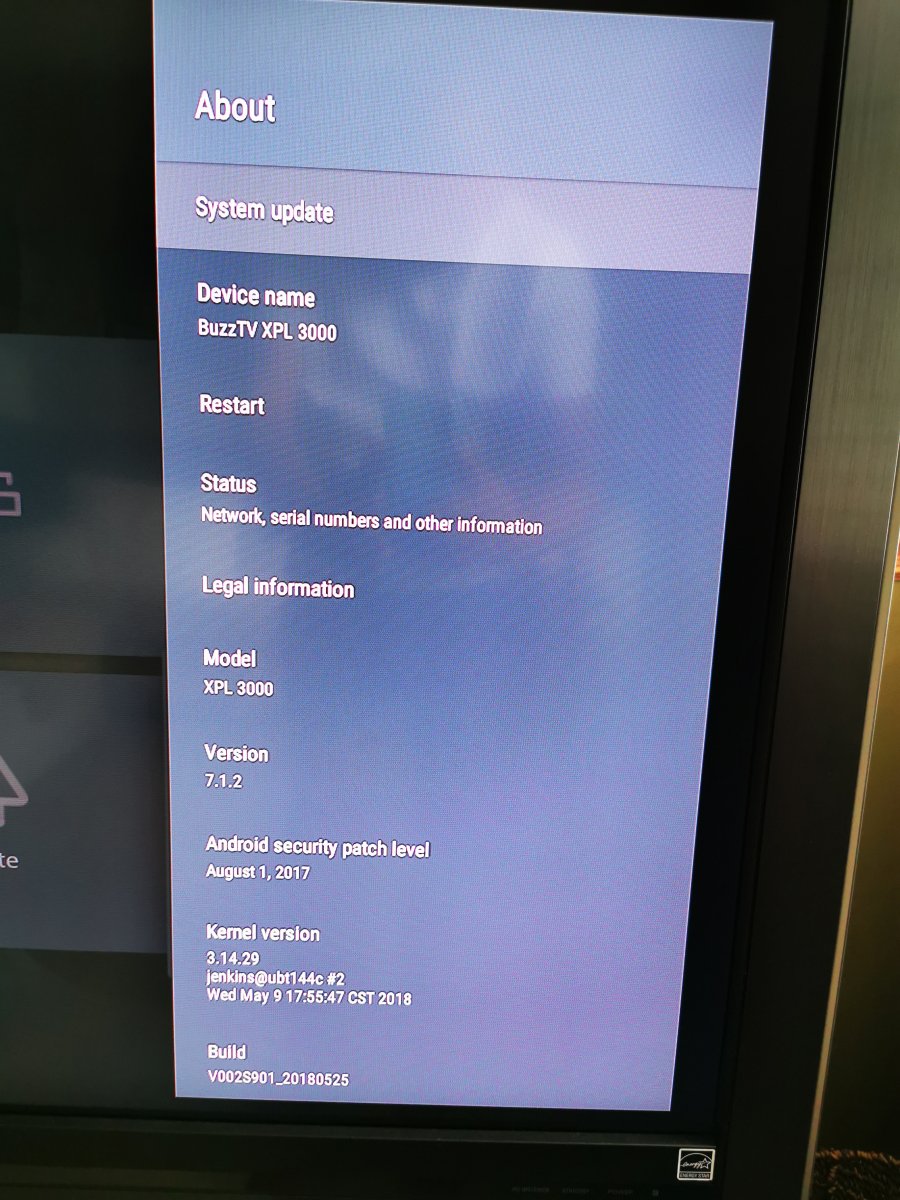
  2. I have a xpl3000 unit that it always crash if you scroll up or down on the channel guide. This happens by either the arrows or page up/down buttons, anyone came across this, is there a fix for it? unit info is attached.
  3. This fix worked with me. The reset is a bit tricky. You have to look (with a toothpick) on the reset micro-switch in the AV hole. It it a bit towards the top. I had no issue after that.

Account

Navigation

Search

Search

Configure browser push notifications

Chrome (Android)
  1. Tap the lock icon next to the address bar.
  2. Tap Permissions → Notifications.
  3. Adjust your preference.
Chrome (Desktop)
  1. Click the padlock icon in the address bar.
  2. Select Site settings.
  3. Find Notifications and adjust your preference.