gege70
Members
-
Joined
-
Last visited
Everything posted by gege70
-
hello not just I had activated the option accessibility remote Android. now everything is back to normal i have disabled this option cordially
-
Dear friend thank you very much for your answer and your help that was good I have deactivated remote Android and it works correctly againI looked on accessibility but there is no possibility to modify the display of the volume
-
I looked on accessibility but there is no possibility to modify the display of the volume
-
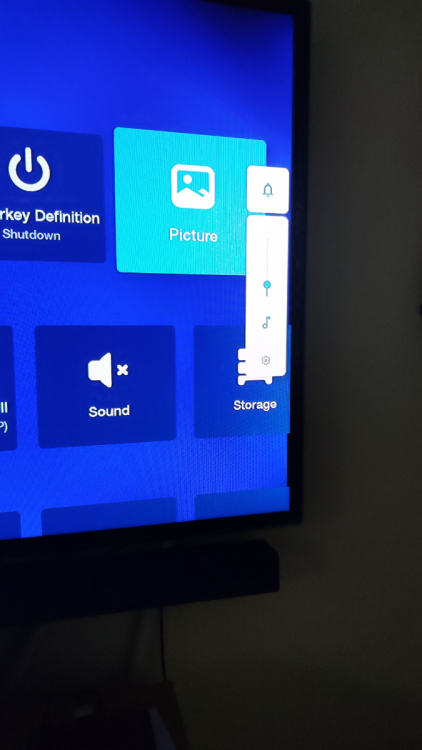
hello my friend on my 4900 I have the volume icon when I decrease or increase it remains visible on the screen displayed for 25 seconds and I cannot find where to go to modify the display time of the latter. sincerely my friend
-
hello I bought a buzztv 4900 and I use xc codes but the Replay does not work it is possible to have the beta version of buzztv 5 a user confirmed to me that it works with the beta update I am waiting for your response Cordially
-
hello I bought a buzztv 4900 and I come to ask you for the latest beta update it seems that it solved the problem of Replay in XC codes with the buzztv 5 program Thank you for your reply