Skip to content
View in the app

A better way to browse. Learn more.

BuzzTV Help

A full-screen app on your home screen with push notifications, badges and more.

To install this app on iOS and iPadOS
  1. Tap the Share icon in Safari
  2. Scroll the menu and tap Add to Home Screen.
  3. Tap Add in the top-right corner.
To install this app on Android
  1. Tap the 3-dot menu (⋮) in the top-right corner of the browser.
  2. Tap Add to Home screen or Install app.
  3. Confirm by tapping Install.

chan

Members
  • Joined

  • Last visited

Everything posted by chan

  1. chan replied to chan's topic in XRS4900
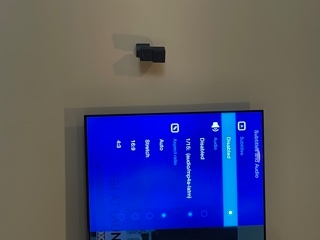
    Somehow it's showing only Disabled to me, and not showing closed captions under Subtitles and Audio. Please see the previous picture.
  2. chan replied to chan's topic in XRS4900
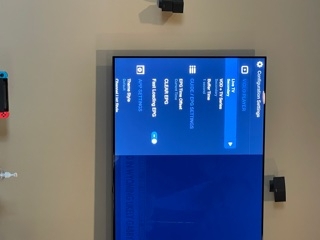
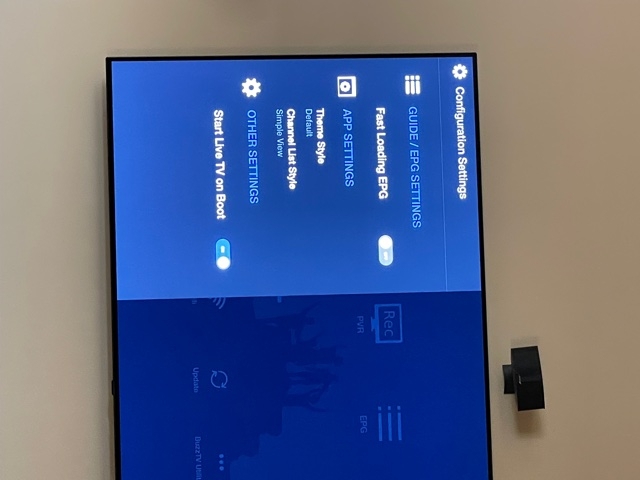
    I have the video player option, and made it to secondary. But still unable to see the captions, please check with the following picture.
  3. chan replied to chan's topic in XRS4900
    I cannot scroll up. How can I get the secondary option?
  4. chan replied to chan's topic in XRS4900
    The is no option for the media player, it only showing the attached options.
  5. chan replied to chan's topic in XRS4900
    Thanks for your quick input, but I have more questions. do you mean CC 4900 won't work for captions? I am holding the remote face to face. Is the XRS remote won't work for the Netflix?
  6. chan posted a topic in XRS4900
    I installed the XRS 4900, but having the following issues. Unable to turn on Captions. Unable to sink with LG OLED magic remote. Unable to function the Netflix/Disney apps. Please let me know how to fix these issues.

Account

Navigation

Search

Search

Configure browser push notifications

Chrome (Android)
  1. Tap the lock icon next to the address bar.
  2. Tap Permissions → Notifications.
  3. Adjust your preference.
Chrome (Desktop)
  1. Click the padlock icon in the address bar.
  2. Select Site settings.
  3. Find Notifications and adjust your preference.