
Skip to content
View in the app

A better way to browse. Learn more.

BuzzTV Help

A full-screen app on your home screen with push notifications, badges and more.

To install this app on iOS and iPadOS
  1. Tap the Share icon in Safari
  2. Scroll the menu and tap Add to Home Screen.
  3. Tap Add in the top-right corner.
To install this app on Android
  1. Tap the 3-dot menu (⋮) in the top-right corner of the browser.
  2. Tap Add to Home screen or Install app.
  3. Confirm by tapping Install.

Drock1

Members
  • Joined

  • Last visited

  1. Any other suggestions ?
  2. Didn't know was so weak
  3. Is the tiny hole , but very fragile don't know
  4. I tried that broke the pin
  5. Looks like without the launcher this think is useless , doesn't give me access to the main menu for a factory reset unless there's a way around it
  6. I try the reset button didn't do anything and is so small that I broke it 🤯
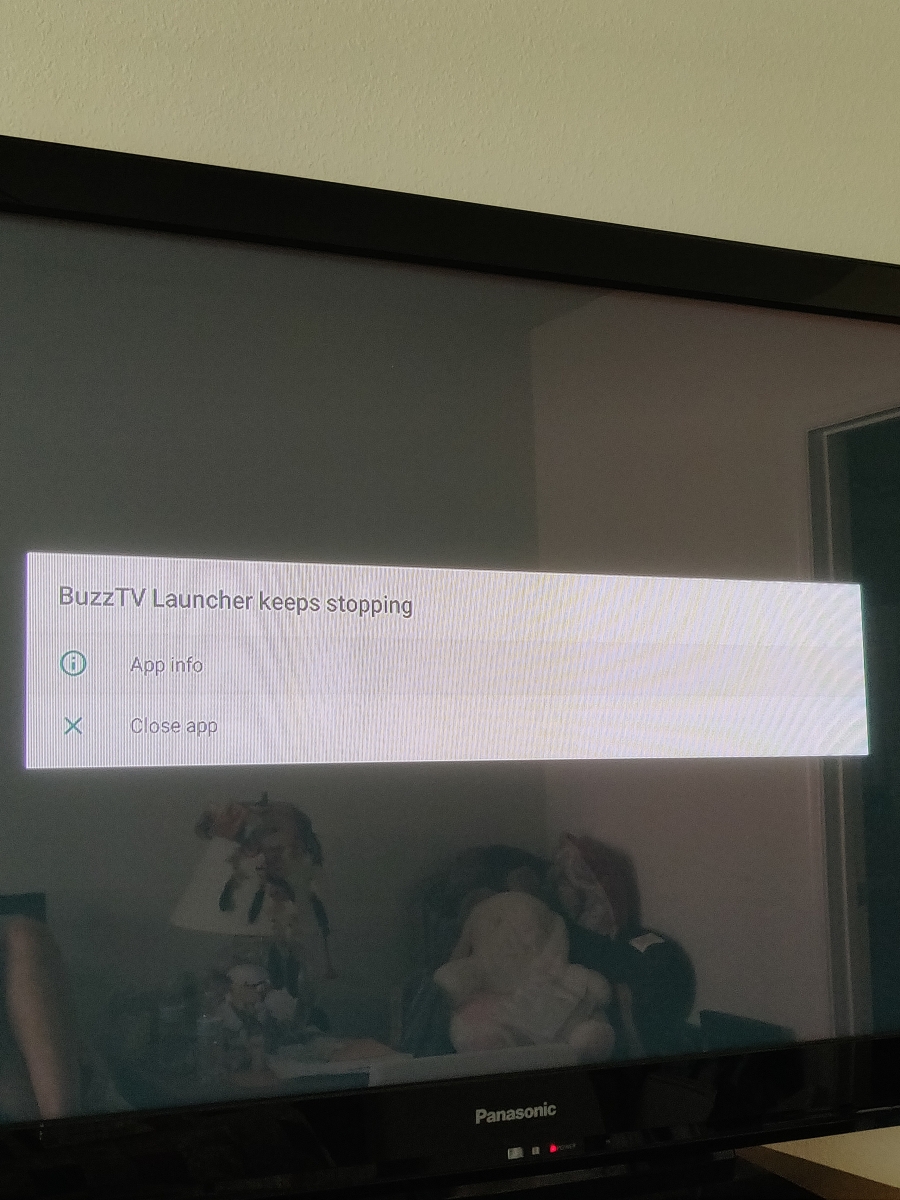
  7. It says buzztv launcher stop working
  8. This is the stick st4000 no reset button
  9. No I can't ,only tells me the launcher is missing , I can't access the settings unless there is a way to find them
  10. Drock1 joined the community
  11. Hello Can somebwdoy explain or walk me through in reinstalling the buzztv launcher I deleted by accident and I don't have access to the main staff in the box . Thank you
Account

Navigation

Search

Search

Configure browser push notifications

Chrome (Android)
  1. Tap the lock icon next to the address bar.
  2. Tap Permissions → Notifications.
  3. Adjust your preference.
Chrome (Desktop)
  1. Click the padlock icon in the address bar.
  2. Select Site settings.
  3. Find Notifications and adjust your preference.