
Skip to content
View in the app

A better way to browse. Learn more.

BuzzTV Help

A full-screen app on your home screen with push notifications, badges and more.

To install this app on iOS and iPadOS
  1. Tap the Share icon in Safari
  2. Scroll the menu and tap Add to Home Screen.
  3. Tap Add in the top-right corner.
To install this app on Android
  1. Tap the 3-dot menu (⋮) in the top-right corner of the browser.
  2. Tap Add to Home screen or Install app.
  3. Confirm by tapping Install.

Shaun M

Members
  • Joined

  • Last visited

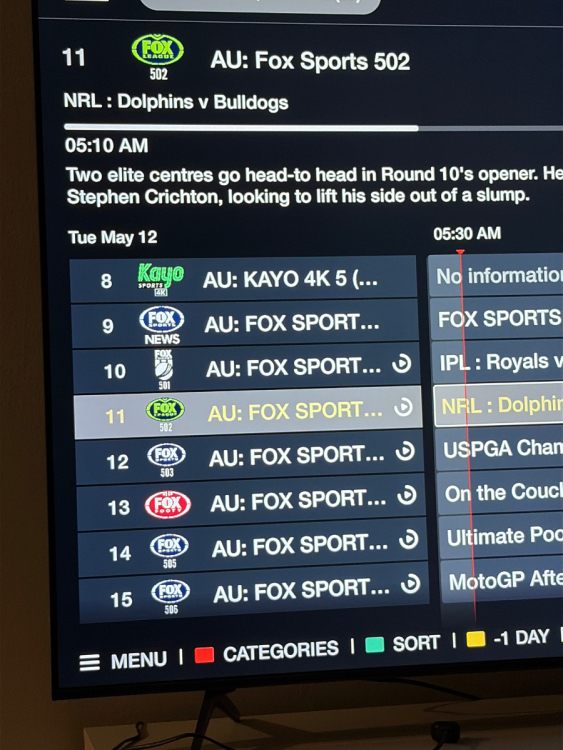
  1. Buzz E5 Its mostly just in the “Guide” section, when I press the OK button that guide there looks fine but the text in the guide for channels is huge As you can see all I can see is Fox Sport…
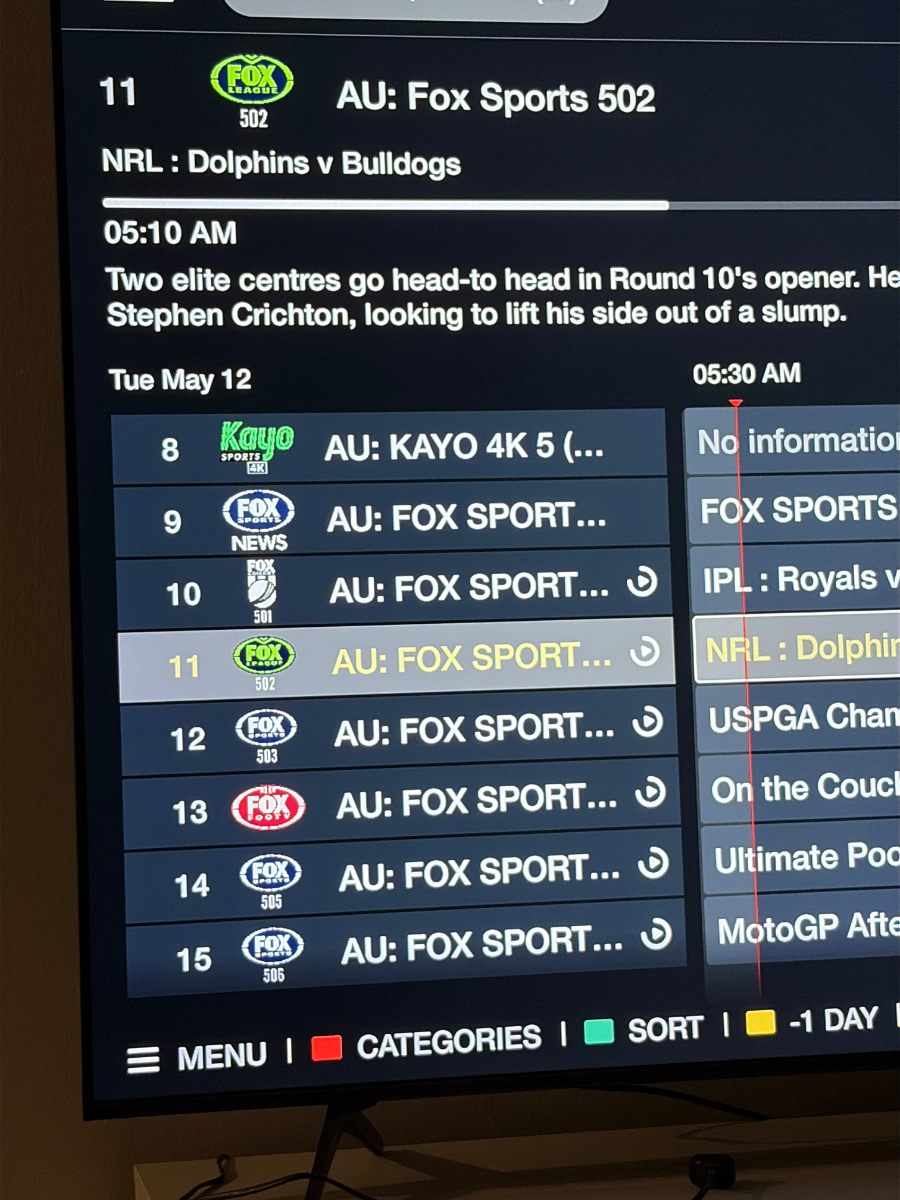
  2. Hi :) Are you able to make it so we can dial down the font a bit inside the Live TV app or scale the whole screen a bit smaller? Trying to read some TV channels is hard, like the channel is "Cat Sports 3 FHD" But all I can see on the app is "Cat Spor...." because it's too long and the font is too big? Thanks!

Account

Navigation

Search

Search

Configure browser push notifications

Chrome (Android)
  1. Tap the lock icon next to the address bar.
  2. Tap Permissions → Notifications.
  3. Adjust your preference.
Chrome (Desktop)
  1. Click the padlock icon in the address bar.
  2. Select Site settings.
  3. Find Notifications and adjust your preference.