cyberscott
Members
-
Joined
-
Last visited
Everything posted by cyberscott
-
You are correct. I am seeing Version 1.0.17, so I am on the current update. I didn't double check it after I did a second factory reset. It had been stuck on v1.0.14 after the the first reset and appears the second reset and software download had worked. Thank you for your time! 🙂
-
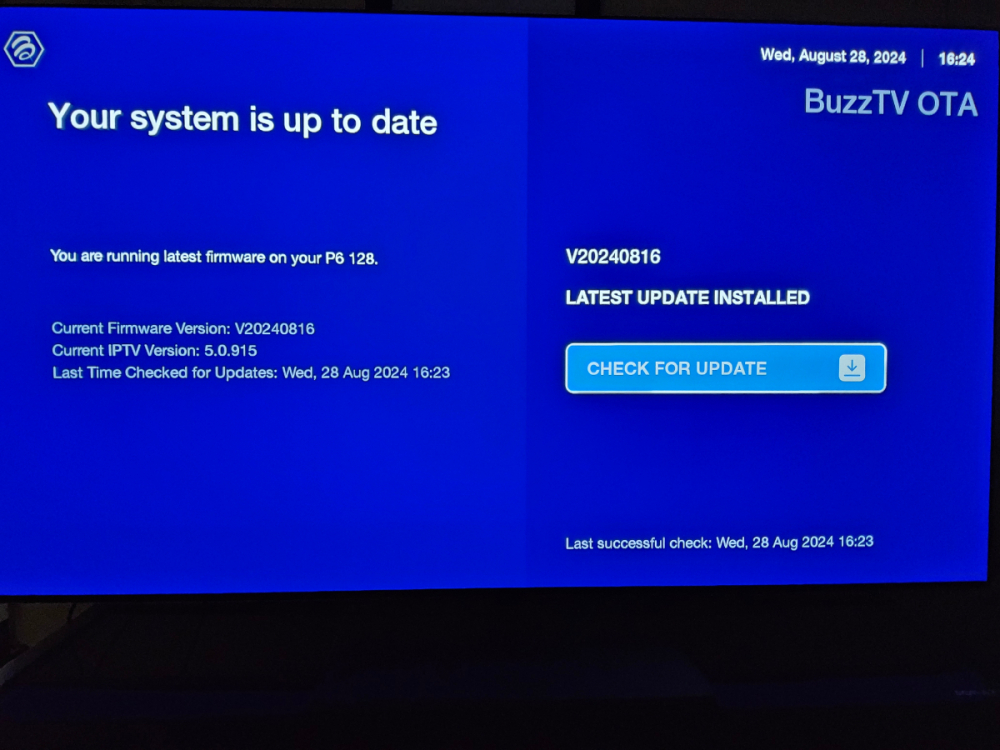
No updates on in ether the BuzzTV 5 or 6 menus. Here is a photo of the BuzzTV OTA screen.
-
No change. No update found. I am on Firmware Version V20240816. IPTV Version 5.0.925. Another thing, under Android TV OS Build, it shows "20240816 release-keys" with no Version number. Something isn't right.
-
.
-
I have the same issue. I went as far as doing a full factory reset of the buzztv6. Once rebooted, said it was downloading the latest update, then screen went black for a moment and came back. The .17 update did not install, it still showed v20240816 v1.0.14 as the latest and said no updates available. I have the P128 model if that makes a difference.
-
New firmware released today (V1.0.14) still doesn't mention nor fix the bitstream / passthrough bug. 😕 Maybe next firmware release?
-
Thanks! I look forward to the update!
-
Greetings! I received my device recently and have found that selecting "bitstream" in the settings menue while using HDMI doesn't work. I can select it but once I back out of the menu, it defaulted back to "decode". I can only get stereo PCM to play regardless of the HD codec being used. (multi-channel PCM, ATMOS, DTS-HD, etc.) I've toggled through the sound menu and no list of supported or non supported formats show up. I'm on the latest software. No change if I connect directly to my Denon x4800h or to my LG G3 OLED. Anyone else have this issue?