
Skip to content
View in the app

A better way to browse. Learn more.

BuzzTV Help

A full-screen app on your home screen with push notifications, badges and more.

To install this app on iOS and iPadOS
  1. Tap the Share icon in Safari
  2. Scroll the menu and tap Add to Home Screen.
  3. Tap Add in the top-right corner.
To install this app on Android
  1. Tap the 3-dot menu (⋮) in the top-right corner of the browser.
  2. Tap Add to Home screen or Install app.
  3. Confirm by tapping Install.

Redhusker24

Members
  • Joined

  • Last visited

Everything posted by Redhusker24

  1. Redhusker24 replied to Redhusker24's topic in BT 400
  2. Redhusker24 replied to Redhusker24's topic in BT 400
    Sorry yes the BT400
  3. Redhusker24 replied to Redhusker24's topic in BT 400
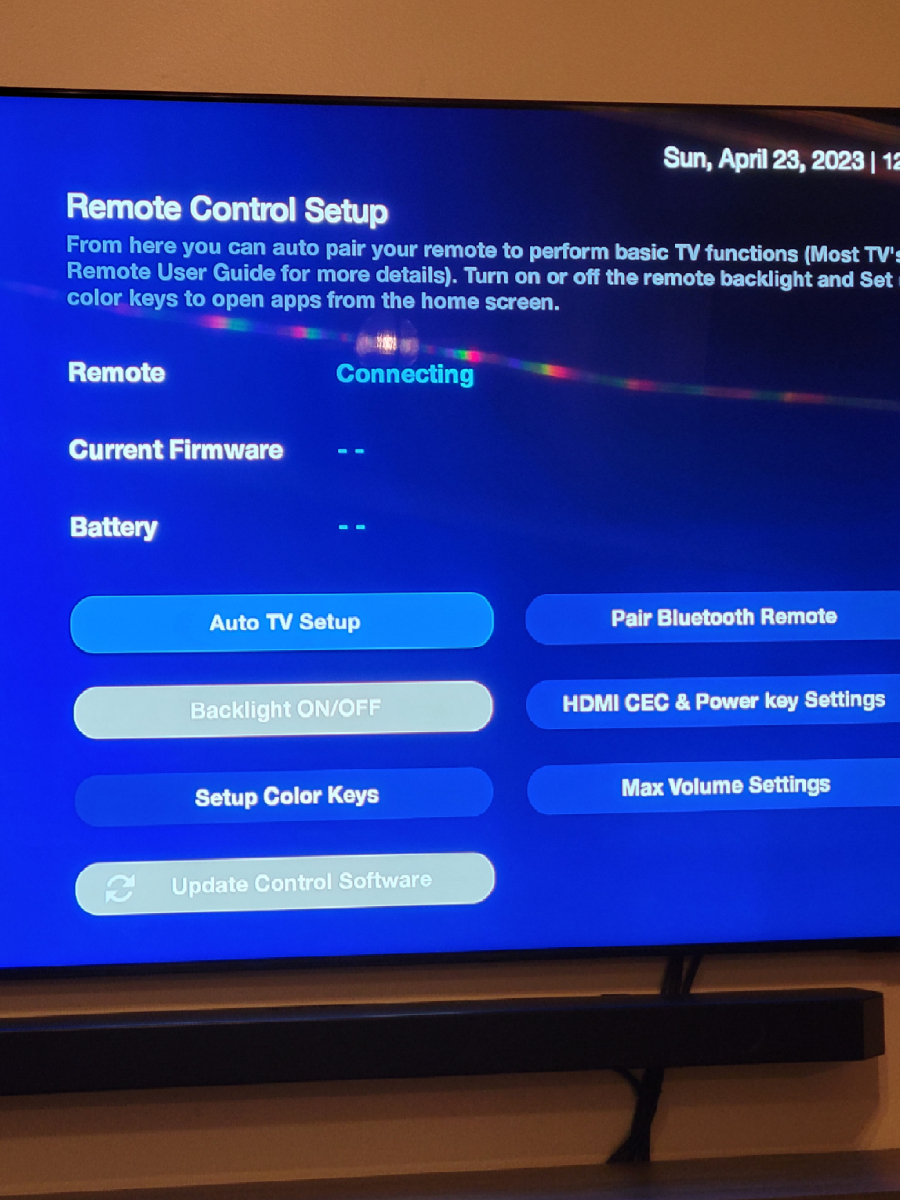
    It works but it won't let me select the backlight option and when I go into remote settings it also says connecting still.
  4. Redhusker24 replied to Redhusker24's topic in BT 400
    How do I pair it again?
  5. Redhusker24 replied to Redhusker24's topic in BT 400
    I can use it and move it around like normal but in the remote app it says remote connecting and the blacklight option is greyed out.
  6. Redhusker24 replied to Redhusker24's topic in BT 400
    Now my remote just says connecting in the remote setup. It works but I can't select back light or setup keys.
  7. Redhusker24 replied to Redhusker24's topic in BT 400
    When I turn on my tv with the U5 Remote it doesn't come on right away. The light stays red on the box. It takes 2 minutes for the box to turn on with blue light. Why is that? I also have a Nvidia Shield and it turns on right away.
  8. Redhusker24 replied to Redhusker24's topic in BT 400
    Expensive remote but I bought it
  9. Redhusker24 replied to Redhusker24's topic in BT 400
    Thanks!! I will buy the BT200
  10. Redhusker24 replied to Redhusker24's topic in BT 400
    I'm not a big fan of the remote that came with the U5. What remote do you recommend.
  11. Redhusker24 posted a topic in BT 400
    What other remotes are compatible with the U5
  12. Redhusker24 replied to Redhusker24's topic in U5
    Thanks for all your help 👍
  13. Redhusker24 replied to Redhusker24's topic in U5
    Where's that option at in settings to suspend and is time Shift in the pvr settings?
  14. Redhusker24 replied to Redhusker24's topic in U5
    Thanks!! My other question was can you put it into sleep mode so it starts up faster when I power off my tv and turn back on.
  15. Redhusker24 replied to Redhusker24's topic in U5
    So do I turn it on or off?
  16. Redhusker24 replied to Redhusker24's topic in U5
    I'm not sure. Does that make a difference?
  17. Redhusker24 posted a topic in U5
    I'm getting time Shift error message alot
  18. Redhusker24 posted a topic in U5
    What's the best drive to get? I just got my U5 a week ago.
  19. I love that but there's a bunch of blank channels and channels that are useless so since you can do it with groups and rearrange the groups why not the channels.
  20. Can you make it so we can hide channels in our groups that we don't want.
Account

Navigation

Search

Search

Configure browser push notifications

Chrome (Android)
  1. Tap the lock icon next to the address bar.
  2. Tap Permissions → Notifications.
  3. Adjust your preference.
Chrome (Desktop)
  1. Click the padlock icon in the address bar.
  2. Select Site settings.
  3. Find Notifications and adjust your preference.
