Skip to content
View in the app

A better way to browse. Learn more.

BuzzTV Help

A full-screen app on your home screen with push notifications, badges and more.

To install this app on iOS and iPadOS
  1. Tap the Share icon in Safari
  2. Scroll the menu and tap Add to Home Screen.
  3. Tap Add in the top-right corner.
To install this app on Android
  1. Tap the 3-dot menu (⋮) in the top-right corner of the browser.
  2. Tap Add to Home screen or Install app.
  3. Confirm by tapping Install.

CORMIER INFORMATIQUE ENR.

Members
  • Joined

Everything posted by CORMIER INFORMATIQUE ENR.

  1. Threat Closed. I Will remove my account done for me je n'achète plus de décodeur BuzzTV... Plein de problème et clairement pas de solution .. dommage sa semblais intéressant.
  2. I have put decoder on garbage waste of time full of bug and no support and no refund. Décodeur are new and not functional
  3. I have made pin reset and have fix problem with desactive notification message, you have wrong. Not good support hère...
  4. Yes i have made reset and hard reset with AV but no change...
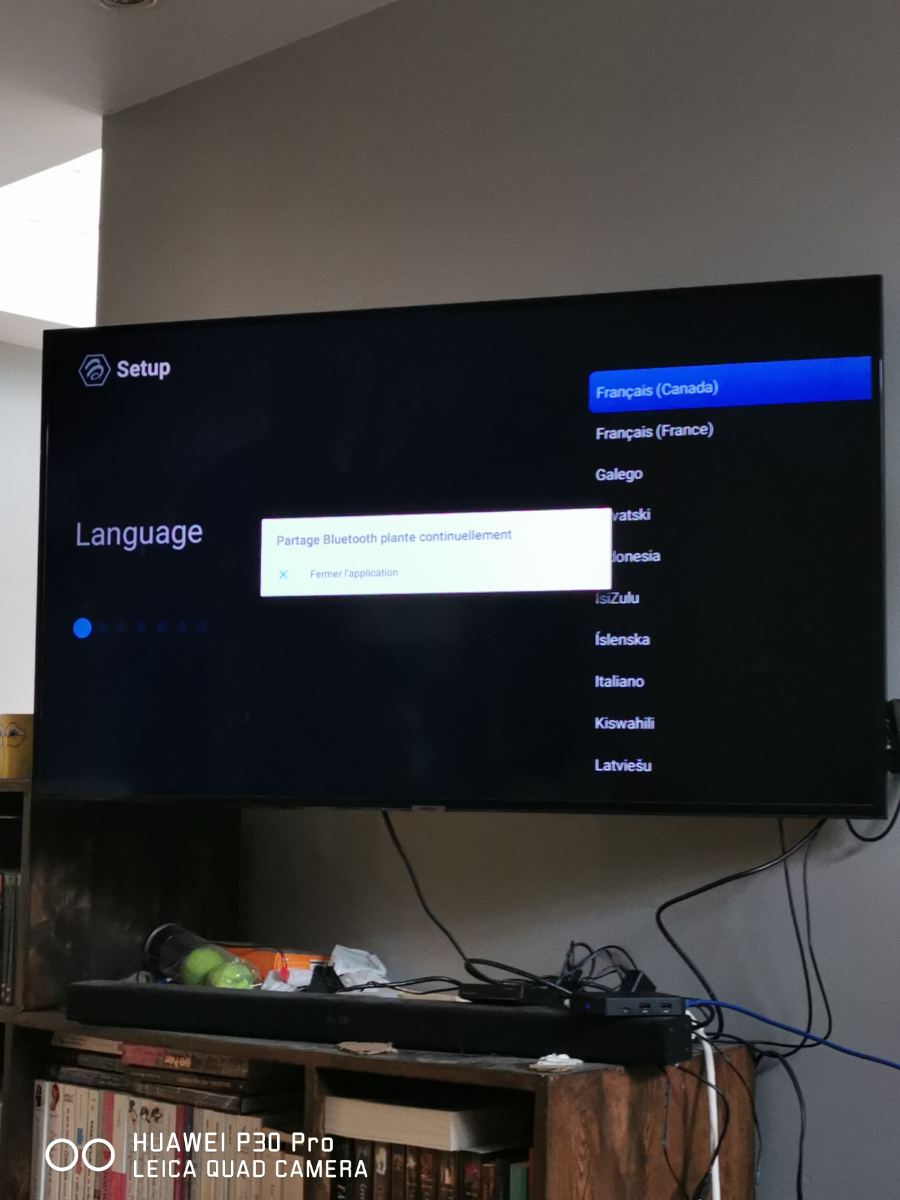
  5. Hello my e1 are new out of box and give than more 20 poppup for Bluetooth Sharing bug continualy.... How to fix that ...

Account

Navigation

Search

Search

Configure browser push notifications

Chrome (Android)
  1. Tap the lock icon next to the address bar.
  2. Tap Permissions → Notifications.
  3. Adjust your preference.
Chrome (Desktop)
  1. Click the padlock icon in the address bar.
  2. Select Site settings.
  3. Find Notifications and adjust your preference.