Terry mah
Members
-
Joined
-
Last visited
Everything posted by Terry mah
-
Everything up and running sweet now 😄 😄
-
I just changed hdmi socket on TV and skipped the remote pairing with the back button 😁😁 thanks again for your help 👍
-
All sorted now thank you all for the help 😃
-
How do you get keyboard up on remote I've managed to get past the remote pairing part
-
I did back button asked if I wanted to cancel Bluetooth pairing I clicked yes and now just back to black screen 😭
-
Tried back button didn't work seems to be stuck on the pairing screen 😕
-
Thanks I'll try the back button then
-
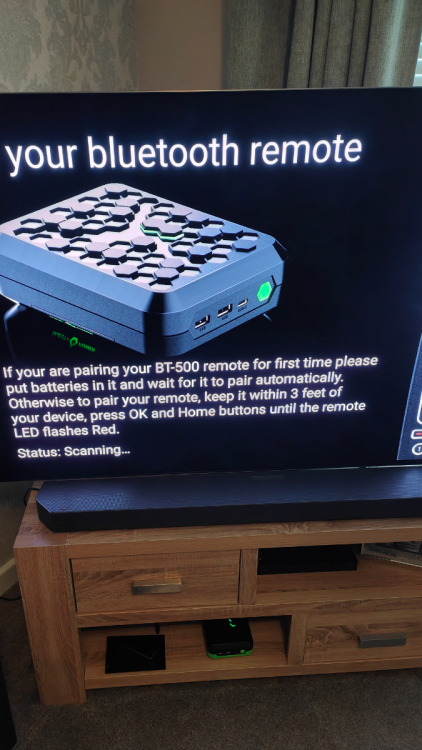
My P6 is stuck here never got any further from first turning it on
-
Which is info button please
-
Still cant get mine to pair 😭😭
-
Ok thanks.did yours pair automatic or did you hold ok and home button
-
Just got my P6 but cant seem to pair remote anyone else with this problem
-
And what you think of it so far 👌or👎
-
Thought I might get it faster from buzztv 😕
-
When did you receive it dishuser
-
Didn't get answer from either of them so don't think New thread would have done any good 😂😂😂
-
Has anyone received the P6 yet mine is on the way but I'm in UK so won't get it till Tuesday 😭😭
-
Has anyone received the P6 yet mine is on way but I'm in UK so won't get it till Tuesday 😰😰
-
Just emailed buzztv they told me if you are pre-order they start shipping today in the order they was placed 😃 6th is for new orders 😁😁
-
On the site now orders ship 2nd August 😄😄
-
The 990 Pro is the one that buzztv have been testing with the p6.i emailed them to see which drive they recommend
-
Might be worth paying the bit extra for the 990 in all honesty
-
Thats the same one i was looking at 👍
-
I been looking at a 1tb Samsung
-
Anyone adding a drive to it and if so which one are you going for